### TL;DR

Fix presentation mode space-drag interaction by disabling black background during panning and properly restoring presentation state.

### What changed?

- Modified how the presentation tool handles state restoration after panning
- Disabled black background during space-drag and middle-mouse panning in presentation mode
- Fixed tool state management to properly restore presentation mode after space panning
- Added direct modification of the current tool's activated options instead of triggering a full tool change

### How to test?

1. Create a frame in edgeless mode
2. Enter presentation mode
3. Press space and drag to pan around
4. Verify the black background disappears during panning
5. Verify presentation mode is properly restored after releasing space
6. Try the same with middle-mouse button dragging

### Why make this change?

The black background in presentation mode was causing visibility issues during panning operations. Additionally, the presentation state wasn't being properly restored after space-drag panning. These changes improve the user experience by making content visible during navigation while maintaining the presentation mode state.

<!-- This is an auto-generated comment: release notes by coderabbit.ai -->
## Summary by CodeRabbit

- **New Features**
  - Presentation mode now automatically hides the black background overlay when dragging with the space key or middle mouse button, improving visibility during navigation.

- **Bug Fixes**
  - Improved handling of tool switching after panning in presentation mode, ensuring smoother transitions and state restoration.

- **Tests**
  - Added an end-to-end test to verify that the black background is hidden during space-drag actions in presentation mode.
<!-- end of auto-generated comment: release notes by coderabbit.ai -->
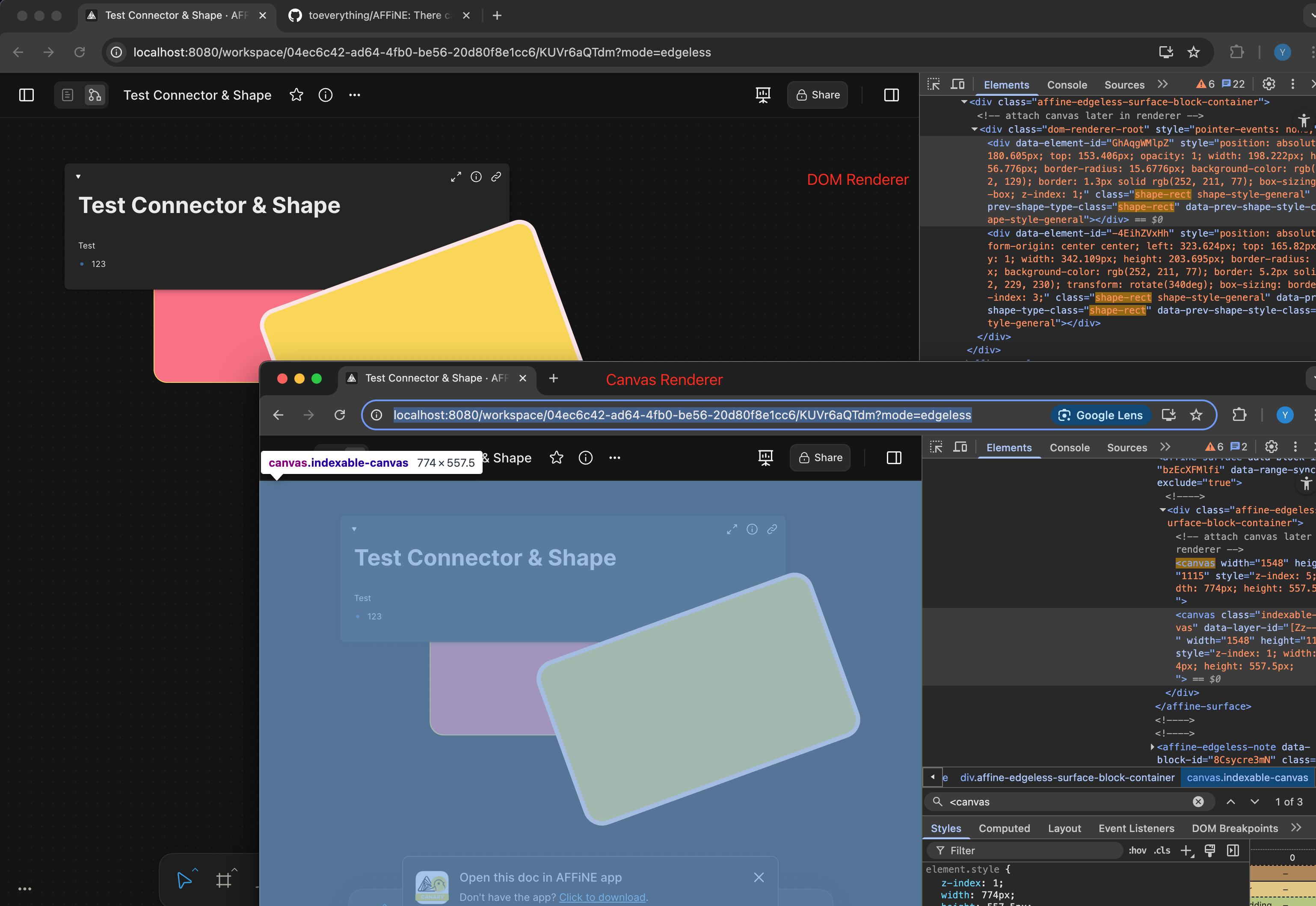
Comparison:
<!-- This is an auto-generated comment: release notes by coderabbit.ai -->
## Summary by CodeRabbit
- **New Features**
- Border radius and border thickness of shapes now scale dynamically with zoom level for improved visual consistency.
- **Tests**
- Added a test to ensure percentage-based border radius values are correctly rendered in the DOM.
<!-- end of auto-generated comment: release notes by coderabbit.ai -->
Fixes https://linear.app/affine-design/issue/BS-3448

Before this PR, presentation mode would force quit if user either:

1. Press space
2. Drag with mouse middle button

Unfixed behavior:

https://github.com/user-attachments/assets/8ff4e13a-69a8-4de6-8994-bf36e6e3eb49

<!-- This is an auto-generated comment: release notes by coderabbit.ai -->
## Summary by CodeRabbit

- **Bug Fixes**
	- Improved presentation mode to preserve your current panned view when exiting pan mode or toggling fullscreen, preventing unwanted viewport resets.
	- Spacebar actions are now correctly disabled when using the frame navigator tool, avoiding accidental tool switches.
- **New Features**
	- Enhanced presentation controls for smoother transitions and better handling of user navigation states.
	- Added a one-time toast notification for presentations without frames, shown only once per session for better user guidance.
<!-- end of auto-generated comment: release notes by coderabbit.ai -->
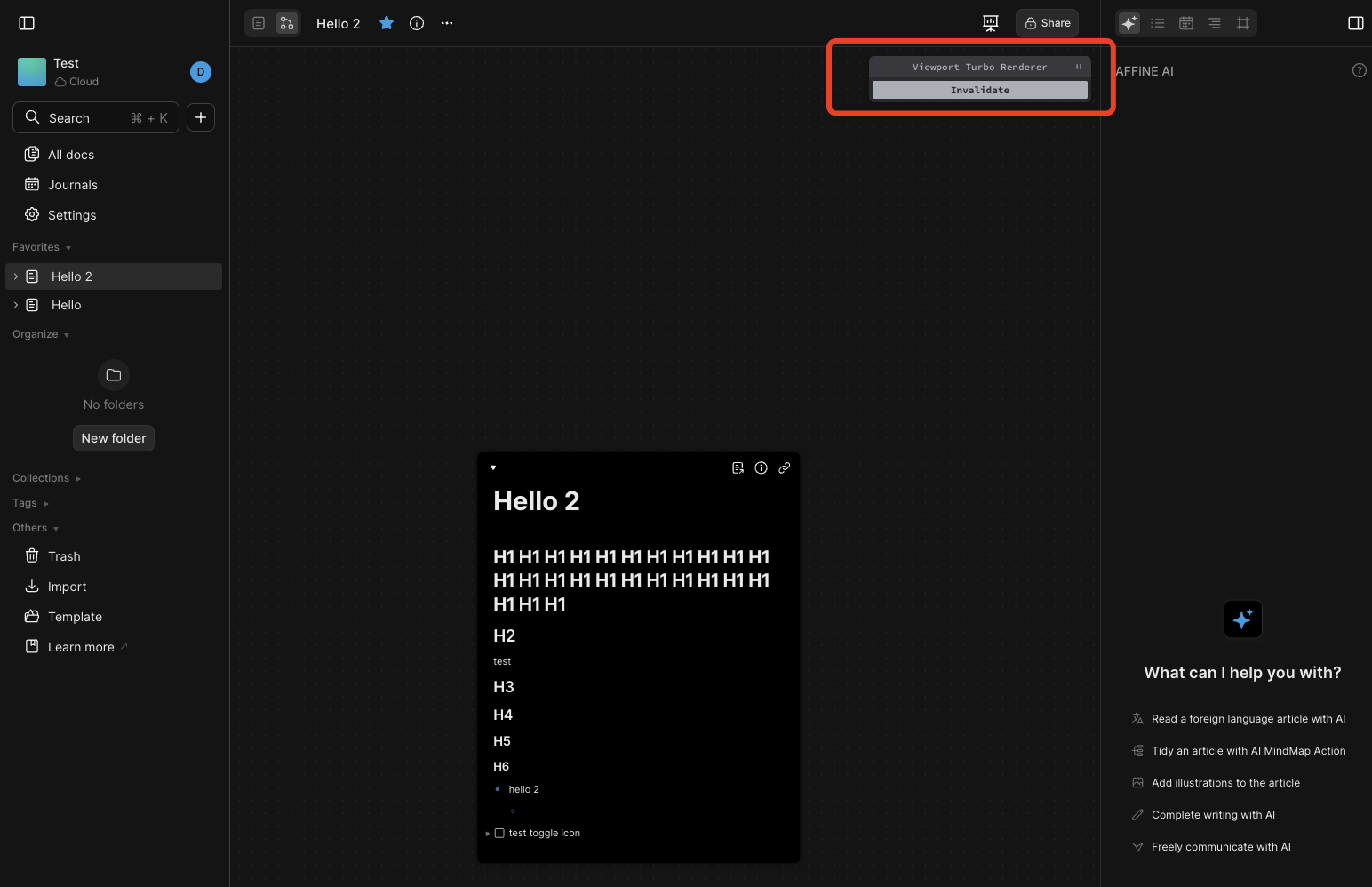
Fixed this issue (black background is on but the toggle state is not synced):
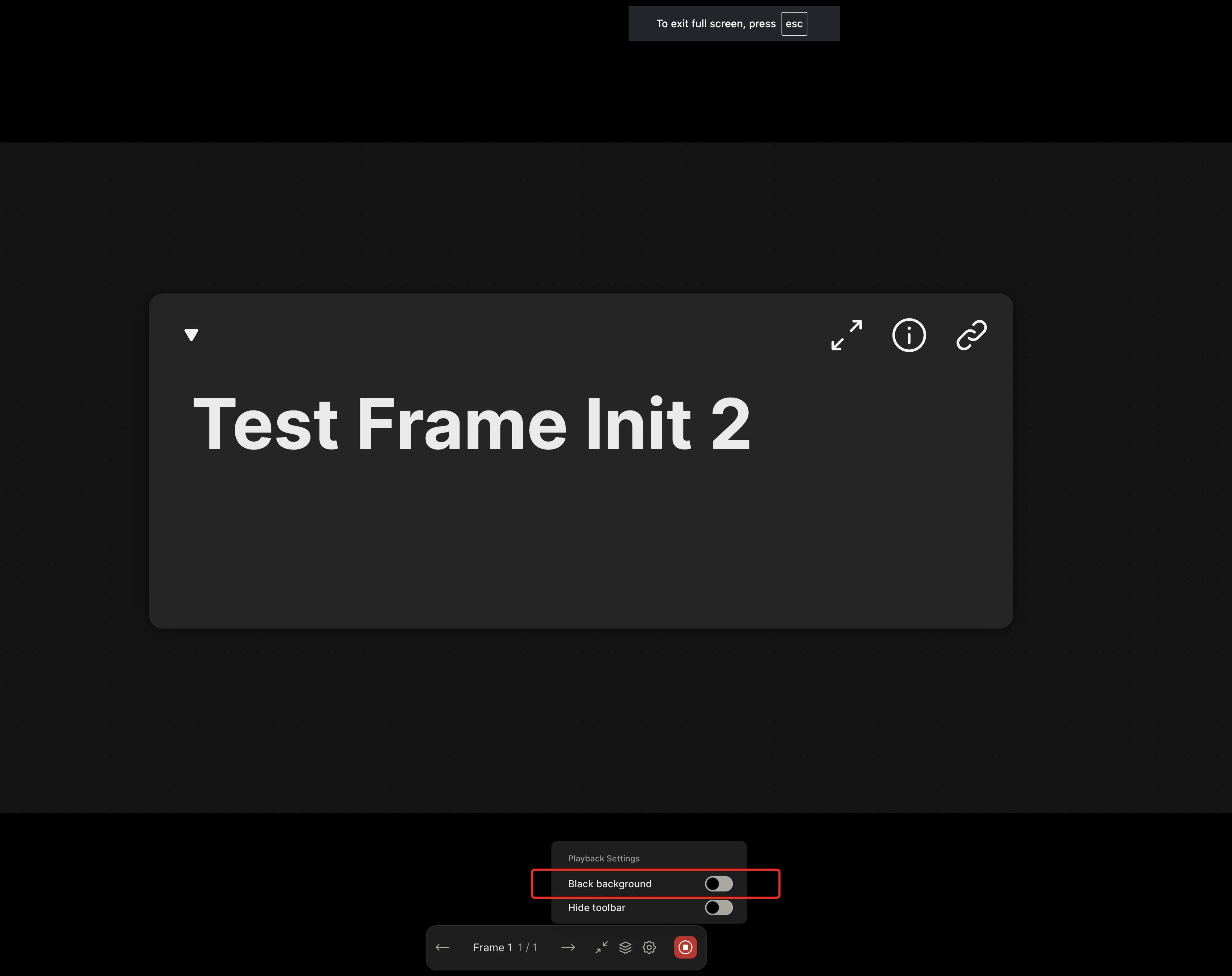
Issue source: https://linear.app/affine-design/issue/BS-3448
<!-- This is an auto-generated comment: release notes by coderabbit.ai -->
## Summary by CodeRabbit
- **Bug Fixes**
- The background color now defaults to non-black for new users or when no previous setting exists.
- Improved reliability when restoring user settings.
- **New Features**
- Changes to the background color setting are now saved and persist between sessions.
- **Style**
- Enhanced toggle switch responsiveness for background and toolbar settings.
<!-- end of auto-generated comment: release notes by coderabbit.ai -->
This won't affect desktop behavior, since the `MobileDataViewTable` is a standalone entry different with the default `DataViewTable`.

Horizontal scrolling needs to be disabled to prevent Safari render bug.

<!-- This is an auto-generated comment: release notes by coderabbit.ai -->
## Summary by CodeRabbit

- **Style**
  - Updated table view styling on mobile to disable horizontal scrolling, improving stability on iOS Safari.
  - Removed platform-specific horizontal scrolling behavior for tables on desktop for a consistent experience.
<!-- end of auto-generated comment: release notes by coderabbit.ai -->
2 out of 7 tests are skipped as flaky due to unknown vitest issue on CI, considering migrating to E2E afterwards.

<!-- This is an auto-generated comment: release notes by coderabbit.ai -->

## Summary by CodeRabbit

- **Tests**
  - Removed a test related to rendering multiple notes in the viewport.
  - Skipped two tests concerning zooming behavior and state transitions; these tests are now excluded from regular test runs.

<!-- end of auto-generated comment: release notes by coderabbit.ai -->
<!-- This is an auto-generated comment: release notes by coderabbit.ai -->
## Summary by CodeRabbit

- **Tests**
  - Updated integration test configuration to automatically retry failed tests up to 3 times in CI environments, improving test reliability.
<!-- end of auto-generated comment: release notes by coderabbit.ai -->
### TL;DR

Improved the test stability for the turbo renderer by using reactive state observation instead of arbitrary timeouts. (https://github.com/toeverything/AFFiNE/actions/runs/14729729312/job/41340918866?pr=12071)

### What changed?

- Replaced `wait(FRAME)` and other timeout-based waits with reactive state observation using RxJS
- Added `filter` import from `rxjs/operators`
- Updated test assertions to properly wait for specific renderer states (`ready`, `pending`, `zooming`)
- Made tests more deterministic by waiting for specific state transitions rather than arbitrary time periods

<!-- This is an auto-generated comment: release notes by coderabbit.ai -->
## Summary by CodeRabbit

- **Tests**
  - Improved test reliability by replacing fixed-duration waits with reactive waits based on renderer state changes, ensuring tests are synchronized with actual state transitions.
<!-- end of auto-generated comment: release notes by coderabbit.ai -->
Flaky source: https://github.com/toeverything/AFFiNE/actions/runs/14708000170/job/41272973259

<!-- This is an auto-generated comment: release notes by coderabbit.ai -->
## Summary by CodeRabbit

- **Tests**
  - Standardized test wait durations to 16ms for improved consistency across viewport turbo renderer tests.
<!-- end of auto-generated comment: release notes by coderabbit.ai -->
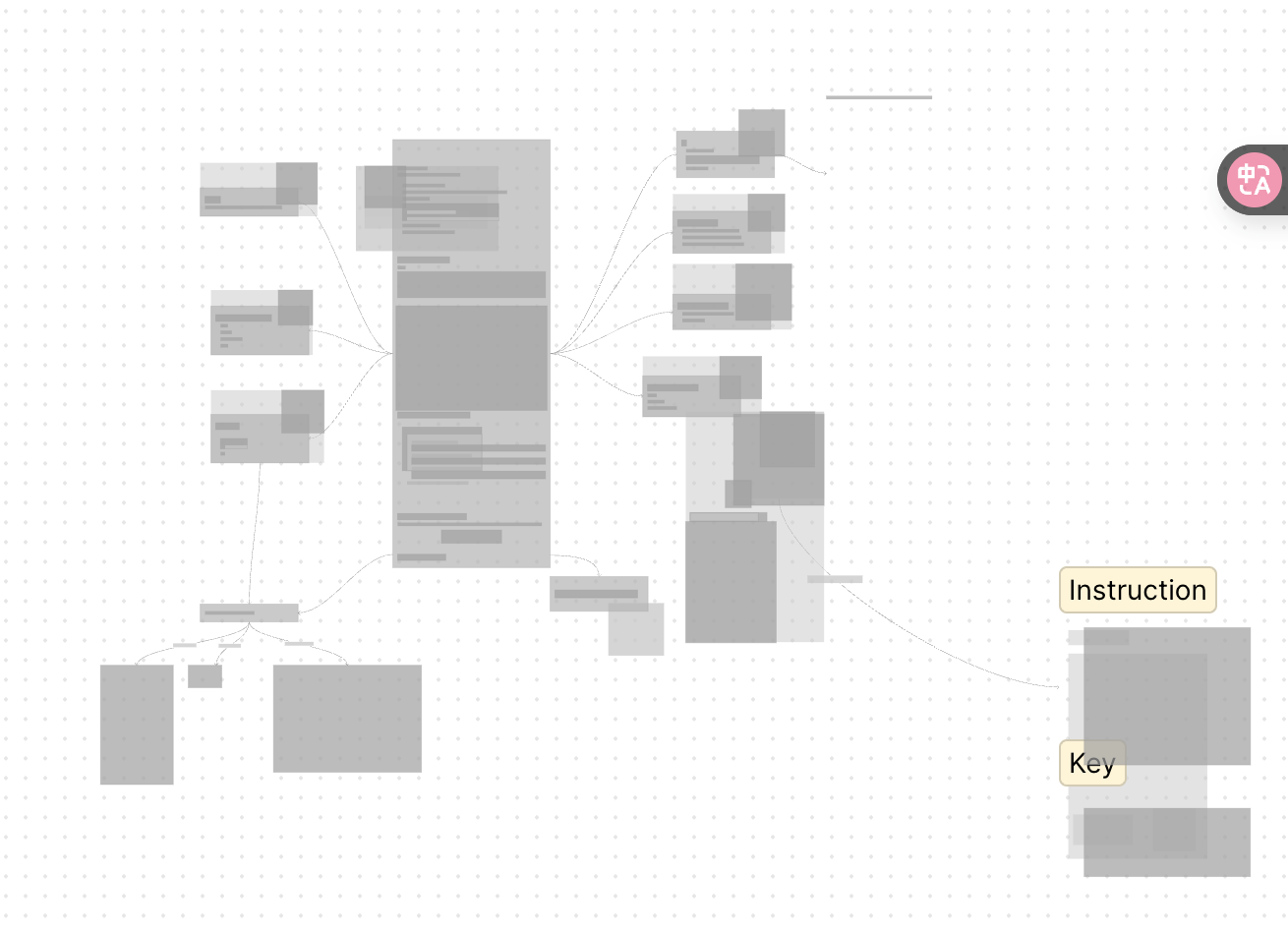
Based on this PR, all block types support zooming placeholder now.
<!-- This is an auto-generated comment: release notes by coderabbit.ai -->
## Summary by CodeRabbit
- **Improvements**
- Enhanced layout rendering accuracy for non-root nodes, leading to more precise placement and sizing.
- Simplified placeholder painting logic for improved consistency, with all nodes now displayed using a color based on their depth.
<!-- end of auto-generated comment: release notes by coderabbit.ai -->
### TL;DR
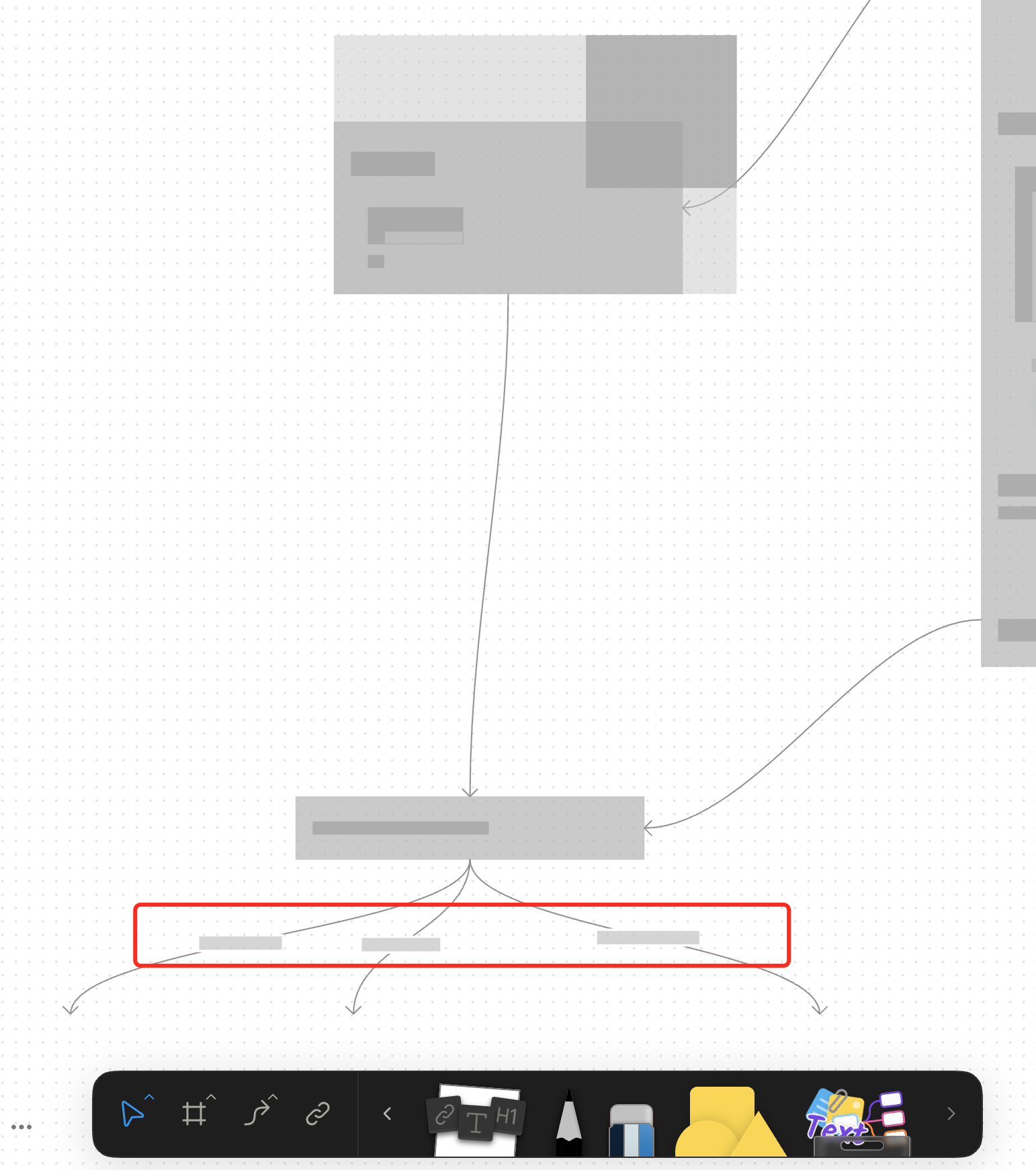
For canvas elements, this PR adds placeholders during zooming operations to improve performance.
### What changed?
- Implemented placeholder rendering during zooming operations in the canvas renderer, but not only DOM.
- Added a `forceFullRender` property to the `GfxCompatibleInterface` to allow elements to opt out of placeholder rendering
- Set `forceFullRender = true` for connectors to ensure they always render properly, even during zooming
- Connected the turbo renderer to the viewport's zooming state to automatically switch between full and placeholder rendering
### Why make this change?
Rendering complex elements during zooming operations can cause performance issues and make the UI feel sluggish. Rendering connector label also leads to high cost DOM `set font` delays.
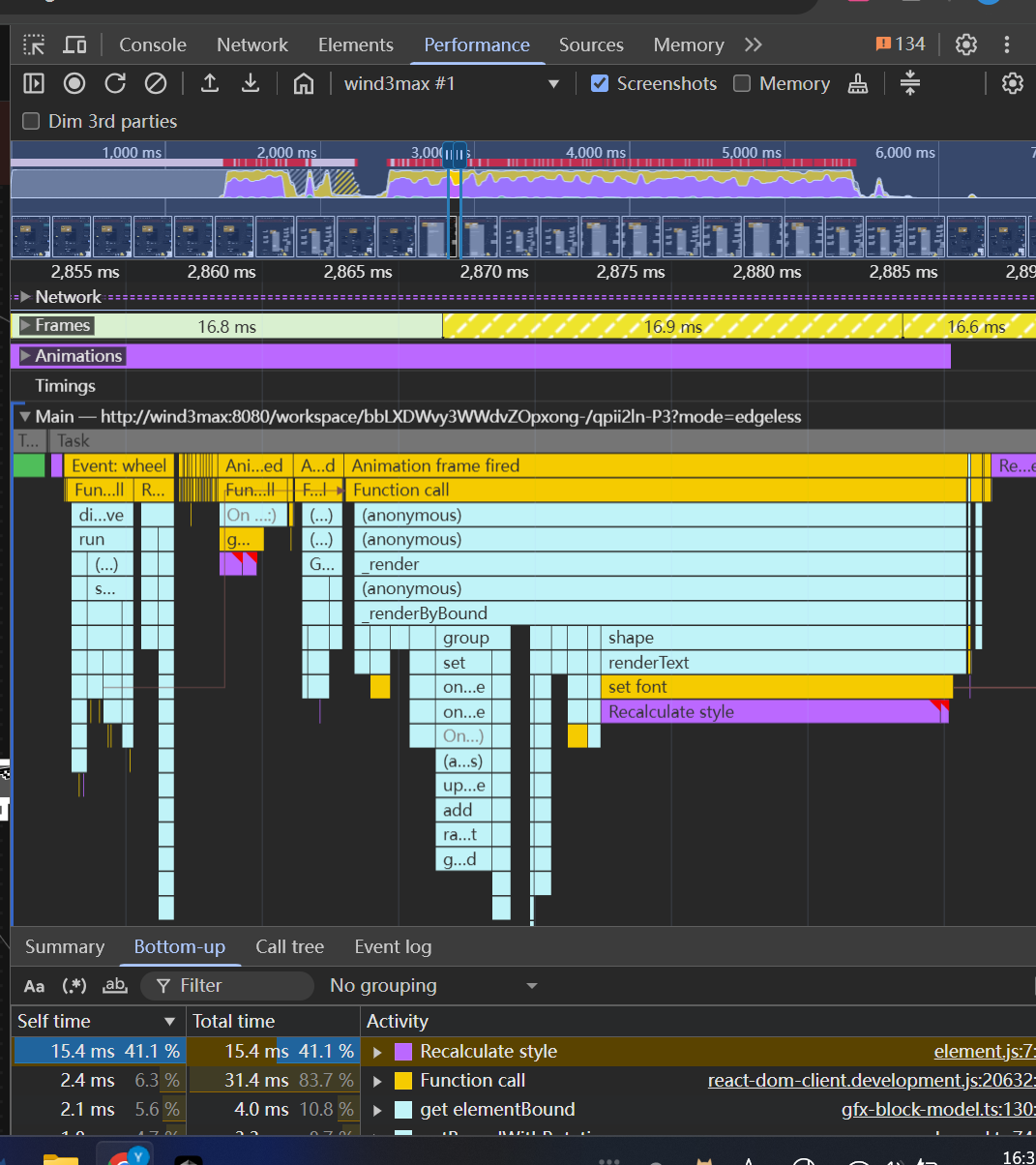
The turbo renderer improves performance by displaying simple placeholders for elements during zooming, while still rendering critical elements like connectors fully. This creates a smoother user experience while maintaining essential visual information.
<!-- This is an auto-generated comment: release notes by coderabbit.ai -->
## Summary by CodeRabbit
- **New Features**
- Introduced a feature-flag-controlled "turbo" rendering mode that displays placeholder graphics during zooming for improved performance.
- Added the ability to override placeholder rendering for specific elements, ensuring full rendering when required.
- **Bug Fixes**
- Enhanced rendering logic to ensure connectors always render fully, even during zoom operations.
- **Documentation**
- Updated API documentation to reflect new properties related to rendering behavior.
- **Tests**
- Improved tests to verify correct rendering behavior for connectors.
<!-- end of auto-generated comment: release notes by coderabbit.ai -->
<!-- This is an auto-generated comment: release notes by coderabbit.ai -->
## Summary by CodeRabbit

- **Tests**
  - Improved test resource cleanup for the viewport turbo renderer, ensuring proper teardown after each test for more reliable and isolated test execution.
  - Enhanced stability by preventing errors during cleanup when certain elements or editors are absent.
<!-- end of auto-generated comment: release notes by coderabbit.ai -->
<!-- This is an auto-generated comment: release notes by coderabbit.ai -->

## Summary by CodeRabbit

- **Tests**
  - Improved test reliability by awaiting the actual state change event instead of using a fixed delay during zooming state verification.

<!-- end of auto-generated comment: release notes by coderabbit.ai -->
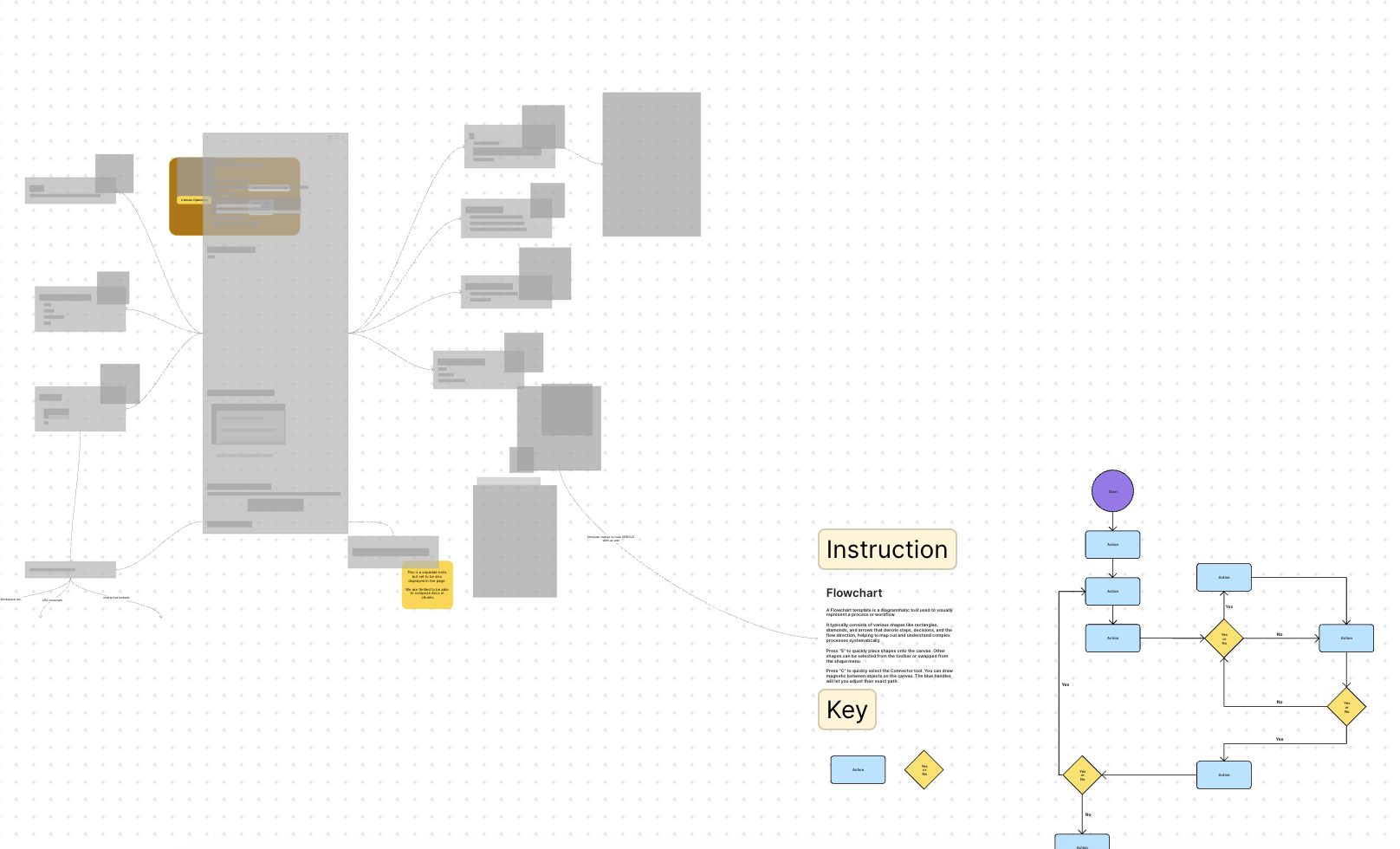
Fixed compat error for new built-in template with test updated.
<!-- This is an auto-generated comment: release notes by coderabbit.ai -->
## Summary by CodeRabbit
- **New Features**
- Added an option to enable or disable bitmap rendering in the renderer settings.
- Introduced a cooldown period after zooming before block optimization resumes, improving rendering performance and stability.
- **Bug Fixes**
- Improved handling of cases where block components may be missing, preventing potential runtime errors.
- **Tests**
- Expanded and refined tests to verify zooming behavior, bitmap caching, and internal state transitions for enhanced reliability.
<!-- end of auto-generated comment: release notes by coderabbit.ai -->
### TL;DR

Prevent pasting content when a document is in readonly mode.

### What changed?

Added a check in the `PageClipboard` class to prevent pasting operations when the document is in readonly mode. The function now returns early if `this.std.store.readonly` is true, preventing any clipboard operations from being executed.

### How to test?

1. Open a document and add some content
2. Set the document to readonly mode: `document.querySelector('affine-page-root')!.doc.readonly = true`
3. Try to paste content into the document using:
   - Regular paste operation
   - Keyboard shortcut (Ctrl+V/Cmd+V)
4. Verify that no content is pasted and the document remains unchanged
5. Set the document back to editable mode and confirm pasting works again

### Why make this change?

This change ensures that documents in readonly mode maintain their integrity by preventing unintended modifications through clipboard operations. This is consistent with the expected behavior of readonly documents, where users should not be able to modify content through any means.
### TL;DR

Refactored the BlockSuite turbo renderer to use a hierarchical tree structure for layouts instead of a flat list, improving rendering accuracy and performance.

### What changed?

- Redesigned the layout system to use a tree structure (`ViewportLayoutTree`) that better represents the document hierarchy
- Added `blockId` to all layout objects for better tracking and debugging
- Updated the layout query mechanism to work with models directly instead of components
- Enhanced error handling with more descriptive warnings and error messages
- Improved the painting process to traverse the layout tree recursively
- Fixed viewport coordinate calculations for more accurate rendering
- Updated the worker communication to support the new tree-based layout structure

### Why make this change?

The previous flat layout structure didn't properly represent the hierarchical nature of documents, leading to rendering issues with nested blocks. This tree-based approach:

1. Better represents the actual document structure
2. Improves rendering accuracy for nested elements
3. Makes debugging easier with more consistent block identification
4. Provides a more robust foundation for future rendering optimizations
5. Reduces the likelihood of rendering artifacts when scrolling or zooming
In this way, all downstream callers can be guaranteed by correct viewport fit result, instead of requiring them to set `forceUpdate: true` param explicitly to them. The resizing optimization is an internal exception.
# Refactor Turbo Renderer State Management to Use RxJS

### TL;DR

Refactored the TurboRenderer state management to use RxJS observables instead of direct state mutations, improving state transitions and reactivity.

### What changed?

- Replaced the public `state` property with a private `state$` BehaviorSubject in `ViewportTurboRendererExtension`
- Added proper state transition logging using RxJS operators
- Combined multiple event subscriptions using `merge` operator for better organization
- Improved state transition logic in the `refresh()` method
- Updated the `zooming$` and `panning$` signals in the Viewport

### Why make this change?

This refactoring improves the codebase by:
1. Using a more consistent reactive programming model with RxJS
2. Making state transitions more explicit and traceable
3. Reducing potential bugs from manual state management
4. Improving code organization by combining related event streams
5. Ensuring proper cleanup of resources when components are disposed

The change maintains the same functionality while making the code more maintainable and the state management more robust.
### TL;DR

Created dedicated worker entry points to avoid dynamic imports.

### What changed?

- Painters are provided during worker initialization
- Removed `ParagraphPaintConfigExtension` and the associated configuration system
- Created dedicated worker entry points in both the integration test and frontend packages
- Modified `ViewportLayoutPainter` to accept painters in its constructor
- Updated the `TurboRendererConfig` interface to require a `painterWorkerEntry` function

### Why make this change?

Webpack support. Extension objects in main thread are not available to be passed into workers. Dynamic painter path import is hard to support in webpack environment. With the [webpack-ignore](https://webpack.js.org/api/module-methods/#webpackignore) rule, there are still build errors in webpack.
This PR refactored the turbo renderer architecture to support multiple block layout types.

- New base class `BlockLayoutPainter` and `BlockLayoutProvider` are introduced for writing extendable per-block layout querying and painting logic.
- Paragraph-specific lines are all moved into dedicated classes (`ParagraphLayoutProvider` and `ParagraphLayoutPainter`) under the `/variants/paragraph` dir.
- The `renderer-utils.ts` doesn't contain paragraph-specific logic now.
- The `text-utils.ts` is also now scoped for paragraph only.
- Worker messages are now strongly typed.

Upcoming PR should further implement the block registration system using extension API. The `variants` dir could still exist, since there will be similar rendering logic that can be reused among block types (i.e., between paragraph block and list block).
The `ViewportTurboRendererExtension` is now extracted from `@blocksuite/affine-shared` to `@blocksuite/affine-gfx-turbo-renderer` with minimal dependencies, mirroring the gfx text package in #10378.
Currently, `GfxViewportElement` hides DOM blocks outside the viewport using `display: none` to optimize performance. However, this approach presents two issues:
1. Even when hidden, all top-level blocks still undergo frequent CSS transform updates during viewport panning and zooming.
2. Hidden blocks cannot access DOM layout information, preventing `TurboRenderer` from updating the complete canvas bitmap.
To address this, this PR introduces a refactoring that divides all top-level edgeless blocks into two states: `idle` and `active`. The improvements are as follows:
1. Blocks outside the viewport are set to the `idle` state, meaning they no longer update their DOM during viewport panning or zooming. Only `active` blocks within the viewport are updated frame by frame.
2. For `idle` blocks, the hiding method switches from `display: none` to `visibility: hidden`, ensuring their layout information remains accessible to `TurboRenderer`.
[Screen Recording 2025-03-07 at 3.23.56 PM.mov <span class="graphite__hidden">(uploaded via Graphite)</span> <img class="graphite__hidden" src="https://app.graphite.dev/api/v1/graphite/video/thumbnail/lEGcysB4lFTEbCwZ8jMv/4bac640b-f5b6-4b0b-904d-5899f96cf375.mov" />](https://app.graphite.dev/media/video/lEGcysB4lFTEbCwZ8jMv/4bac640b-f5b6-4b0b-904d-5899f96cf375.mov)
While this minimizes DOM updates, it introduces a trade-off: `idle` blocks retain an outdated layout state. Since their positions are updated using a lazy update strategy, their layout state remains frozen at the moment they were last moved out of the viewport:
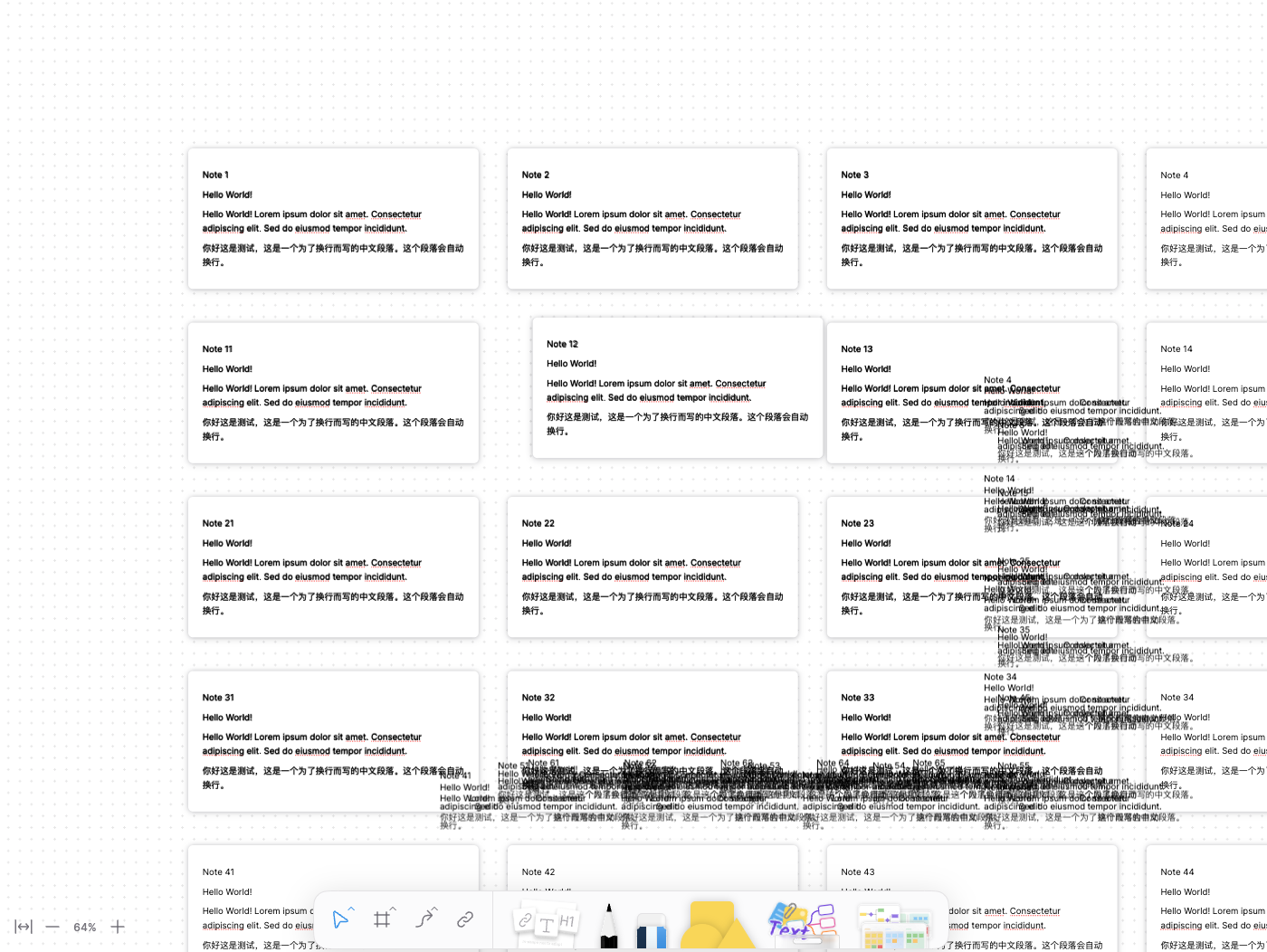
To resolve this, the PR serializes and stores the viewport field of the block at that moment on the `idle` block itself. This allows the correct layout, positioned in the model coordinate system, to be restored from the stored data.
refactor(editor): invalidate support in turbo renderer

- Added `invalidate()` method to clear cache and canvas
- Simplified debug pane controls to single invalidate button
- Replaced layout update with refresh debounce on block updates
- Improved cache handling and bitmap drawing flow

refactor: refresh after invalidate
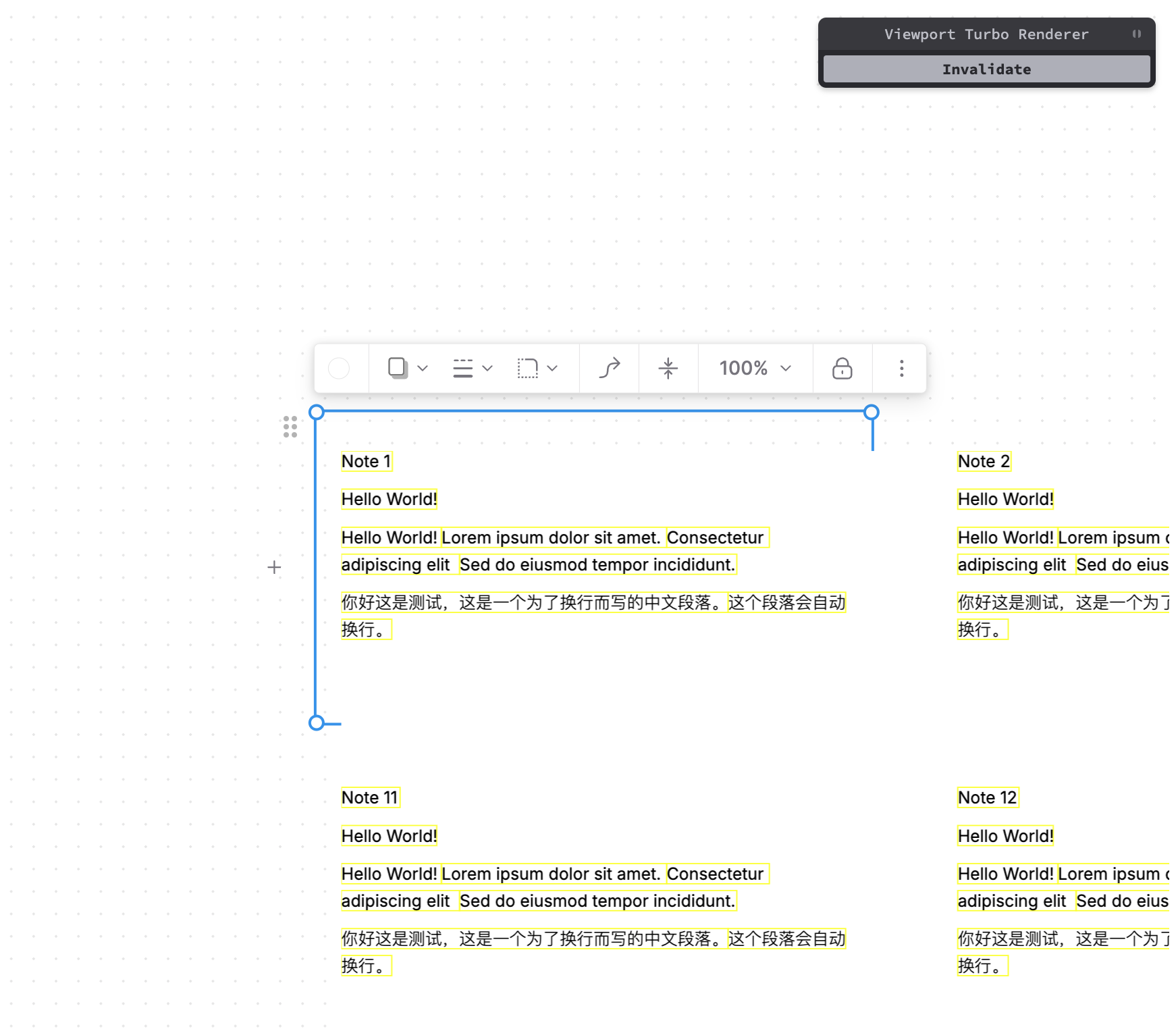
This would allow for easier integration with current test runner, since the two column layout is removed.

The `ViewportTurboRender` canvas and its debug UI are only enabled if the extension is added, which won't affect the AFFiNE entry.

<img width="945" alt="image" src="https://github.com/user-attachments/assets/dc82daa4-cbed-4eb9-9660-28c3f7d35722" />
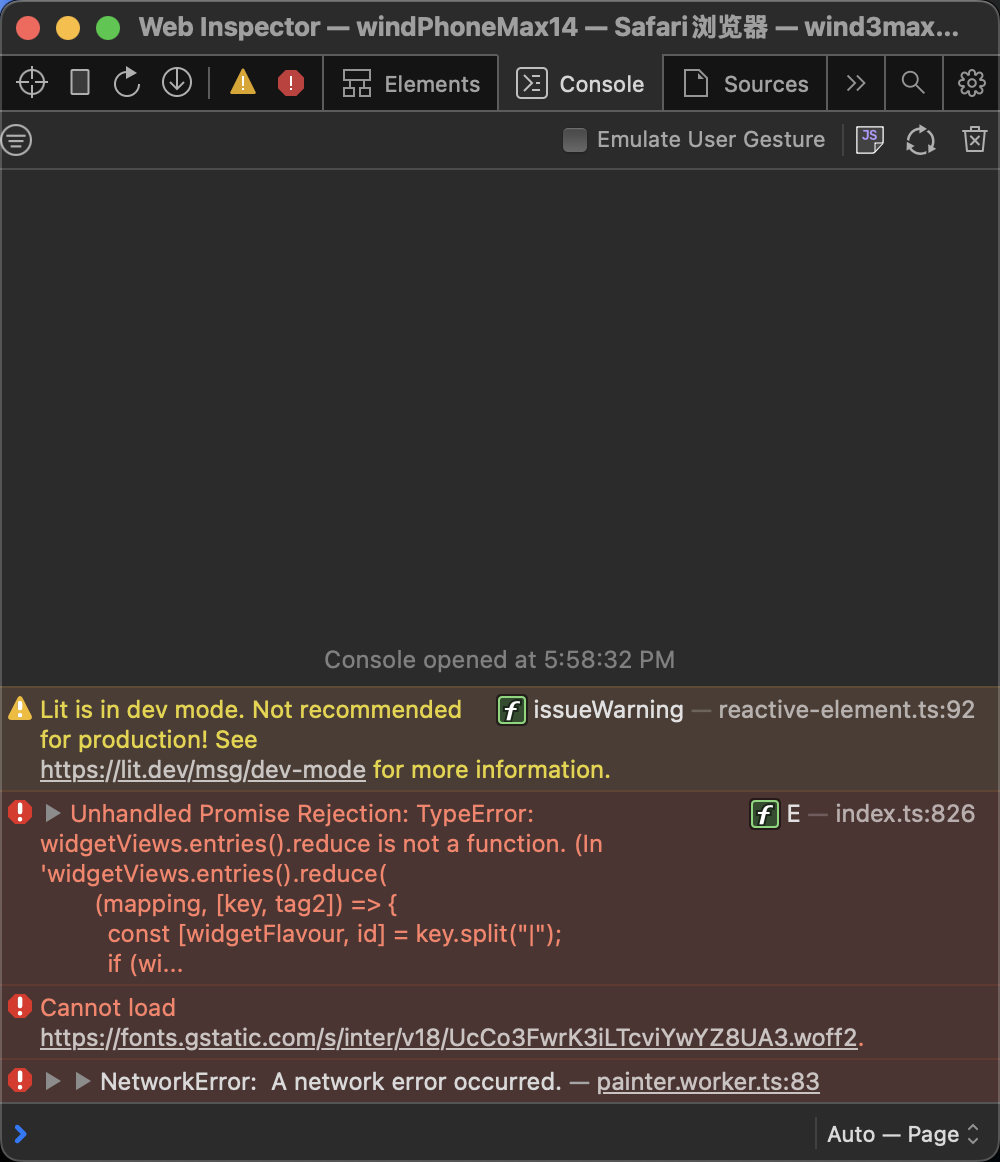
Currently, directly running `yarn dev` in `packages/backend/server` (following `developing-server.md`) instead of `yarn affine server dev` would raise following error:

``` sh
server git:(canary) ✗ yarn dev
[nodemon] 3.1.9
[nodemon] to restart at any time, enter `rs`
[nodemon] watching path(s): *.*
[nodemon] watching extensions: ts,json
[nodemon] starting `node ./src/index.ts`
node:internal/modules/esm/get_format:160
  throw new ERR_UNKNOWN_FILE_EXTENSION(ext, filepath);
        ^

TypeError [ERR_UNKNOWN_FILE_EXTENSION]: Unknown file extension ".ts" for /Users/ewind/code/AFFiNE/packages/backend/server/src/index.ts
    at Object.getFileProtocolModuleFormat [as file:] (node:internal/modules/esm/get_format:160:9)
    at defaultGetFormat (node:internal/modules/esm/get_format:203:36)
    at defaultLoad (node:internal/modules/esm/load:141:22)
    at async ModuleLoader.load (node:internal/modules/esm/loader:409:7)
    at async ModuleLoader.moduleProvider (node:internal/modules/esm/loader:291:45)
    at async link (node:internal/modules/esm/module_job:76:21) {
  code: 'ERR_UNKNOWN_FILE_EXTENSION'
}

Node.js v20.10.0
[nodemon] app crashed - waiting for file changes before starting...
```
 doodlewind