#### PR Dependency Tree


* **PR #14591** 👈

This tree was auto-generated by
[Charcoal](https://github.com/danerwilliams/charcoal)

<!-- This is an auto-generated comment: release notes by coderabbit.ai
-->
## Summary by CodeRabbit

* **New Features**
* New canvas renderer debug metrics and controls for runtime inspection.
* Mindmap/group reordering now normalizes group targets, improving
reorder consistency.

* **Bug Fixes**
  * Fixed connector behavior for empty/degenerate paths.
* More aggressive viewport invalidation so structural changes display
correctly.
* Improved z-index synchronization during transforms and layer updates.

* **Performance**
* Retained DOM caching for brushes, shapes, and connectors to reduce DOM
churn.
* Targeted canvas refreshes, pooling, and reuse to lower redraw and
memory overhead.

* **Tests**
* Added canvas renderer performance benchmarks and curve edge-case unit
tests.
<!-- end of auto-generated comment: release notes by coderabbit.ai -->
#### PR Dependency Tree


* **PR #14452** 👈

This tree was auto-generated by
[Charcoal](https://github.com/danerwilliams/charcoal)

<!-- This is an auto-generated comment: release notes by coderabbit.ai
-->
## Summary by CodeRabbit

* **Bug Fixes**
* Improved null-safety, dependency tracking, upload validation, and
error logging for more reliable uploads, clipboard, calendar linking,
telemetry, PDF/theme printing, and preview/zoom behavior.
* Tightened handling of all-day calendar events (missing date now
reported).

* **Deprecations**
  * Removed deprecated RadioButton and RadioButtonGroup; use RadioGroup.

* **Chores**
* Unified and upgraded linting/config, reorganized imports, and
standardized binary handling for more consistent builds and tooling.
<!-- end of auto-generated comment: release notes by coderabbit.ai -->
fix#14433
#### PR Dependency Tree
* **PR #14442** 👈
This tree was auto-generated by
[Charcoal](https://github.com/danerwilliams/charcoal)
<!-- This is an auto-generated comment: release notes by coderabbit.ai
-->
## Summary by CodeRabbit
* **New Features**
* Level-of-detail thumbnails for large images.
* Adaptive pacing for snapping, distribution and other alignment work.
* RAF coalescer utility to batch high-frequency updates.
* Operation timing utility to measure synchronous work.
* **Improvements**
* Batch group/ungroup reparenting that preserves element order and
selection.
* Coalesced panning and drag updates to reduce jitter.
* Connector/group indexing for more reliable updates, deletions and
sync.
* Throttled viewport refresh behavior.
* **Documentation**
* Docs added for RAF coalescer and measureOperation.
<!-- end of auto-generated comment: release notes by coderabbit.ai -->
#### PR Dependency Tree


* **PR #13464**
  * **PR #13465**
    * **PR #13471** 👈
      * **PR #13472**
        * **PR #13473**

This tree was auto-generated by
[Charcoal](https://github.com/danerwilliams/charcoal)

<!-- This is an auto-generated comment: release notes by coderabbit.ai
-->
## Summary by CodeRabbit

* **New Features**
* DOM rendering added for groups, mind maps and connectors so group
titles/outlines and mindmap connectors are visible on canvas.
* Shapes now support right-to-left text with proper vertical alignment.
* **Improvements**
  * Connector labels scale with viewport zoom for crisper display.
* Group-related selections (including nested groups) now update visuals
consistently.
* **Performance**
* Reduced DOM churn and fewer redraws during rendering and selection
changes.
* **Refactor**
* Renderer import/export surfaces consolidated with no user-facing
behavior changes.
<!-- end of auto-generated comment: release notes by coderabbit.ai -->
#### PR Dependency Tree


* **PR #13464**
  * **PR #13465** 👈
    * **PR #13471**
      * **PR #13472**
        * **PR #13473**

This tree was auto-generated by
[Charcoal](https://github.com/danerwilliams/charcoal)

<!-- This is an auto-generated comment: release notes by coderabbit.ai
-->

## Summary by CodeRabbit

* **Bug Fixes**
* Improved stacking order across canvas elements (shapes, connectors,
brush, highlighter), reducing unexpected overlap.
* Corrected z-index application for placeholders and fully rendered
elements to ensure consistent layering during edits.
* **Refactor**
* Centralized z-index handling for canvas elements to provide
predictable, uniform layering behavior across the app.

<!-- end of auto-generated comment: release notes by coderabbit.ai -->
### TL;DR

Added DOM-based renderer for connector elements in the AFFiNE editor.

### What changed?

- Created a new DOM-based renderer for connector elements that uses SVG
for rendering
- Implemented `ConnectorDomRendererExtension` to register the DOM
renderer for connector elements
- Added support for rendering connector paths, endpoints (arrows,
triangles, circles, diamonds), stroke styles, and labels
- Registered the new DOM renderer extension in the connector view setup
- Added comprehensive tests to verify DOM rendering functionality

### How to test?

1. Enable the DOM renderer flag in the editor
2. Create connector elements between shapes or with fixed positions
3. Verify that connectors render correctly with different styles:
   - Try different stroke styles (solid, dashed)
   - Test various endpoint styles (Arrow, Triangle, Circle, Diamond)
   - Add text labels to connectors
4. Check that connectors update properly when connected elements move
5. Verify that connectors are removed when deleted

### Why make this change?

The DOM-based renderer provides an alternative to the Canvas-based
renderer, offering better accessibility and potentially improved
performance for certain use cases. This implementation allows connectors
to be rendered as SVG elements within the DOM, which can be more easily
inspected, styled with CSS, and interacted with by assistive
technologies.
Close [BS-3305](https://linear.app/affine-design/issue/BS-3305/白板按s应该使用上次的shape形状)

<!-- This is an auto-generated comment: release notes by coderabbit.ai -->
## Summary by CodeRabbit

- **New Features**
  - Added a method to cycle through shape types when using the shape tool.

- **Bug Fixes**
  - Improved shape tool behavior to ensure the selected shape type does not change unexpectedly after adding a new shape.

- **Tests**
  - Added an end-to-end test to verify that the shape tool retains the selected shape type after adding a new shape.
  - Enhanced shortcut tests to verify cycling shapes forward and backward using 's' and 'Shift+s' keys.

- **Refactor**
  - Streamlined the logic for cycling through shape types and connector modes for improved maintainability.
  - Removed external utility for cycling shapes, integrating the functionality directly into the shape tool.
  - Updated keyboard shortcut handling to use the new cycling method within the shape tool.
<!-- end of auto-generated comment: release notes by coderabbit.ai -->
Close [BS-3507](https://linear.app/affine-design/issue/BS-3507/edgeless-text-颜色无法-undoredo)
Close [BS-3426](https://linear.app/affine-design/issue/BS-3426/frame-修改背景色后不能撤销)

This PR fixes the issue where the color change of edgeless blocks could not be undone/redone, including notes, edgeless-text, and frames. It also addresses the problem of a tiny shape being unexpectedly retained on the canvas. The key changes are:
- Removal of `transact` from the `pop` method of edgeless elements.
- Refactoring of `onPickColor` for all edgeless elements and blocks to better control the lifecycle of custom color property changes.
- Addition of the missing custom background color feature for notes.
- Addition of undo/redo color tests for notes, frames, and edgeless-text.

<!-- This is an auto-generated comment: release notes by coderabbit.ai -->
## Summary by CodeRabbit

- **New Features**
  - Added undo and redo support for color changes in frames, notes, and text blocks, allowing users to revert or reapply background and text color modifications.

- **Bug Fixes**
  - Improved reliability of color picker interactions, ensuring consistent state management and transactional updates during color changes.

- **Tests**
  - Introduced new end-to-end tests to verify undo/redo functionality for color changes in frames, notes, and text blocks.

- **Refactor**
  - Streamlined color picker event handling for better maintainability and consistency across toolbars and style panels.
  - Updated style panel structure and event handling for improved interaction and state management.
<!-- end of auto-generated comment: release notes by coderabbit.ai -->
Close [BS-3355](https://linear.app/affine-design/issue/BS-3355/白板快捷键c没有记住上次用的connector形状)

<!-- This is an auto-generated comment: release notes by coderabbit.ai -->
## Summary by CodeRabbit

- **New Features**
  - Added the ability to cycle through connector modes (Curve, Orthogonal, Straight) using the 'c' keyboard shortcut when the connector tool is active.
- **Bug Fixes**
  - Improved the logic for remembering and restoring the last used connector mode when switching between tools.
- **Tests**
  - Introduced a new end-to-end test to verify correct cycling and restoration of connector modes.
<!-- end of auto-generated comment: release notes by coderabbit.ai -->
Fixes [BS-3161](https://linear.app/affine-design/issue/BS-3161/发现已连接的connector会响应对齐线)
Fixes [BS-3337](https://linear.app/affine-design/issue/BS-3337/connector你肿么了)
Fixes [BS-3334](https://linear.app/affine-design/issue/BS-3334/connector-不应该能够被拖拽)

<!-- This is an auto-generated comment: release notes by coderabbit.ai -->

## Summary by CodeRabbit

- **Bug Fixes**
	- Corrected typos related to label editing state, ensuring more reliable label editing and display for connectors.
	- Fixed logic in the auto-complete overlay, improving when overlays appear during hover actions.

- **New Features**
	- Improved connector label handling by ensuring label state is preserved and restored during editing.
	- Enhanced connector movement behavior, allowing connectors to be moved only when appropriate elements are selected.

- **Tests**
	- Added end-to-end tests to verify connector movement and selection behaviors for improved reliability.

<!-- end of auto-generated comment: release notes by coderabbit.ai -->
Fixes [BS-3373](https://linear.app/affine-design/issue/BS-3373/connector%E7%9A%84%E5%8F%8C%E5%87%BB%E6%B7%BB%E5%8A%A0note%E8%A1%8C%E4%B8%BA%E5%8F%97%E5%88%B0%E4%BA%86%E8%A6%86%E7%9B%96%E8%8C%83%E5%9B%B4%E7%9A%84%E5%BD%B1%E5%93%8D)

<!-- This is an auto-generated comment: release notes by coderabbit.ai -->
## Summary by CodeRabbit

- **New Features**
  - Connector label elements now include identity and creator metadata.

- **Bug Fixes**
  - Improved hit-testing for pointer interactions, resulting in more accurate detection of hovered elements.

- **Refactor**
  - Enhanced internal comparison logic for elements, improving sorting and ordering consistency.
  - Strengthened type definitions for search filters, improving result accuracy and clarity.

- **Tests**
  - Added end-to-end tests to verify correct label entry and retrieval for multiple connectors.
  - Introduced utility functions to fetch connector labels and improved connector creation in test actions.
<!-- end of auto-generated comment: release notes by coderabbit.ai -->
### Changed

This pr split the old `edgeless-selected-rect` into four focused modules:

- `edgeless-selected-rect`: Provide an entry point for user operation on view layer only, no further logic here.

- `GfxViewInteractionExtension`: Allow you to plug in custom resize/rotate behaviors for block or canvas element. If you don’t register an extension, it falls back to the default behaviours.

- `InteractivityManager`: Provide the API that accepts resize/rotate requests, invokes any custom behaviors you’ve registered, tracks the lifecycle and intermediate state, then hands off to the math engine.

- `ResizeController`: A pure math engine that listens for pointer moves and pointer ups and calculates new sizes, positions, and angles. It doesn’t call any business APIs.

### Customizing an element’s resize/rotate behavior
Call `GfxViewInteractionExtension` with the element’s flavour or type plus a config object. In the config you can define:

- `resizeConstraint` (min/max width & height, lock ratio)
- `handleResize(context)` method that returns an object containing `beforeResize`、`onResizeStart`、`onResizeMove`、`onResizeEnd`
- `handleRotate(context)` method that returns an object containing `beforeRotate`、`onRotateStart`、`onRotateMove`、`onRotateEnd`

```typescript
import { GfxViewInteractionExtension } from '@blocksuite/std/gfx';

GfxViewInteractionExtension(
  flavourOrElementType,
  {
    resizeConstraint: {
      minWidth,
      maxWidth,
      lockRatio,
      minHeight,
      maxHeight
    },
    handleResize(context) {
      return {
        beforeResize(context) {},
        onResizeStart(context) {},
        onResizeMove(context) {},
        onResizeEnd(context) {}
      };
    },
    handleRotate(context) {
      return {
        beforeRotate(context) {},
        onRotateStart(context) {},
        onRotateMove(context) {},
        onRotateEnd(context) {}
      };
    }
  }
);
```

<!-- This is an auto-generated comment: release notes by coderabbit.ai -->
## Summary by CodeRabbit

- **New Features**
  - Added interaction extensions for edgeless variants of attachment, bookmark, edgeless text, embedded docs, images, notes, frames, AI chat blocks, and various embed blocks (Figma, GitHub, HTML, iframe, Loom, YouTube).
  - Introduced interaction extensions for graphical elements including connectors, groups, mind maps, shapes, and text, supporting constrained resizing and rotation disabling where applicable.
  - Implemented a unified interaction extension framework enabling configurable resize and rotate lifecycle handlers.
  - Enhanced autocomplete overlay behavior based on selection context.

- **Refactor**
  - Removed legacy resize manager and element-specific resize/rotate logic, replacing with a centralized, extensible interaction system.
  - Simplified resize handle rendering to a data-driven approach with improved cursor management.
  - Replaced complex cursor rotation calculations with fixed-angle mappings for resize handles.
  - Streamlined selection rectangle component to use interactivity services for resize and rotate handling.

- **Bug Fixes**
  - Fixed connector update triggers to reduce unnecessary updates.
  - Improved resize constraints enforcement and interaction state tracking.

- **Tests**
  - Refined end-to-end tests to use higher-level resize utilities and added finer-grained assertions on element dimensions.
  - Enhanced mouse movement granularity in drag tests for better simulation fidelity.

- **Chores**
  - Added new workspace dependencies and project references for the interaction framework modules.
  - Extended public API exports to include new interaction types and extensions.
<!-- end of auto-generated comment: release notes by coderabbit.ai -->
<!-- This is an auto-generated comment: release notes by coderabbit.ai -->

## Summary by CodeRabbit

- **Refactor**
  - Unified internal data access by replacing all references from `doc` to `store` across all components, blocks, widgets, and utilities. This affects how readonly state, block operations, and service retrieval are handled throughout the application.
- **Tests**
  - Updated all test utilities and test cases to use `store` instead of `doc` for document-related operations.
- **Chores**
  - Updated context providers and property names to reflect the change from `doc` to `store` for improved consistency and maintainability.

No user-facing features or behaviors have changed.

<!-- end of auto-generated comment: release notes by coderabbit.ai -->
### TL;DR
For canvas elements, this PR adds placeholders during zooming operations to improve performance.
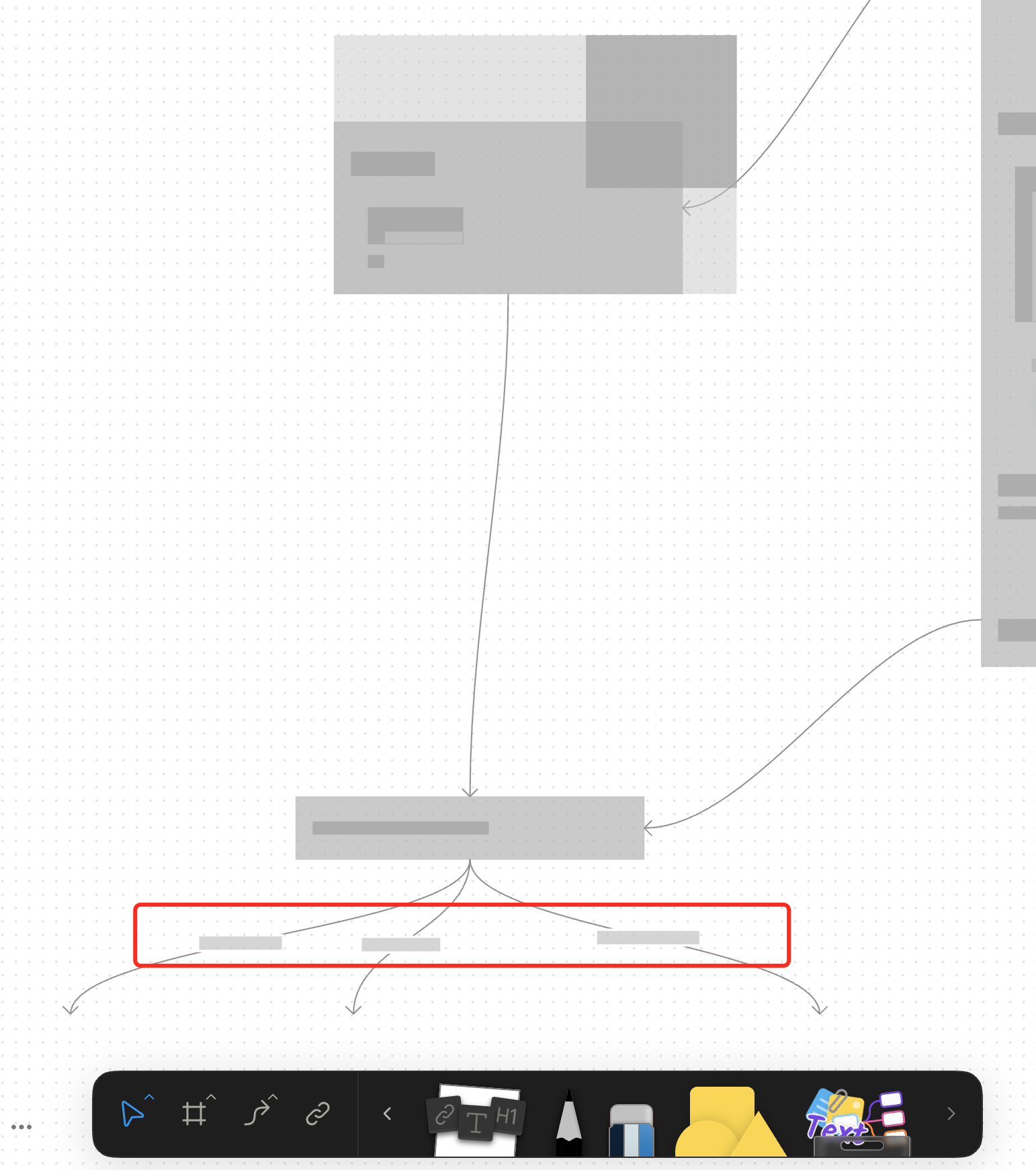
### What changed?
- Implemented placeholder rendering during zooming operations in the canvas renderer, but not only DOM.
- Added a `forceFullRender` property to the `GfxCompatibleInterface` to allow elements to opt out of placeholder rendering
- Set `forceFullRender = true` for connectors to ensure they always render properly, even during zooming
- Connected the turbo renderer to the viewport's zooming state to automatically switch between full and placeholder rendering
### Why make this change?
Rendering complex elements during zooming operations can cause performance issues and make the UI feel sluggish. Rendering connector label also leads to high cost DOM `set font` delays.
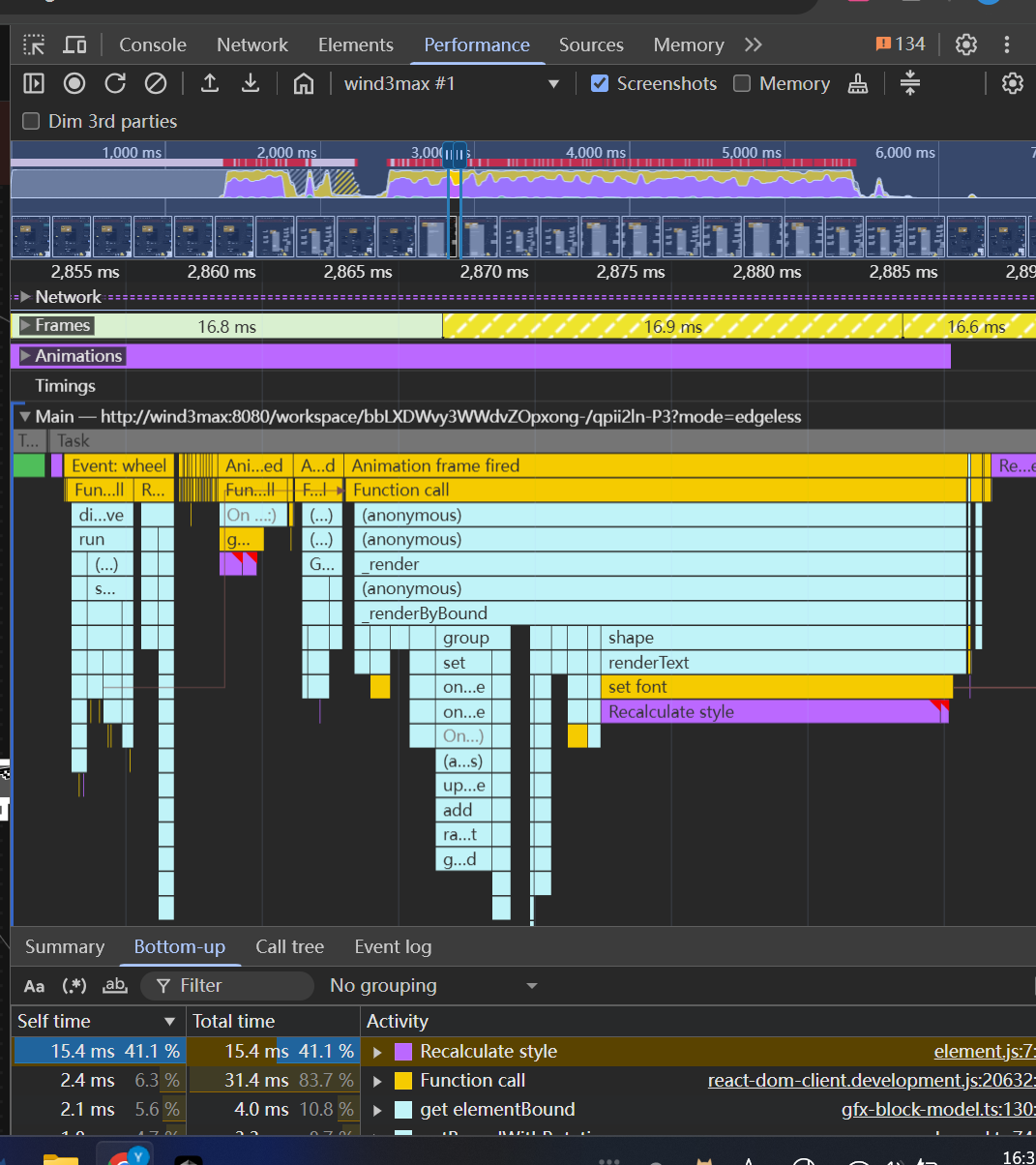
The turbo renderer improves performance by displaying simple placeholders for elements during zooming, while still rendering critical elements like connectors fully. This creates a smoother user experience while maintaining essential visual information.
<!-- This is an auto-generated comment: release notes by coderabbit.ai -->
## Summary by CodeRabbit
- **New Features**
- Introduced a feature-flag-controlled "turbo" rendering mode that displays placeholder graphics during zooming for improved performance.
- Added the ability to override placeholder rendering for specific elements, ensuring full rendering when required.
- **Bug Fixes**
- Enhanced rendering logic to ensure connectors always render fully, even during zoom operations.
- **Documentation**
- Updated API documentation to reflect new properties related to rendering behavior.
- **Tests**
- Improved tests to verify correct rendering behavior for connectors.
<!-- end of auto-generated comment: release notes by coderabbit.ai -->
Closes: BS-3208

<!-- This is an auto-generated comment: release notes by coderabbit.ai -->

## Summary by CodeRabbit

- **New Features**
  - Introduced a new group view extension, enhancing how group elements are handled and displayed.
  - Added new store and view modules for group-related features, improving modularity and integration.

- **Refactor**
  - Updated the group element architecture to use extension-based registration for views, toolbars, and effects.
  - Simplified and reorganized exports for group and text modules.

- **Chores**
  - Updated dependencies and project references to improve build consistency and compatibility.

<!-- end of auto-generated comment: release notes by coderabbit.ai -->
### Changed
Moved connector label moving logic from `default-tool` to connector view.
#### Other infrastructure changes:
- Gfx element view now can handles drag events
- Added `context.preventDefault()` support to bypass built-in interactions in extension
- Handle the pointer events in element view will bypass the built-in interactions automatically
> The built-in interactions include element dragging, click selection, drag-to-scale operations, etc.
### Change
- Rename `ElementTransformManager` -> `InteractivityManager`
- Now you can `event.on` and `action.onXXX` method to extend interactivity behaviour. The old approach of overriding methods directly is deprecated.
continue #10824

### Changed
- Moved double-click-to-edit behavior from the default tool to individual model views
- Introduced `onSelected` callback interface in gfx view components to allows developers to override default selection logic
 DarkSky

