Key Changes:

1. **Removal of Scroll Anchoring Widget**
- Removed the scroll anchoring widget import and its related implementation from `blocksuite/affine/block-root/src/common-specs/widgets.ts`

2. **Enhanced React-Lit Integration**
- Added `ReactWebComponent` type export in `packages/frontend/component/src/lit-react/index.ts`
- Refactored text renderer component to use React integration:
  - Added React import and created `LitTextRenderer` component using `createReactComponentFromLit`
  - Moved the component declaration to a more appropriate location

3. **AI Feature Flag Integration**
- Added feature flag check for AI functionality in `enableAIExtension`
- Only enables AI extensions if the `enable_ai` flag is true

4. **Component Restructuring**
- Moved several components and utilities to dedicated extension files
- Consolidated Lit adapter implementations
- Removed direct widget imports in favor of extension-based approach
- Reorganized editor component structure for better maintainability

5. **File Reorganization**
- Removed `specs/custom/spec-patchers.ts` and distributed its functionality across multiple extension files
- Created new extension files for various features like:
  - Attachment embed views
  - Doc mode service
  - Doc URL handling
  - Edgeless clipboard
  - Mobile support
  - Note configuration
  - Various service patches (notification, peek view, quick search, etc.)

6. **Mobile Support Improvements**
- Refactored mobile extension enablement to be more modular
- Moved mobile-specific widget omissions into a dedicated extension

7. **Type System Improvements**
- Added more specific type imports for editors and components
- Enhanced type safety across the codebase

This PR appears to be a significant refactoring effort focused on:
1. Improving code organization through better separation of concerns
2. Enhancing the integration between React and Lit components
3. Adding feature flag support for AI capabilities
4. Making the codebase more maintainable and modular
5. Improving mobile support
6. Strengthening type safety

The changes suggest a move towards a more extension-based architecture, where functionality is more clearly separated into distinct modules rather than being centralized in larger files.
### TL;DR

Moved outline functionality into a dedicated fragment package and updated vanilla-extract CSS dependency.

### What changed?

- Created new `@blocksuite/affine-fragment-outline` package
- Relocated outline-related code from presets to the new fragment package
- Updated imports across affected files to reference the new package location
- Upgraded `@vanilla-extract/css` dependency from 1.14.0/1.16.1 to 1.17.0
- Added necessary package configuration and TypeScript setup for the new fragment

### How to test?

1. Verify outline functionality works as expected in both desktop and mobile views
2. Check that outline panel, viewer, and mobile menu components render correctly
3. Ensure outline navigation and interactions continue to work
4. Confirm no regressions in outline-related features

### Why make this change?

This change improves code organization by isolating outline functionality into a dedicated package, following the modular architecture pattern. This makes the codebase more maintainable and allows for better separation of concerns. The vanilla-extract CSS upgrade ensures consistency across packages and provides access to the latest features and fixes.
fix AF-2157, AF-2155, AF-2156
1. add shift selection for grid blob card
2. various style issues
3. unused blobs list will also wait for workspace syncing
### Changed

- Refactored BlockSuite drag-and-drop using @atlaskit/pragmatic-drag-and-drop/element/adapter.
- Updated block dragging to use the new drag-and-drop infrastructure.

### BlockSuite DND API

Access the BlockSuite drag-and-drop API via `std.dnd`. This is a lightweight wrapper around pragmatic-drag-and-drop, offering convenient generic types and more intuitive option names.

#### Drag payload structure
There's some constrain about drag payload. The whole drag payload looks like this:

```typescript
type DragPayload = {
  entity: {
    type: string
  },
  from: {
    at: 'blocksuite',
    docId: string
  }
}
```
- The `from` field is auto-generated—no need for manual handling.
- The `entity` field is customizable, but it must include a `type`.

All drag-and-drop methods accept a generic type for entity, ensuring more accurate payloads in event handlers.

```typescript
type BlockEntity = {
  type: 'blocks',
  blockIds: string[]
}

dnd.draggable<BlockEntity>({
  element: someElement,
  setDragData: () => {
    // the return type must satisfy the generic type
    // in this case, it's BlockEntity
    return {
      type: 'blocks',
      blockIds: []
    }
  }
});

dnd.monitor<BlockEntity>({
  // the arguments is same for other event handler
  onDrag({ source }) {
    // the type of this is BlockEntity
    source.data.entity
  }
})
```

#### Drop payload
When hover on droppable target. You can set drop payload as well. All drag-and-drop methods accept a second generic type for drop payload.

The drop payload is customizable. Additionally, the DND system will add an `edge` field to the final payload object, indicating the nearest edge of the drop target relative to the current drag position.

```typescript
type DropPayload = {
  blockId: string;
}

dnd.dropTarget<BlockEntity, DropPayload>({
  getData() {
    // the type should be DropPayload
    return {
      blockId: 'someId'
    }
  }
});

dnd.monitor<BlockEntity, DropPayload>({
  // drag over on drop target
  onDrag({ location }) {
    const target = location.current.dropTargets[0];

    // the type is DropPayload
    target.data;
    // retrieve the nearest edge of the drop target relative to the current drop position.
    target.data.edge;
  }
})
```
1. page list item are bound two draggables. adding `draggable` prop to WorkbenchLink to mitigate the issue.
2. DndService may not resolve datatransfer when dragging.
fix AF-2068, AF-2069, AF-1175, AF-2061, AF-2079, AF-2034, AF-2080, AF-1960, AF-2081

1. replace `dnd-kit` with `@atlaskit/pragmatic-drag-and-drop`
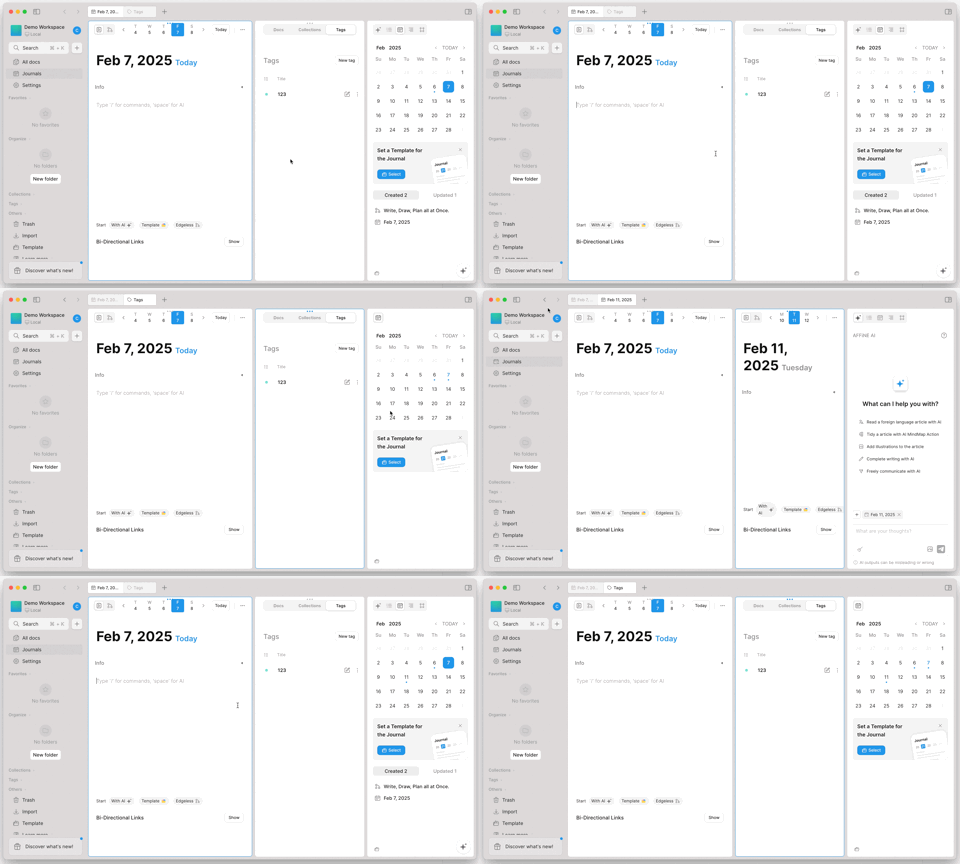
2. allow creating split views by drag & drop the following
   a. WorkbenchLinks (route links), like journals, trash, all docs
   b. doc refs
   c. tags/collection
3. style adjustments to split view
4. remove split view's feature flag and make it GA for electron

https://github.com/user-attachments/assets/6a3e4a25-faa2-4215-8eb0-983f44db6e8c