dcfc92347f
fix(core): unable to copy the selected ai answer content across multiple lines ( #11806 )
...
> CLOSE AI-76
2025-04-18 10:33:14 +00:00
e577bb7aa9
fix(core): ask ai loses user selected context ( #11767 )
...
Close [AI-72](https://linear.app/affine-design/issue/AI-72 )
2025-04-17 09:05:44 +00:00
50b3f5f7df
fix(core): ai history of new users is always loading, enable online search by default ( #11741 )
...
Close [AI-69](https://linear.app/affine-design/issue/AI-69 ).
2025-04-17 02:53:41 +00:00
0df584bd5e
refactor(core): add keyPress event to fix IME space detection ( #11700 )
...
### TL;DR
Refactor space-triggered AI Widget activation logic from `keydown` to `keypress` event listeners
### Background
The `keydown` event triggered by a space may originate from:
1. Normal space insertion
2. Space triggered by input method confirming candidate words
In scenarios like (2), some browsers (see [ISSUE](https://github.com/toeverything/AFFiNE/issues/11541 )) and input method callbacks produce events identical to scenario (1),making it impossible to distinguish between the two.
To fix this, the space-activated AI listener uses the `keypress` event:
In scenario 2, `event.which !== 32` (may be `30430` or other values) can be used to differentiate from scenario 1.
> CLOSE BS-3081
2025-04-15 08:37:27 +00:00
d494394c8d
test(core): common setup for ai tests ( #11644 )
...
### TL:DR
By sharing initialization logic, accelerate test case execution.
### What Changed
* Global setup for copilot e2e
* Login
* Create Workspace
* Enable fully parallel for ci
### Optimization Comparison
Comparing with PR [fix(core): ask AI input box in the whiteboard is blocked by the menu …](https://github.com/toeverything/AFFiNE/pull/11634 ):
| | Shard 1 |2|3|4|5|6|7|8|
| ------|----|----|----|----|----|---|---|--|
|Before|15min|14min|14min|14min|14min|13min|15min|10min|
|After|8min|11min|8min|8min|8min|8min|8min|7min|
### Trade-Off
Since all copilot use cases currently share a single user and workspace, some test cases need to focus on **isolation** and **independence**.
For example, when testing Embedding-related workflows:
* Different document contents should be used to avoid interference.
* After each test case execution, **cleanup** operations are also required.
* Some tests should be configured to **serial** mode.
```ts
test.describe.configure({ mode: 'serial' });
test.describe('AIChatWith/Collections', () => {
test.beforeEach(async ({ loggedInPage: page, utils }) => {
await utils.testUtils.setupTestEnvironment(page);
await utils.chatPanel.openChatPanel(page);
await utils.editor.clearAllCollections(page);
await utils.testUtils.createNewPage(page);
});
test.afterEach(async ({ loggedInPage: page, utils }) => {
// clear all collections
await utils.editor.clearAllCollections(page);
});
test('should support chat with collection', async ({
loggedInPage: page,
utils,
}) => {
// Create two collections
await utils.editor.createCollectionAndDoc(
page,
'Collection 1',
'CollectionAAaa is a cute dog'
);
await utils.chatPanel.chatWithCollections(page, ['Collection 1']);
await utils.chatPanel.makeChat(page, 'What is CollectionAAaa(Use English)');
// ...
});
test('should support chat with multiple collections', async ({
loggedInPage: page,
utils,
}) => {
// Create two collections
await utils.editor.createCollectionAndDoc(
page,
'Collection 2',
'CollectionEEee is a cute cat'
);
await utils.editor.createCollectionAndDoc(
page,
'Collection 3',
'CollectionFFff is a cute dog'
);
await utils.chatPanel.chatWithCollections(page, [
'Collection 2',
'Collection 3',
]);
await utils.chatPanel.makeChat(
page,
'What is CollectionEEee? What is CollectionFFff?(Use English)'
);
// ...
});
});
```
> CLOSE AI-51
2025-04-14 02:42:06 +00:00
149433b8d0
fix(core): cannot focus inside shape in test ( #11630 )
2025-04-11 05:26:27 +00:00
25418b402a
fix(core): replace zero-width non-ioiner for editor content ( #11591 )
2025-04-10 11:55:31 +00:00
030af6f426
test(core): edgeless shape e2e ( #11446 )
...
### TL;DR

Add Edgeless shape ai e2e tests.

### What Changed

- Add Edgeless shape make it real e2e
- Add Edgeless shape generate image e2e
- Fix Edgeless generate headings e2e
2025-04-03 16:53:20 +00:00
6cf182190c
refactor(core): remove useless chat-input components ( #11426 )
...
Close [BS-2583](https://linear.app/affine-design/issue/BS-2583 ).
2025-04-03 14:53:50 +00:00
a1500e3ee1
fix(editor): textarea not focusing in AI panel ( #11429 )
...
Closes: [BS-3006](https://linear.app/affine-design/issue/BS-3006/insider上面,圈选yuan素后,ad-hoc的ai对话框焦点控制有大问题(无法对焦,总是会跳走) )
2025-04-03 03:27:26 +00:00
c61df18ab9
test(core): chat with collection & tags ( #11388 )
...
### TL:DR

* AI chat with collection E2E
* AI chat with tag E2E

> Close BS-3007
2025-04-03 02:46:08 +00:00
317d3e7ea6
test(core): split and enhance copilot e2e tests ( #11007 )
...
### TL;DR
Split and enhance copilot e2e tests.
### What Changed
#### Tests Structure
The e2e tests are organized into the following categories:
1. **Basic Tests (`/basic`)**: Tests for verifying core AI capabilities including feature onboarding, authorization workflows, and basic chat interactions.
2. **Chat Interaction Tests (`/chat-with`)**: Tests for verifying the AI's interaction with various object types, such as attachments, images, text content, Edgeless elements, etc.
3. **AI Action Tests (`/ai-action`)**: Tests for verifying the AI's actions, such as text translation, gramma correction, etc.
4. **Insertion Tests (`/insertion`)**: Tests for verifying answer insertion functionality.
#### Tests Writing
Writing a copilot test cases is easier and clear
e.g.
```ts
test('support chat with specified doc', async ({ page, utils }) => {
// Initialize the doc
await focusDocTitle(page);
await page.keyboard.insertText('Test Doc');
await page.keyboard.press('Enter');
await page.keyboard.insertText('EEee is a cute cat');
await utils.chatPanel.chatWithDoc(page, 'Test Doc');
await utils.chatPanel.makeChat(page, 'What is EEee?');
await utils.chatPanel.waitForHistory(page, [
{
role: 'user',
content: 'What is EEee?',
},
{
role: 'assistant',
status: 'success',
},
]);
const { content } = await utils.chatPanel.getLatestAssistantMessage(page);
expect(content).toMatch(/EEee/);
});
```
#### Summary
||Cases|
|------|----|
|Before|19||
|After|151||
> Close BS-2769
2025-03-29 03:41:09 +00:00
aefbc11aab
feat(core): add candidates popover in ai chat-panel ( #11178 )
...
Close [BS-2853](https://linear.app/affine-design/issue/BS-2853 ).
2025-03-25 15:50:11 +00:00
99491eb3c5
refactor(core): reorganize chat-panel components ( #10935 )
...
### TL;DR
Split complex chat message component into smaller, reusable units with finer granularity
> CLOSE AF-2323 AF-2326
### What Changed
* Split messages into components:
* `<chat-message-assistant />`
* `<chat-message-user />`
* `<chat-message-action />`
* Split message content into types:
* `<chat-content-images />`
* `<chat-content-rich-text />`
* `<chat-content-pure-text />`
2025-03-20 06:39:27 +00:00
5aa36efab0
refactor(core): simplify chat panel user message rendering ( #10910 )
...
### TL;DR
Refactor style of  user chat message

> CLOSE AF-2323 AF-2324 AF-2325

### What Changed
* Refactor style of user message.
* Refactor style of image message.
2025-03-20 04:59:10 +00:00
4a1a557a9e
refactor(web): save as doc & save as block action ( #10833 )
...
### TL;DR

Added "Save as doc" option to Edgeless editor actions.

### What changed?

- Renamed `SAVE_CHAT_TO_BLOCK_ACTION` to `SAVE_AS_BLOCK` and updated its title from "Save chat to block" to "Save as block"
- Renamed `CREATE_AS_DOC` to `SAVE_AS_DOC` and updated its title from "Create as a doc" to "Save as doc"
- Added `SAVE_AS_DOC` to the `EdgelessEditorActions` array, making this option available in the Edgeless editor
2025-03-14 09:01:31 +00:00
1258f47d70
refactor(web): insert blew action ( #10722 )
...
### TL;DR
Refactor the insert below functionality to work with page mode and edgeless mode
* Page Mode
  - Insert content below the current selection
  - If nothing selected, insert content below the last block
* EdgeLess Mode
  - If no note block is currently selected, create the content as a new note block.
  - Otherwise, insert content into the selected note

Close BS-2760

### What changed?
- Created separate insert handlers for page and edgeless modes with context-aware behavior
  - Added support for inserting content when nothing is selected by targeting the last content block
  - Added special handling for edgeless mode to support inserting below selected note blocks
- Removed the "Replace selection" action and consolidated insert functionality
- Optimized the clickable area of the action button
2025-03-14 09:01:31 +00:00
1546b76337
feat(core): poll context docs and files embedding status ( #10843 )
...
Close [BS-2791](https://linear.app/affine-design/issue/BS-2791 ).
### What Changed?
- Add status filed to `CopilotContextDoc` to querying document embedding processing progress.
- Change `ChipState` from `success` to `finished` to better align with backend server status.
- Add `pollContextDocsAndFiles` API for embedding status polling.
### About Polling
- Set the minimum interval to 1 second and the maximum interval to 30 seconds
- Use exponential backoff and increase the interval by 50% after each poll
- Make sure the interval does not exceed the maximum
2025-03-14 08:44:55 +00:00
daccb2c865
feat(core): add ai file context api ( #10842 )
...
Close [BS-2349](https://linear.app/affine-design/issue/BS-2349 ).
### What Changed?
- Add file context graphql apis
- Pass matched file chunks to LLM
[录屏2025-02-19 23.27.47.mov <span class="graphite__hidden">(uploaded via Graphite)</span> <img class="graphite__hidden" src="https://app.graphite.dev/api/v1/graphite/video/thumbnail/sJGviKxfE3Ap685cl5bj/8e8a98ca-6959-4bb6-9759-b51d97cede49.mov " />](https://app.graphite.dev/media/video/sJGviKxfE3Ap685cl5bj/8e8a98ca-6959-4bb6-9759-b51d97cede49.mov )
2025-03-14 04:29:54 +00:00
d8373f66e7
feat(server): context awareness for copilot ( #9611 )
...
fix PD-2167
fix PD-2169
fix PD-2190
2025-03-13 11:44:55 +00:00
8da12025af
fix(core): should invoke cleanup fn when ai sub item list is removed ( #10685 )
...
Closes: [BS-2755](https://linear.app/affine-design/issue/BS-2755/ai-translate-死循环报错 )
2025-03-07 03:35:59 +00:00
ec9bd1f383
feat(editor): add toolbar registry extension ( #9572 )
...
### What's Changed!
#### Added
Manage various types of toolbars uniformly in one place.
* `affine-toolbar-widget`
* `ToolbarRegistryExtension`
The toolbar currently supports and handles several scenarios:
1. Select blocks: `BlockSelection`
2. Select text: `TextSelection` or `NativeSelection`
3. Hover a link: `affine-link` and `affine-reference`
#### Removed
Remove redundant toolbar implementations.
* `attachment` toolbar
* `bookmark` toolbar
* `embed` toolbar
* `formatting` toolbar
* `affine-link` toolbar
* `affine-reference` toolbar
### How to migrate?
Here is an example that can help us migrate some unrefactored toolbars:
Check out the more detailed types of [`ToolbarModuleConfig`](https://github.com/toeverything/AFFiNE/blob/c178debf2d49c40b753e1bcaa6f07270bdde7401/blocksuite/affine/shared/src/services/toolbar-service/config.ts ).
1. Add toolbar configuration file to a block type, such as bookmark block: [`config.ts`](https://github.com/toeverything/AFFiNE/blob/c178debf2d49c40b753e1bcaa6f07270bdde7401/blocksuite/affine/block-bookmark/src/configs/toolbar.ts )
```ts
export const builtinToolbarConfig = {
actions: [
{
id: 'a.preview',
content(ctx) {
const model = ctx.getCurrentModelBy(BlockSelection, BookmarkBlockModel);
if (!model) return null;
const { url } = model;
return html`<affine-link-preview .url=${url}></affine-link-preview>`;
},
},
{
id: 'b.conversions',
actions: [
{
id: 'inline',
label: 'Inline view',
run(ctx) {
},
},
{
id: 'card',
label: 'Card view',
disabled: true,
},
{
id: 'embed',
label: 'Embed view',
disabled(ctx) {
},
run(ctx) {
},
},
],
content(ctx) {
},
} satisfies ToolbarActionGroup<ToolbarAction>,
{
id: 'c.style',
actions: [
{
id: 'horizontal',
label: 'Large horizontal style',
},
{
id: 'list',
label: 'Small horizontal style',
},
],
content(ctx) {
},
} satisfies ToolbarActionGroup<ToolbarAction>,
{
id: 'd.caption',
tooltip: 'Caption',
icon: CaptionIcon(),
run(ctx) {
},
},
{
placement: ActionPlacement.More,
id: 'a.clipboard',
actions: [
{
id: 'copy',
label: 'Copy',
icon: CopyIcon(),
run(ctx) {
},
},
{
id: 'duplicate',
label: 'Duplicate',
icon: DuplicateIcon(),
run(ctx) {
},
},
],
},
{
placement: ActionPlacement.More,
id: 'b.refresh',
label: 'Reload',
icon: ResetIcon(),
run(ctx) {
},
},
{
placement: ActionPlacement.More,
id: 'c.delete',
label: 'Delete',
icon: DeleteIcon(),
variant: 'destructive',
run(ctx) {
},
},
],
} as const satisfies ToolbarModuleConfig;
```
2. Add configuration extension to a block spec: [bookmark's spec](https://github.com/toeverything/AFFiNE/blob/c178debf2d49c40b753e1bcaa6f07270bdde7401/blocksuite/affine/block-bookmark/src/bookmark-spec.ts )
```ts
const flavour = BookmarkBlockSchema.model.flavour;
export const BookmarkBlockSpec: ExtensionType[] = [
...,
ToolbarModuleExtension({
id: BlockFlavourIdentifier(flavour),
config: builtinToolbarConfig,
}),
].flat();
```
3. If the bock type already has a toolbar configuration built in, we can customize it in the following ways:
Check out the [editor's config](https://github.com/toeverything/AFFiNE/blob/c178debf2d49c40b753e1bcaa6f07270bdde7401/packages/frontend/core/src/blocksuite/extensions/editor-config/index.ts#L51C4-L54C8 ) file.
```ts
// Defines a toolbar configuration for the bookmark block type
const customBookmarkToolbarConfig = {
actions: [
...
]
} as const satisfies ToolbarModuleConfig;
// Adds it into the editor's config
ToolbarModuleExtension({
id: BlockFlavourIdentifier('custom:affine:bookmark'),
config: customBookmarkToolbarConfig,
}),
```
4. If we want to extend the global:
```ts
// Defines a toolbar configuration
const customWildcardToolbarConfig = {
actions: [
...
]
} as const satisfies ToolbarModuleConfig;
// Adds it into the editor's config
ToolbarModuleExtension({
id: BlockFlavourIdentifier('custom:affine:*'),
config: customWildcardToolbarConfig,
}),
```
Currently, only most toolbars in page mode have been refactored. Next is edgeless mode.
2025-03-06 06:46:03 +00:00
e990a5523e
fix(core): can not clear chat-panel history ( #10634 )
...
Close [BS-2754](https://linear.app/affine-design/issue/BS-2754 ).
### What Changed?
Use the latest session id and display the corresponding historical messages.
2025-03-06 03:19:02 +00:00
a6692f70aa
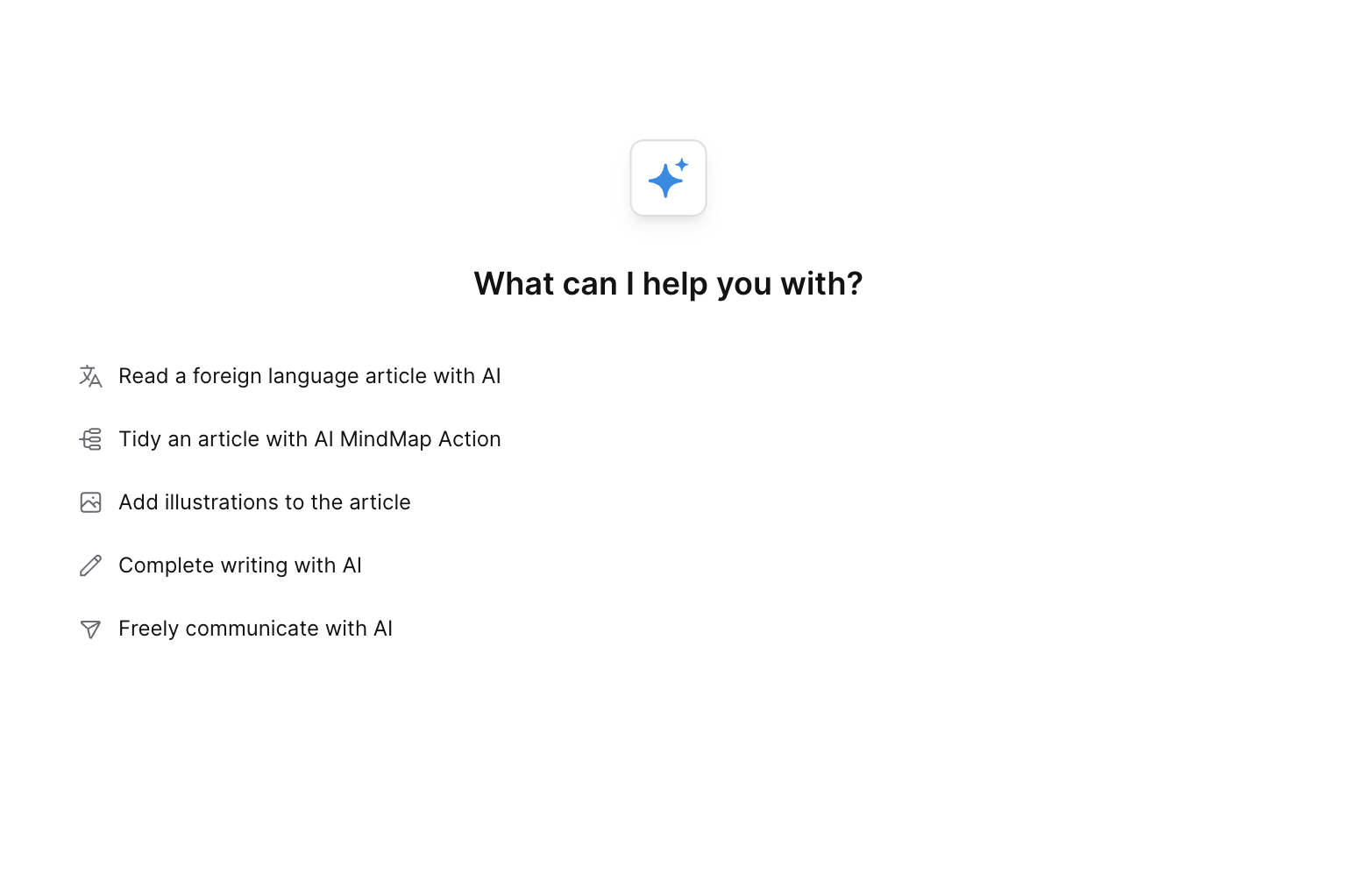
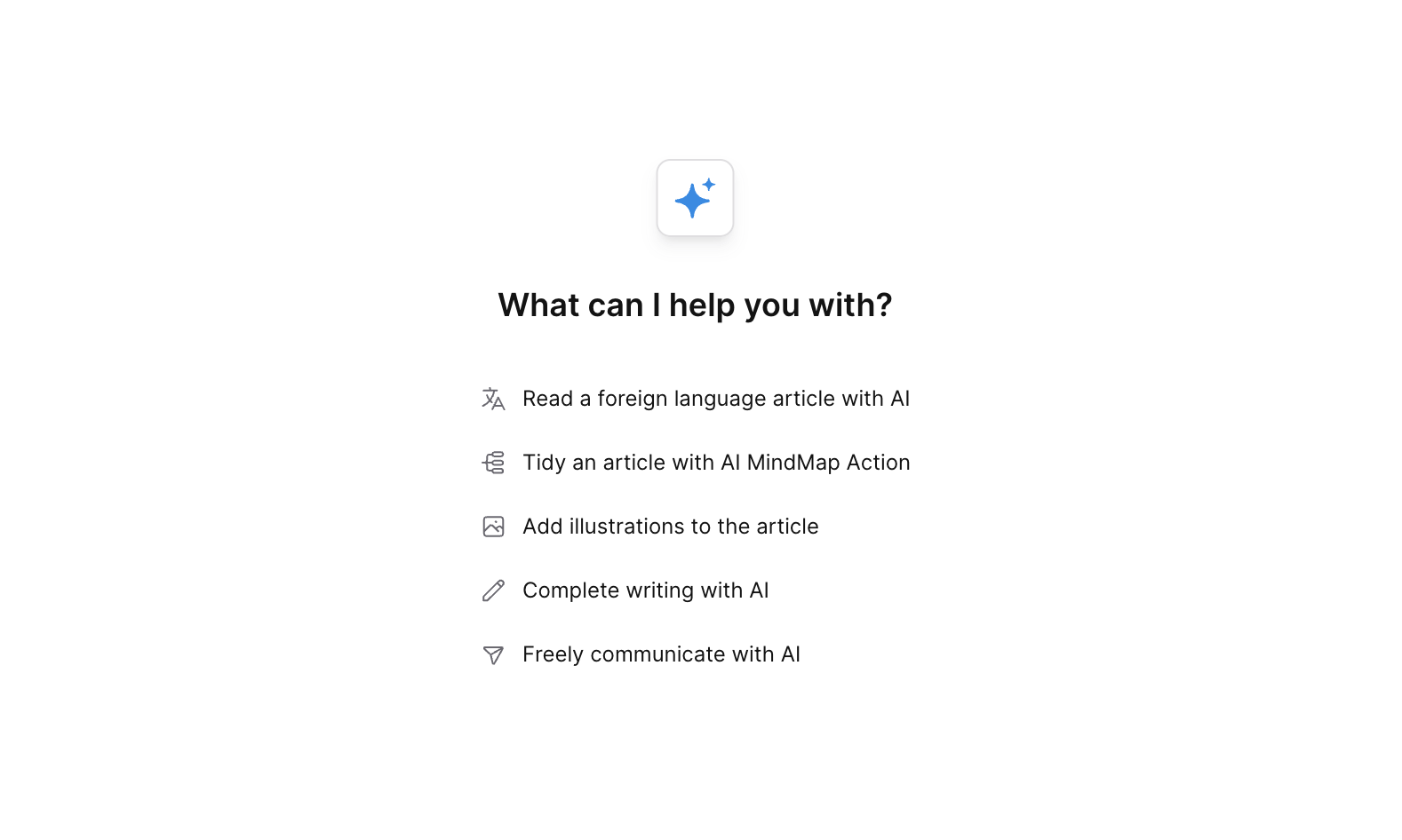
fix(core): text style is not centered when chat-panel is wide ( #10607 )
...
Fix issue [BS-2751](https://linear.app/affine-design/issue/BS-2751 ).
Before:
After:
2025-03-04 15:25:35 +00:00
272d41e32d
chore: remove unused component imports and styles from text-renderer ( #10478 )
2025-02-27 08:54:15 +00:00
734ca154ae
refactor(core): use image preview component in chat ( #10357 )
...
[BS-2421](https://linear.app/affine-design/issue/BS-2421/chat-block-and-chat-panel-input-render-images-时存在内存泄露风险 )
2025-02-21 15:36:55 +00:00
efe36161e8
fix(core): remove candidate doc chip suggestions ( #10327 )
...
Fix issue [AF-2247](https://linear.app/affine-design/issue/AF-2247 ).
2025-02-20 14:01:00 +00:00
126677d7ad
fix(core): no pop-ups if user click discard menu item ( #10317 )
...
Fix issue [BS-2628](https://linear.app/affine-design/issue/BS-2628 ).
2025-02-20 13:29:28 +00:00
015452e8fb
fix(core): unable to explain image when network search is active ( #10228 )
...
Fix issue [PD-2316](https://linear.app/affine-design/issue/PD-2316 ).
2025-02-18 02:20:21 +00:00
631c8b8145
refactor(core): lazy create copilot session and context ( #10170 )
2025-02-14 14:48:46 +00:00
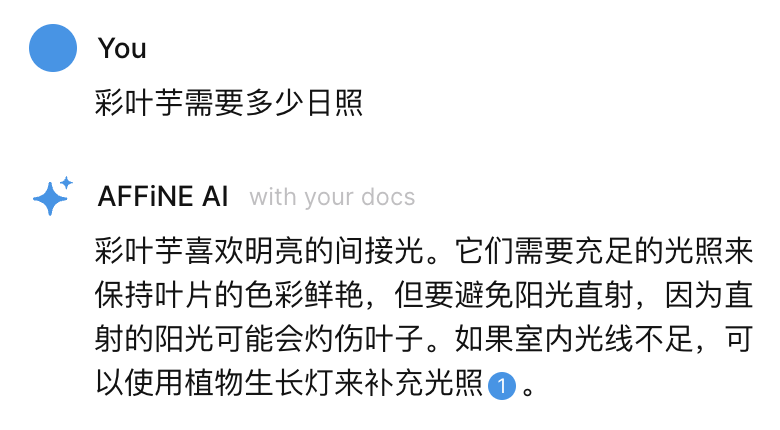
d17f5651f1
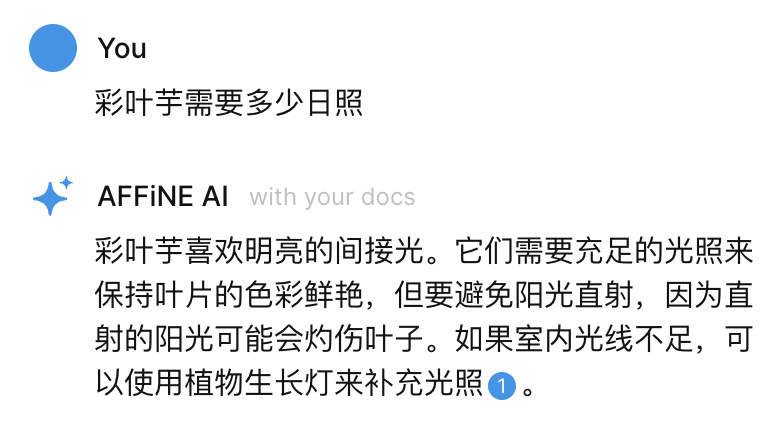
feat(core): add with your docs label to ai answer ( #10124 )
...
Fix issue [BS-2425](https://linear.app/affine-design/issue/BS-2425 ).
2025-02-13 03:28:27 +00:00
e350ba4a9c
test: enable chat block e2e test ( #10111 )
2025-02-12 09:26:52 +00:00
58fed5928b
feat: add doc copilot context api ( #10103 )
...
### What Changed?
- Add graphql APIs.
- Provide context and session service in `AIProvider`.
- Rename the state from `embedding` to `processing`.
- Reafctor front-end session create, update and save logic.
Persist the document selected by the user:
[录屏2025-02-08 11.04.40.mov <span class="graphite__hidden">(uploaded via Graphite)</span> <img class="graphite__hidden" src="https://app.graphite.dev/api/v1/graphite/video/thumbnail/sJGviKxfE3Ap685cl5bj/195a85f2-43c4-4e49-88d9-6b5fc4f235ca.mov " />](https://app.graphite.dev/media/video/sJGviKxfE3Ap685cl5bj/195a85f2-43c4-4e49-88d9-6b5fc4f235ca.mov )
2025-02-12 08:33:07 +00:00
4b553d153a
feat(core): update chat error style ( #9885 )
...
[BS-2487](https://linear.app/affine-design/issue/BS-2487/报错样式更新 )
2025-01-24 12:39:10 +00:00
95cf2e047f
feat(core): cite source documents in the AI answer ( #9863 )
...
Support issue [BS-2424](https://linear.app/affine-design/issue/BS-2424 ).
### What changed?
- Add relevant document prompt templates.
- Add citation rules in system prompts.
- Change message `params` type to `Record<string, any>`
- Add unit test.
<div class='graphite__hidden'>
<div>🎥 Video uploaded on Graphite:</div>
<a href="https://app.graphite.dev/media/video/sJGviKxfE3Ap685cl5bj/ec24e664-039e-4fab-bd26-b3312f011daf.mov ">
<img src="https://app.graphite.dev/api/v1/graphite/video/thumbnail/sJGviKxfE3Ap685cl5bj/ec24e664-039e-4fab-bd26-b3312f011daf.mov ">
</a>
</div>
<video src="https://graphite-user-uploaded-assets-prod.s3.amazonaws.com/sJGviKxfE3Ap685cl5bj/ec24e664-039e-4fab-bd26-b3312f011daf.mov ">录屏2025-01-23 10.40.38.mov</video>
2025-01-24 04:04:01 +00:00
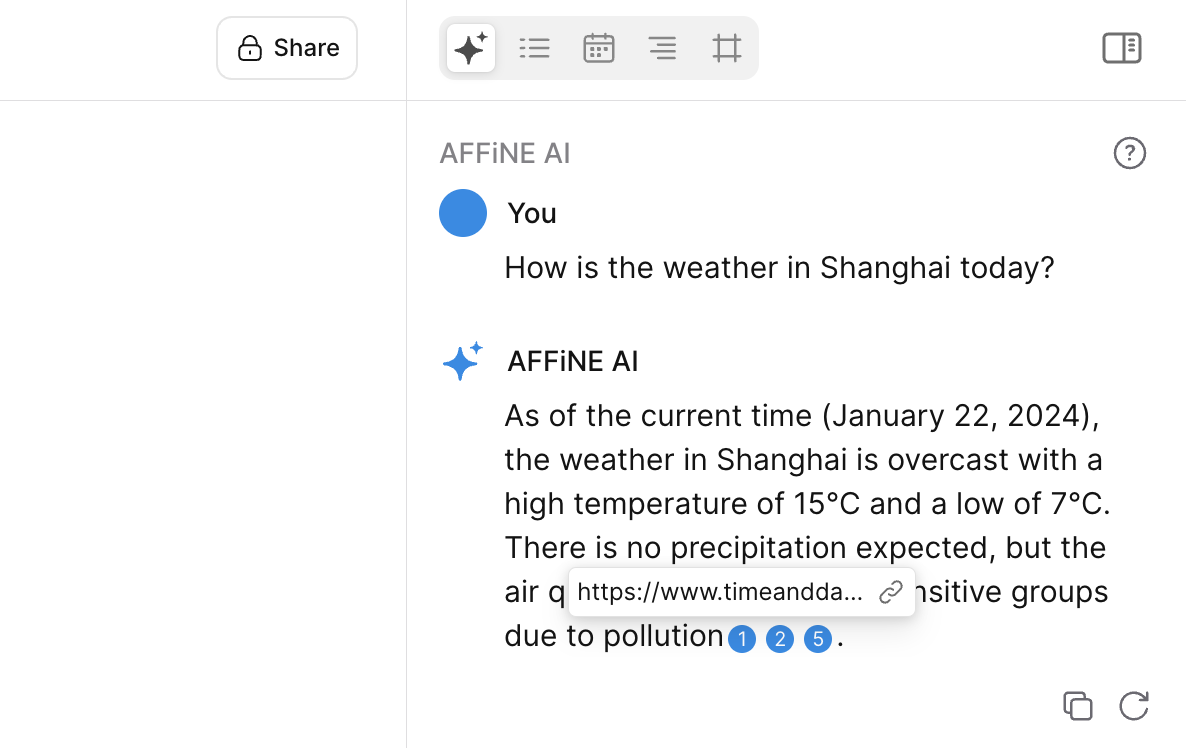
862a9d0bc4
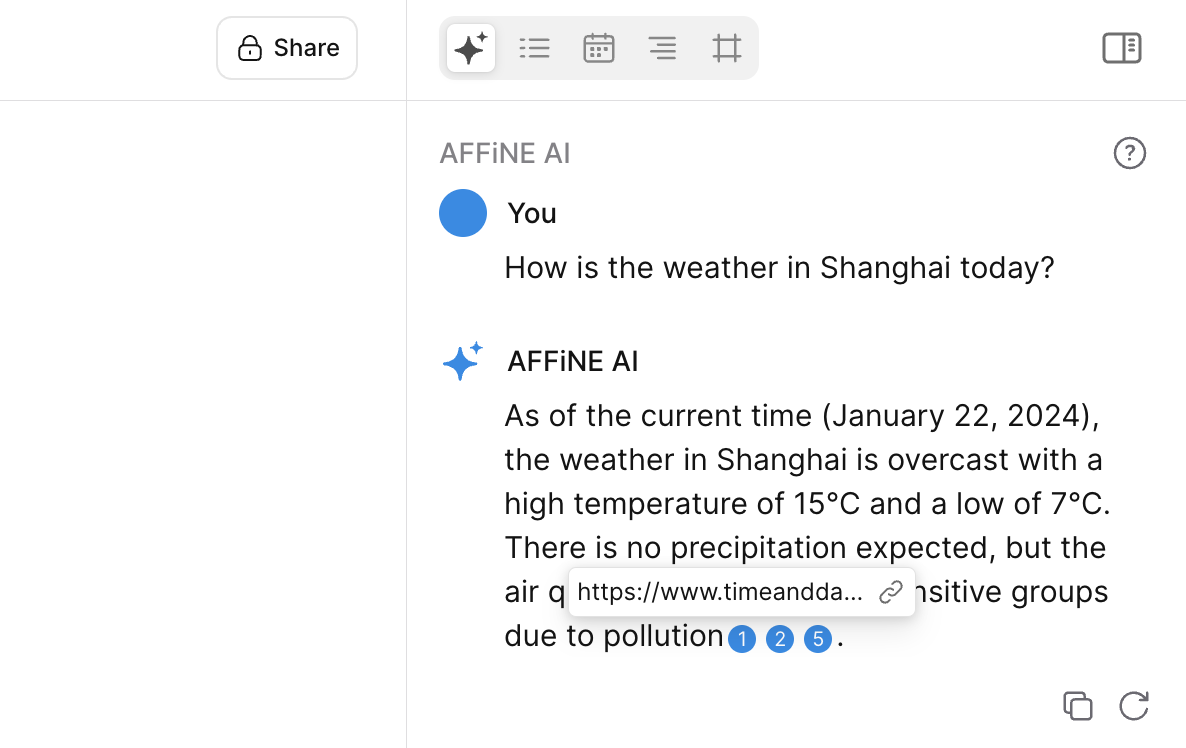
feat: use footnote for perplexity search results ( #9851 )
...
Support issue [BS-2475](https://linear.app/affine-design/issue/BS-2475 ).
2025-01-22 10:54:01 +00:00
29995e498a
feat(editor): add start-with-ai button for empty doc ( #9836 )
...
Close [BS-2391](https://linear.app/affine-design/issue/BS-2391/bs-ai-toolbar-空状态下添加-actions-列表 )
https://github.com/user-attachments/assets/cbded517-2d3d-4a75-b144-644e2b03f68a
2025-01-21 16:00:49 +00:00
d048ac6c91
feat(core): support chat panel chips and suggest current doc for embedding ( #9747 )
...
Support issue [BS-2347](https://linear.app/affine-design/issue/BS-2347 ).
## What Changed?
- Add chat panel components
- `chat-panel-chips`
- `chat-panel-doc-chip`
- `chat-panel-file-chip`
- `chat-panel-chip`
- Add `chips` and `docs` field in `ChatContextValue`
- Add `extractMarkdownFromDoc` function to extract markdown content of a doc
- Add e2e test
Click a candidate card to add it into AI chat context:
<div class='graphite__hidden'>
<div>🎥 Video uploaded on Graphite:</div>
<a href="https://app.graphite.dev/media/video/sJGviKxfE3Ap685cl5bj/4e6b11ef-f993-4e6a-9f40-b2826af1990c.mov ">
<img src="https://app.graphite.dev/api/v1/graphite/video/thumbnail/sJGviKxfE3Ap685cl5bj/4e6b11ef-f993-4e6a-9f40-b2826af1990c.mov ">
</a>
</div>
<video src="https://graphite-user-uploaded-assets-prod.s3.amazonaws.com/sJGviKxfE3Ap685cl5bj/4e6b11ef-f993-4e6a-9f40-b2826af1990c.mov ">录屏2025-01-17 01.02.04.mov</video>
2025-01-18 08:35:19 +00:00
c8e550138d
fix(core): add ai send button test ( #9685 )
2025-01-14 10:06:31 +00:00
2f49c064eb
feat(editor): remove chat-cards and Open AI Chat menu item ( #9626 )
...
Support issue [BS-2353](https://linear.app/affine-design/issue/BS-2353 ).
### What changed?
- Remove `Open AI Chat` menu item.
- Remove `chat-cards` web component.
- Add `extractAll` function for page and edgeless doc full content extract.
2025-01-10 03:53:11 +00:00
58ce86533e
feat(core): support ai network search ( #9357 )
...
### What Changed?
- Add `PerplexityProvider` in backend.
- Update session prompt name if user toggle network search mode in chat panel.
- Add experimental flag for AI network search feature.
- Add unit tests and e2e tests.
Search results are streamed and appear word for word:
<div class='graphite__hidden'>
<div>🎥 Video uploaded on Graphite:</div>
<a href="https://app.graphite.dev/media/video/sJGviKxfE3Ap685cl5bj/56f6ec7b-4b21-405f-9612-43e083f6fb84.mov ">
<img src="https://app.graphite.dev/api/v1/graphite/video/thumbnail/sJGviKxfE3Ap685cl5bj/56f6ec7b-4b21-405f-9612-43e083f6fb84.mov ">
</a>
</div>
<video src="https://graphite-user-uploaded-assets-prod.s3.amazonaws.com/sJGviKxfE3Ap685cl5bj/56f6ec7b-4b21-405f-9612-43e083f6fb84.mov ">录屏2024-12-27 18.58.40.mov</video>
Click the little globe icon to manually turn on/off Internet search:
<div class='graphite__hidden'>
<div>🎥 Video uploaded on Graphite:</div>
<a href="https://app.graphite.dev/media/video/sJGviKxfE3Ap685cl5bj/778f1406-bf29-498e-a90d-7dad813392d1.mov ">
<img src="https://app.graphite.dev/api/v1/graphite/video/thumbnail/sJGviKxfE3Ap685cl5bj/778f1406-bf29-498e-a90d-7dad813392d1.mov ">
</a>
</div>
<video src="https://graphite-user-uploaded-assets-prod.s3.amazonaws.com/sJGviKxfE3Ap685cl5bj/778f1406-bf29-498e-a90d-7dad813392d1.mov ">录屏2024-12-27 19.01.16.mov</video>
When there is an image, it will automatically switch to the openai model:
<div class='graphite__hidden'>
<div>🎥 Video uploaded on Graphite:</div>
<a href="https://app.graphite.dev/media/video/sJGviKxfE3Ap685cl5bj/56431d8e-75e1-4d84-ab4a-b6636042cc6a.mov ">
<img src="https://app.graphite.dev/api/v1/graphite/video/thumbnail/sJGviKxfE3Ap685cl5bj/56431d8e-75e1-4d84-ab4a-b6636042cc6a.mov ">
</a>
</div>
<video src="https://graphite-user-uploaded-assets-prod.s3.amazonaws.com/sJGviKxfE3Ap685cl5bj/56431d8e-75e1-4d84-ab4a-b6636042cc6a.mov ">录屏2024-12-27 19.02.13.mov</video>
2025-01-09 04:00:59 +00:00
475e3d80b2
fix(server): vague initial chat content in test ( #9267 )
2024-12-24 04:26:52 +00:00
2f79104bdb
feat(core): support ai insert image, mindmap, slides and make it real in page mode ( #9164 )
...
Support issue [BS-2085](https://linear.app/affine-design/issue/BS-2085 ).
### What changed?
- Refactor the `actionToAnswerRenderer` function to support reuse in both page mode and edgeless mode.
- Add a new `page-response.ts` module to handle AI-generated answers in page mode.
- Remove the redundant `edgelessHandler` function from `_common/config.ts`.
- Introduce the `AIContext` class along with the `ctx` TypeScript type to standardize context management.
- Implement the `createTemplateJob` function to enable AI slide insertion in both page mode and edgeless mode.
Insert mindmap on page mode:
<div class='graphite__hidden'>
<div>🎥 Video uploaded on Graphite:</div>
<a href="https://app.graphite.dev/media/video/sJGviKxfE3Ap685cl5bj/30630d3e-ebd9-416b-9bb9-5f27086e48a3.mov ">
<img src="https://app.graphite.dev/api/v1/graphite/video/thumbnail/sJGviKxfE3Ap685cl5bj/30630d3e-ebd9-416b-9bb9-5f27086e48a3.mov ">
</a>
</div>
<video src="https://graphite-user-uploaded-assets-prod.s3.amazonaws.com/sJGviKxfE3Ap685cl5bj/30630d3e-ebd9-416b-9bb9-5f27086e48a3.mov ">mindmap.mov</video>
Insert image on edgeless note
<div class='graphite__hidden'>
<div>🎥 Video uploaded on Graphite:</div>
<a href="https://app.graphite.dev/media/video/sJGviKxfE3Ap685cl5bj/b850ee5a-a06b-4ae7-8b68-ed5929a6e81a.mov ">
<img src="https://app.graphite.dev/api/v1/graphite/video/thumbnail/sJGviKxfE3Ap685cl5bj/b850ee5a-a06b-4ae7-8b68-ed5929a6e81a.mov ">
</a>
</div>
<video src="https://graphite-user-uploaded-assets-prod.s3.amazonaws.com/sJGviKxfE3Ap685cl5bj/b850ee5a-a06b-4ae7-8b68-ed5929a6e81a.mov ">image3.mov</video>
Insert image on page mode:
<div class='graphite__hidden'>
<div>🎥 Video uploaded on Graphite:</div>
<a href="https://app.graphite.dev/media/video/sJGviKxfE3Ap685cl5bj/c4f98e2d-0b15-4310-b3e0-0725e330302b.mov ">
<img src="https://app.graphite.dev/api/v1/graphite/video/thumbnail/sJGviKxfE3Ap685cl5bj/c4f98e2d-0b15-4310-b3e0-0725e330302b.mov ">
</a>
</div>
<video src="https://graphite-user-uploaded-assets-prod.s3.amazonaws.com/sJGviKxfE3Ap685cl5bj/c4f98e2d-0b15-4310-b3e0-0725e330302b.mov ">image.mov</video>
Generate image from image:
<div class='graphite__hidden'>
<div>🎥 Video uploaded on Graphite:</div>
<a href="https://app.graphite.dev/media/video/sJGviKxfE3Ap685cl5bj/2776a55f-cbb7-47ce-8e7d-7cae243fa3e9.mov ">
<img src="https://app.graphite.dev/api/v1/graphite/video/thumbnail/sJGviKxfE3Ap685cl5bj/2776a55f-cbb7-47ce-8e7d-7cae243fa3e9.mov ">
</a>
</div>
<video src="https://graphite-user-uploaded-assets-prod.s3.amazonaws.com/sJGviKxfE3Ap685cl5bj/2776a55f-cbb7-47ce-8e7d-7cae243fa3e9.mov ">image2.mov</video>
Insert presentation on page mode:
<div class='graphite__hidden'>
<div>🎥 Video uploaded on Graphite:</div>
<a href="https://app.graphite.dev/media/video/sJGviKxfE3Ap685cl5bj/4e228fa5-88f4-478c-8b79-647612d5515c.mov ">
<img src="https://app.graphite.dev/api/v1/graphite/video/thumbnail/sJGviKxfE3Ap685cl5bj/4e228fa5-88f4-478c-8b79-647612d5515c.mov ">
</a>
</div>
<video src="https://graphite-user-uploaded-assets-prod.s3.amazonaws.com/sJGviKxfE3Ap685cl5bj/4e228fa5-88f4-478c-8b79-647612d5515c.mov ">ppt.mov</video>
Insert make it real on page mode:
<div class='graphite__hidden'>
<div>🎥 Video uploaded on Graphite:</div>
<a href="https://app.graphite.dev/media/video/sJGviKxfE3Ap685cl5bj/c71139b2-fb55-4d89-84e2-d52eeb905b57.mov ">
<img src="https://app.graphite.dev/api/v1/graphite/video/thumbnail/sJGviKxfE3Ap685cl5bj/c71139b2-fb55-4d89-84e2-d52eeb905b57.mov ">
</a>
</div>
<video src="https://graphite-user-uploaded-assets-prod.s3.amazonaws.com/sJGviKxfE3Ap685cl5bj/c71139b2-fb55-4d89-84e2-d52eeb905b57.mov ">make it real.mov</video>
2024-12-16 10:04:16 +00:00
4d44bcc145
fix(server): image action behavior in ci ( #9077 )
2024-12-10 02:54:31 +00:00
31146e5213
fix: copilot ci ( #9066 )
2024-12-09 11:11:04 +00:00
2e7a7d5909
fix(core): copilot test condition & retry ( #8665 )
2024-11-04 06:17:06 +00:00
7a201984e9
feat(server): add real-world prompt test for copilot apis ( #8629 )
...
fix AF-1432, PD-1176
2024-11-01 07:05:12 +00:00
 yoyoyohamapi