Before (brush updated even when it's not being dragged):

https://github.com/user-attachments/assets/e56ce326-56ae-4cac-a5f8-86be35fd8fcd

After (fine-grained element level update):

https://github.com/user-attachments/assets/712f4e22-0830-455d-bbe1-0f575e8920ac

<!-- This is an auto-generated comment: release notes by coderabbit.ai -->
## Summary by CodeRabbit

- **New Features**
  - Improved rendering performance by introducing incremental updates, ensuring only changed elements are updated instead of re-rendering everything.
  - Enhanced responsiveness when elements are added, removed, or updated, as well as during viewport, size, or zoom changes.

- **Bug Fixes**
  - Reduced unnecessary full re-renders, leading to smoother and more efficient user interactions.
<!-- end of auto-generated comment: release notes by coderabbit.ai -->
### Changed

- Note scale issue
- Overlay should call refresh when `clear` is called
- Optimize edgeless-selected-rect to avoid unecessary rerendering

<!-- This is an auto-generated comment: release notes by coderabbit.ai -->
## Summary by CodeRabbit

- **New Features**
  - Edgeless note blocks now respect both minimum and maximum size limits when resizing.

- **Improvements**
  - Enhanced performance and responsiveness of resize and rotate handles in selection overlays by caching allowed handles and optimizing cursor management.
  - Cursor styles for resize and rotate handles are now set more reliably and efficiently through declarative styling.

- **Bug Fixes**
  - Ensured overlay clearing now properly refreshes the renderer for more consistent visual updates.
<!-- end of auto-generated comment: release notes by coderabbit.ai -->
Fixes [BS-3528](https://linear.app/affine-design/issue/BS-3528)
Fixes [BS-3331](https://linear.app/affine-design/issue/BS-3331/frame-移动逻辑很奇怪)

### Changed
- Remove `onSelected` method from gfx view, use `handleSelection` provided by `GfxViewInteraction` instead.
- Add `selectable` to allow model to filter out itself from selection.
- Frame can be selected by body only if it's locked or its background is not transparent.

<!-- This is an auto-generated comment: release notes by coderabbit.ai -->
## Summary by CodeRabbit

- **New Features**
  - Enhanced selection behavior for frames, edgeless text, notes, and mind map elements with refined control based on lock state and background transparency.
  - Introduced group-aware selection logic promoting selection of appropriate group ancestors.
  - Added support for element selection events in interactivity extensions.

- **Bug Fixes**
  - Resolved frame selection issues by enabling selection via title clicks and restricting body selection to locked frames or those with non-transparent backgrounds.

- **Documentation**
  - Added clarifying comments for group retrieval methods.

- **Tests**
  - Updated and added end-to-end tests for frame and lock selection reflecting new selection conditions.

- **Refactor**
  - Unified and simplified selection handling by moving logic from component methods to interaction handlers and removing deprecated selection methods.
  - Streamlined selection candidate processing with extension-driven target suggestion.
  - Removed legacy group element retrieval and selection helper methods to simplify interaction logic.

- **Style**
  - Renamed types and improved type signatures for selection context and interaction configurations.
<!-- end of auto-generated comment: release notes by coderabbit.ai -->
Fixes [BS-3349](https://linear.app/affine-design/issue/BS-3349/)

<!-- This is an auto-generated comment: release notes by coderabbit.ai -->
## Summary by CodeRabbit

- **New Features**
  - Improved edge scrolling during selection dragging for smoother and more responsive viewport navigation.
  - Dragging area and mouse position tracking now update reactively with viewport changes, ensuring more accurate selection and movement.

- **Refactor**
  - Unified and clarified coordinate handling for dragging and mouse position, with clearer naming and separation between model and browser coordinates.
  - Simplified selection logic and removed unnecessary accumulated state for cleaner and more maintainable behavior.
  - Enhanced flexibility in coordinate conversion by allowing viewport transformations relative to arbitrary zoom and center.
  - Streamlined clipboard paste handling by simplifying mouse position extraction and adjusting attachment options.

- **Bug Fixes**
  - Enhanced overlay and dragging area accuracy by updating position calculations and coordinate transformations.
  - Fixed paste operations to correctly handle mouse position without unnecessary coordinate conversions.
  - Corrected drag initiation positions in toolbar and shape dragging to align with viewport-relative coordinates.
<!-- end of auto-generated comment: release notes by coderabbit.ai -->
<!-- This is an auto-generated comment: release notes by coderabbit.ai -->
## Summary by CodeRabbit

- **Refactor**
  - Streamlined and consolidated block and inline extension exports by removing multiple block-spec and inline extension arrays from public APIs.
  - Reduced exported constants, types, and utility functions related to various block and embed features.
  - Simplified the codebase by removing deprecated type guards, adapter extensions, and redundant extension groupings.
- **Chores**
  - Cleaned up internal APIs by deleting unused exports, imports, and outdated code, enhancing maintainability.
<!-- end of auto-generated comment: release notes by coderabbit.ai -->
<!-- This is an auto-generated comment: release notes by coderabbit.ai -->

## Summary by CodeRabbit

- **Refactor**
  - Unified internal data access by replacing all references from `doc` to `store` across all components, blocks, widgets, and utilities. This affects how readonly state, block operations, and service retrieval are handled throughout the application.
- **Tests**
  - Updated all test utilities and test cases to use `store` instead of `doc` for document-related operations.
- **Chores**
  - Updated context providers and property names to reflect the change from `doc` to `store` for improved consistency and maintainability.

No user-facing features or behaviors have changed.

<!-- end of auto-generated comment: release notes by coderabbit.ai -->
### TL;DR
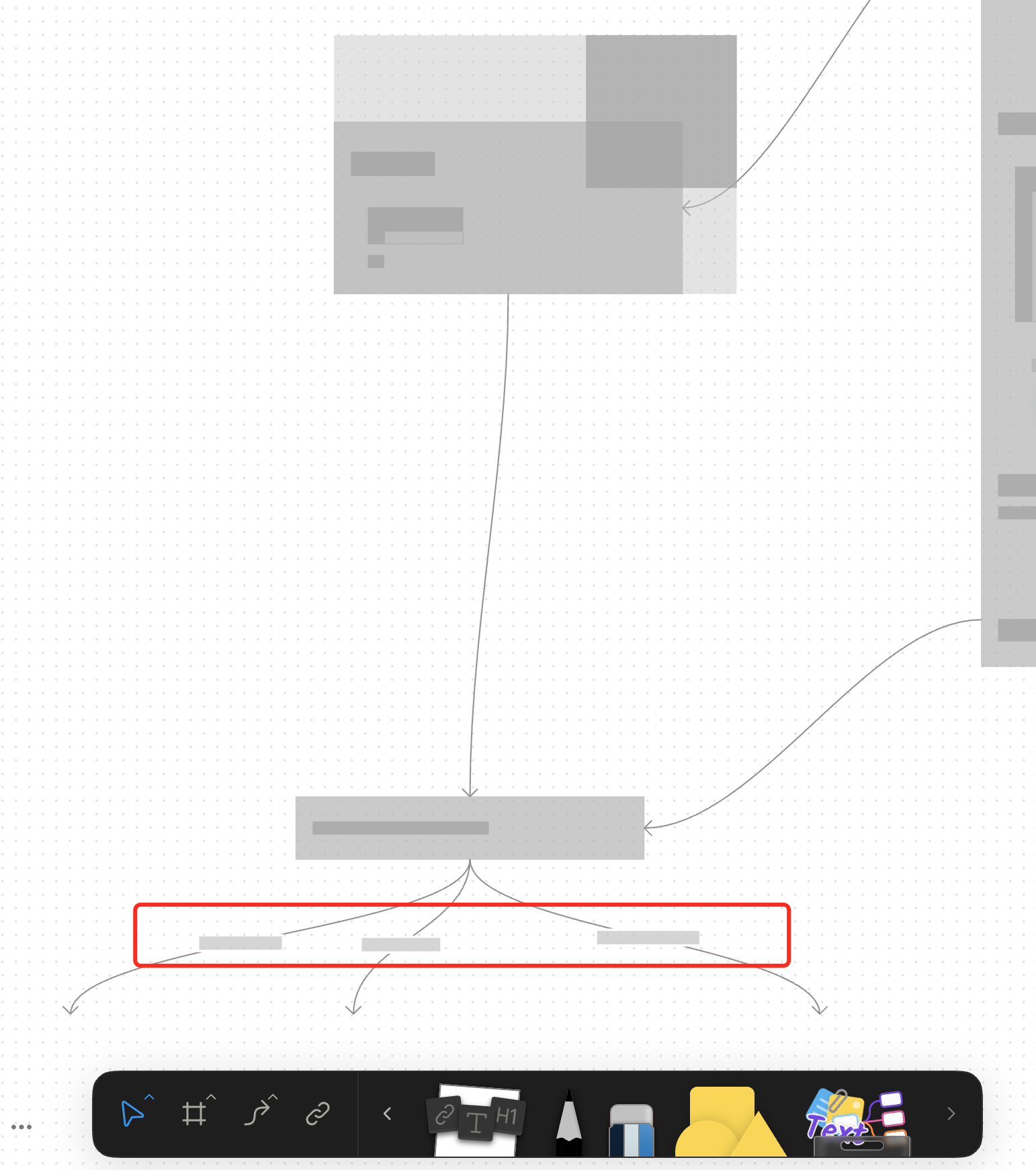
For canvas elements, this PR adds placeholders during zooming operations to improve performance.
### What changed?
- Implemented placeholder rendering during zooming operations in the canvas renderer, but not only DOM.
- Added a `forceFullRender` property to the `GfxCompatibleInterface` to allow elements to opt out of placeholder rendering
- Set `forceFullRender = true` for connectors to ensure they always render properly, even during zooming
- Connected the turbo renderer to the viewport's zooming state to automatically switch between full and placeholder rendering
### Why make this change?
Rendering complex elements during zooming operations can cause performance issues and make the UI feel sluggish. Rendering connector label also leads to high cost DOM `set font` delays.
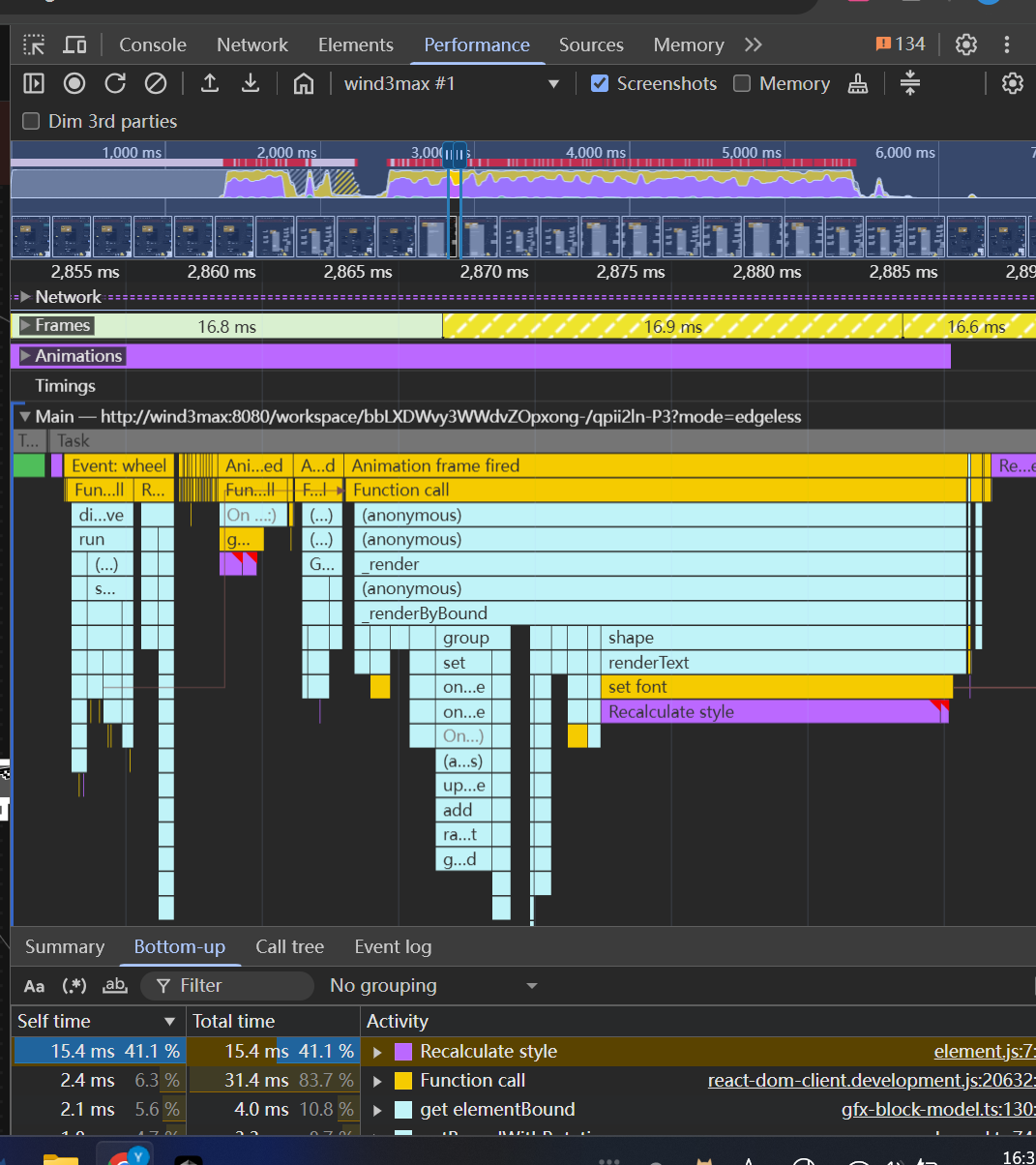
The turbo renderer improves performance by displaying simple placeholders for elements during zooming, while still rendering critical elements like connectors fully. This creates a smoother user experience while maintaining essential visual information.
<!-- This is an auto-generated comment: release notes by coderabbit.ai -->
## Summary by CodeRabbit
- **New Features**
- Introduced a feature-flag-controlled "turbo" rendering mode that displays placeholder graphics during zooming for improved performance.
- Added the ability to override placeholder rendering for specific elements, ensuring full rendering when required.
- **Bug Fixes**
- Enhanced rendering logic to ensure connectors always render fully, even during zoom operations.
- **Documentation**
- Updated API documentation to reflect new properties related to rendering behavior.
- **Tests**
- Improved tests to verify correct rendering behavior for connectors.
<!-- end of auto-generated comment: release notes by coderabbit.ai -->
<!-- This is an auto-generated comment: release notes by coderabbit.ai -->
## Summary by CodeRabbit

- **New Features**
  - Introduced a new pointer graphics module with tools and quick tool integration for edgeless surfaces.
  - Added a quick tool button for pointer interactions in edgeless mode.
  - Exposed new extension points for pointer graphics and effects.

- **Improvements**
  - Integrated pointer graphics as a dependency into related packages.
  - Enhanced toolbar context to support additional surface alignment modes.
  - Added conditional clipboard configuration registrations for edgeless contexts across multiple block types.

- **Removals**
  - Removed legacy tool and effect definitions and related quick tool exports from edgeless components.
  - Streamlined extension arrays and removed unused exports for a cleaner codebase.
  - Deleted obsolete utility functions and component registrations.

- **Chores**
  - Updated workspace and TypeScript project references to include the new pointer graphics module.
<!-- end of auto-generated comment: release notes by coderabbit.ai -->
Closes: BS-3208

<!-- This is an auto-generated comment: release notes by coderabbit.ai -->

## Summary by CodeRabbit

- **New Features**
  - Introduced a new group view extension, enhancing how group elements are handled and displayed.
  - Added new store and view modules for group-related features, improving modularity and integration.

- **Refactor**
  - Updated the group element architecture to use extension-based registration for views, toolbars, and effects.
  - Simplified and reorganized exports for group and text modules.

- **Chores**
  - Updated dependencies and project references to improve build consistency and compatibility.

<!-- end of auto-generated comment: release notes by coderabbit.ai -->
Close [BS-3029](https://linear.app/affine-design/issue/BS-3029/frame-里面的-shape-没办法进入文本编辑模式)
Close [BS-3082](https://linear.app/affine-design/issue/BS-3082/按s切换至shape工具,在白板上点击会创建两个shape)
Close [BS-3091](https://linear.app/affine-design/issue/BS-3082/按s切换至shape工具,在白板上点击会创建两个shape)

## Fix Shape Tool Issues

This PR addresses several issues with the shape and mindmap tools functionality in the editor:

1. **Fix text editing after mode switching**: Resolves an issue where users couldn't edit text in shapes after switching editor modes. The fix ensures the edgeless block is properly retrieved when double-clicking on a shape.

2. **Improve tool switching behavior**: Fixes issues with tool overlays not showing or being repeated when switching between tools. This includes:
   - Properly handling tool overlay visibility
   - Ensuring only one tool is active at a time when using keyboard shortcuts
   - Adding proper cleanup when switching tools

3. **Add comprehensive tests**: Adds new test cases to verify:
   - Shape creation with keyboard shortcuts
   - Shape text editing after mode switching
   - Tool switching behavior with keyboard shortcuts
 doodlewind

