Fixes [BS-3528](https://linear.app/affine-design/issue/BS-3528)
Fixes [BS-3331](https://linear.app/affine-design/issue/BS-3331/frame-移动逻辑很奇怪)

### Changed
- Remove `onSelected` method from gfx view, use `handleSelection` provided by `GfxViewInteraction` instead.
- Add `selectable` to allow model to filter out itself from selection.
- Frame can be selected by body only if it's locked or its background is not transparent.

<!-- This is an auto-generated comment: release notes by coderabbit.ai -->
## Summary by CodeRabbit

- **New Features**
  - Enhanced selection behavior for frames, edgeless text, notes, and mind map elements with refined control based on lock state and background transparency.
  - Introduced group-aware selection logic promoting selection of appropriate group ancestors.
  - Added support for element selection events in interactivity extensions.

- **Bug Fixes**
  - Resolved frame selection issues by enabling selection via title clicks and restricting body selection to locked frames or those with non-transparent backgrounds.

- **Documentation**
  - Added clarifying comments for group retrieval methods.

- **Tests**
  - Updated and added end-to-end tests for frame and lock selection reflecting new selection conditions.

- **Refactor**
  - Unified and simplified selection handling by moving logic from component methods to interaction handlers and removing deprecated selection methods.
  - Streamlined selection candidate processing with extension-driven target suggestion.
  - Removed legacy group element retrieval and selection helper methods to simplify interaction logic.

- **Style**
  - Renamed types and improved type signatures for selection context and interaction configurations.
<!-- end of auto-generated comment: release notes by coderabbit.ai -->
Close [BS-3507](https://linear.app/affine-design/issue/BS-3507/edgeless-text-颜色无法-undoredo)
Close [BS-3426](https://linear.app/affine-design/issue/BS-3426/frame-修改背景色后不能撤销)

This PR fixes the issue where the color change of edgeless blocks could not be undone/redone, including notes, edgeless-text, and frames. It also addresses the problem of a tiny shape being unexpectedly retained on the canvas. The key changes are:
- Removal of `transact` from the `pop` method of edgeless elements.
- Refactoring of `onPickColor` for all edgeless elements and blocks to better control the lifecycle of custom color property changes.
- Addition of the missing custom background color feature for notes.
- Addition of undo/redo color tests for notes, frames, and edgeless-text.

<!-- This is an auto-generated comment: release notes by coderabbit.ai -->
## Summary by CodeRabbit

- **New Features**
  - Added undo and redo support for color changes in frames, notes, and text blocks, allowing users to revert or reapply background and text color modifications.

- **Bug Fixes**
  - Improved reliability of color picker interactions, ensuring consistent state management and transactional updates during color changes.

- **Tests**
  - Introduced new end-to-end tests to verify undo/redo functionality for color changes in frames, notes, and text blocks.

- **Refactor**
  - Streamlined color picker event handling for better maintainability and consistency across toolbars and style panels.
  - Updated style panel structure and event handling for improved interaction and state management.
<!-- end of auto-generated comment: release notes by coderabbit.ai -->
Fixes [BS-3349](https://linear.app/affine-design/issue/BS-3349/)

<!-- This is an auto-generated comment: release notes by coderabbit.ai -->
## Summary by CodeRabbit

- **New Features**
  - Improved edge scrolling during selection dragging for smoother and more responsive viewport navigation.
  - Dragging area and mouse position tracking now update reactively with viewport changes, ensuring more accurate selection and movement.

- **Refactor**
  - Unified and clarified coordinate handling for dragging and mouse position, with clearer naming and separation between model and browser coordinates.
  - Simplified selection logic and removed unnecessary accumulated state for cleaner and more maintainable behavior.
  - Enhanced flexibility in coordinate conversion by allowing viewport transformations relative to arbitrary zoom and center.
  - Streamlined clipboard paste handling by simplifying mouse position extraction and adjusting attachment options.

- **Bug Fixes**
  - Enhanced overlay and dragging area accuracy by updating position calculations and coordinate transformations.
  - Fixed paste operations to correctly handle mouse position without unnecessary coordinate conversions.
  - Corrected drag initiation positions in toolbar and shape dragging to align with viewport-relative coordinates.
<!-- end of auto-generated comment: release notes by coderabbit.ai -->
Fixes [BS-3373](https://linear.app/affine-design/issue/BS-3373/connector%E7%9A%84%E5%8F%8C%E5%87%BB%E6%B7%BB%E5%8A%A0note%E8%A1%8C%E4%B8%BA%E5%8F%97%E5%88%B0%E4%BA%86%E8%A6%86%E7%9B%96%E8%8C%83%E5%9B%B4%E7%9A%84%E5%BD%B1%E5%93%8D)

<!-- This is an auto-generated comment: release notes by coderabbit.ai -->
## Summary by CodeRabbit

- **New Features**
  - Connector label elements now include identity and creator metadata.

- **Bug Fixes**
  - Improved hit-testing for pointer interactions, resulting in more accurate detection of hovered elements.

- **Refactor**
  - Enhanced internal comparison logic for elements, improving sorting and ordering consistency.
  - Strengthened type definitions for search filters, improving result accuracy and clarity.

- **Tests**
  - Added end-to-end tests to verify correct label entry and retrieval for multiple connectors.
  - Introduced utility functions to fetch connector labels and improved connector creation in test actions.
<!-- end of auto-generated comment: release notes by coderabbit.ai -->
### Changed

This pr split the old `edgeless-selected-rect` into four focused modules:

- `edgeless-selected-rect`: Provide an entry point for user operation on view layer only, no further logic here.

- `GfxViewInteractionExtension`: Allow you to plug in custom resize/rotate behaviors for block or canvas element. If you don’t register an extension, it falls back to the default behaviours.

- `InteractivityManager`: Provide the API that accepts resize/rotate requests, invokes any custom behaviors you’ve registered, tracks the lifecycle and intermediate state, then hands off to the math engine.

- `ResizeController`: A pure math engine that listens for pointer moves and pointer ups and calculates new sizes, positions, and angles. It doesn’t call any business APIs.

### Customizing an element’s resize/rotate behavior
Call `GfxViewInteractionExtension` with the element’s flavour or type plus a config object. In the config you can define:

- `resizeConstraint` (min/max width & height, lock ratio)
- `handleResize(context)` method that returns an object containing `beforeResize`、`onResizeStart`、`onResizeMove`、`onResizeEnd`
- `handleRotate(context)` method that returns an object containing `beforeRotate`、`onRotateStart`、`onRotateMove`、`onRotateEnd`

```typescript
import { GfxViewInteractionExtension } from '@blocksuite/std/gfx';

GfxViewInteractionExtension(
  flavourOrElementType,
  {
    resizeConstraint: {
      minWidth,
      maxWidth,
      lockRatio,
      minHeight,
      maxHeight
    },
    handleResize(context) {
      return {
        beforeResize(context) {},
        onResizeStart(context) {},
        onResizeMove(context) {},
        onResizeEnd(context) {}
      };
    },
    handleRotate(context) {
      return {
        beforeRotate(context) {},
        onRotateStart(context) {},
        onRotateMove(context) {},
        onRotateEnd(context) {}
      };
    }
  }
);
```

<!-- This is an auto-generated comment: release notes by coderabbit.ai -->
## Summary by CodeRabbit

- **New Features**
  - Added interaction extensions for edgeless variants of attachment, bookmark, edgeless text, embedded docs, images, notes, frames, AI chat blocks, and various embed blocks (Figma, GitHub, HTML, iframe, Loom, YouTube).
  - Introduced interaction extensions for graphical elements including connectors, groups, mind maps, shapes, and text, supporting constrained resizing and rotation disabling where applicable.
  - Implemented a unified interaction extension framework enabling configurable resize and rotate lifecycle handlers.
  - Enhanced autocomplete overlay behavior based on selection context.

- **Refactor**
  - Removed legacy resize manager and element-specific resize/rotate logic, replacing with a centralized, extensible interaction system.
  - Simplified resize handle rendering to a data-driven approach with improved cursor management.
  - Replaced complex cursor rotation calculations with fixed-angle mappings for resize handles.
  - Streamlined selection rectangle component to use interactivity services for resize and rotate handling.

- **Bug Fixes**
  - Fixed connector update triggers to reduce unnecessary updates.
  - Improved resize constraints enforcement and interaction state tracking.

- **Tests**
  - Refined end-to-end tests to use higher-level resize utilities and added finer-grained assertions on element dimensions.
  - Enhanced mouse movement granularity in drag tests for better simulation fidelity.

- **Chores**
  - Added new workspace dependencies and project references for the interaction framework modules.
  - Extended public API exports to include new interaction types and extensions.
<!-- end of auto-generated comment: release notes by coderabbit.ai -->
<!-- This is an auto-generated comment: release notes by coderabbit.ai -->
## Summary by CodeRabbit

- **New Features**
  - Introduced a new slider component for line width selection, providing a more interactive and streamlined UI.
  - Added support for using the slider component across relevant panels.
- **Improvements**
  - Simplified the line width selection panel for easier use and improved maintainability.
  - Enhanced event handling to prevent dropdowns from closing when interacting with the panel.
- **Bug Fixes**
  - Improved event propagation control within the line styles panel.
- **Chores**
  - Updated package exports to include the new slider component.
<!-- end of auto-generated comment: release notes by coderabbit.ai -->
<!-- This is an auto-generated comment: release notes by coderabbit.ai -->

## Summary by CodeRabbit

- **Refactor**
  - Unified internal data access by replacing all references from `doc` to `store` across all components, blocks, widgets, and utilities. This affects how readonly state, block operations, and service retrieval are handled throughout the application.
- **Tests**
  - Updated all test utilities and test cases to use `store` instead of `doc` for document-related operations.
- **Chores**
  - Updated context providers and property names to reflect the change from `doc` to `store` for improved consistency and maintainability.

No user-facing features or behaviors have changed.

<!-- end of auto-generated comment: release notes by coderabbit.ai -->
This PR make out-of-viewport but selected edgeless block keep active, since the selected block may still have some user interactions on the DOM. For example, when hover on a selected note and scroll viewport by wheel to view its hidden content, the note should not be hidden (a.k.a idel).

<!-- This is an auto-generated comment: release notes by coderabbit.ai -->

## Summary by CodeRabbit

- **Refactor**
  - Updated viewport logic to keep selected items visible instead of only those being edited. Visibility now depends on selection status rather than editing state.

<!-- end of auto-generated comment: release notes by coderabbit.ai -->
Close [BS-3066](https://linear.app/affine-design/issue/BS-3066/优化长note的展示和折叠)

- Enhanced the visibility behavior of hidden content in edgeless notes by:
  - Showing hidden content when a note is being edited, even when it's outside the viewport
  - Improving hover behavior with a delay when leaving from the bottom of the note
  - Adding proper cleanup of hover timeouts when the component is disconnected
  - Optimizing the viewport element to keep editing blocks or elements visible

## Testing
- Added new E2E test cases covering:
  - Hover behavior on selected notes
  - Content visibility during editing
  - Viewport scrolling behavior
  - Edge cases for content visibility

## Impact
This change improves the user experience when working with collapsed notes in edgeless mode by making the content more accessible and preventing accidental content hiding during editing.

<!-- This is an auto-generated comment: release notes by coderabbit.ai -->
## Summary by CodeRabbit

- **Bug Fixes**
	- Improved visibility of hidden content in edgeless notes when hovering near the bottom edge or editing the note, especially after resizing or clipping.
- **New Features**
	- Enhanced hover behavior with delayed clearing based on mouse position to improve user experience.
- **Tests**
	- Added new tests verifying hidden content visibility in edgeless notes during hover and editing, simulating diverse user interactions.
- **Chores**
	- Added utilities to get and set viewport center for improved test control.
<!-- end of auto-generated comment: release notes by coderabbit.ai -->
### TL;DR
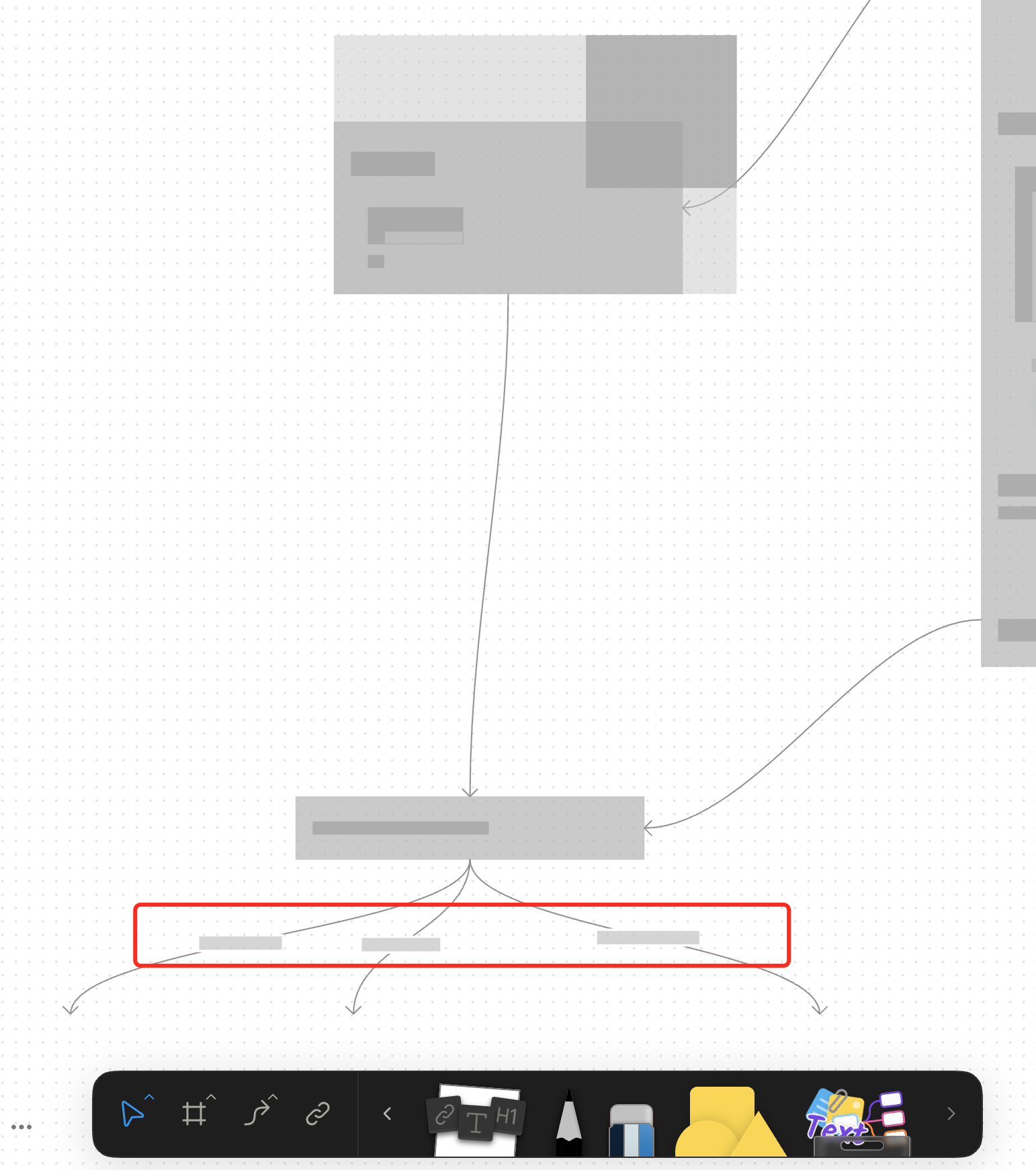
For canvas elements, this PR adds placeholders during zooming operations to improve performance.
### What changed?
- Implemented placeholder rendering during zooming operations in the canvas renderer, but not only DOM.
- Added a `forceFullRender` property to the `GfxCompatibleInterface` to allow elements to opt out of placeholder rendering
- Set `forceFullRender = true` for connectors to ensure they always render properly, even during zooming
- Connected the turbo renderer to the viewport's zooming state to automatically switch between full and placeholder rendering
### Why make this change?
Rendering complex elements during zooming operations can cause performance issues and make the UI feel sluggish. Rendering connector label also leads to high cost DOM `set font` delays.
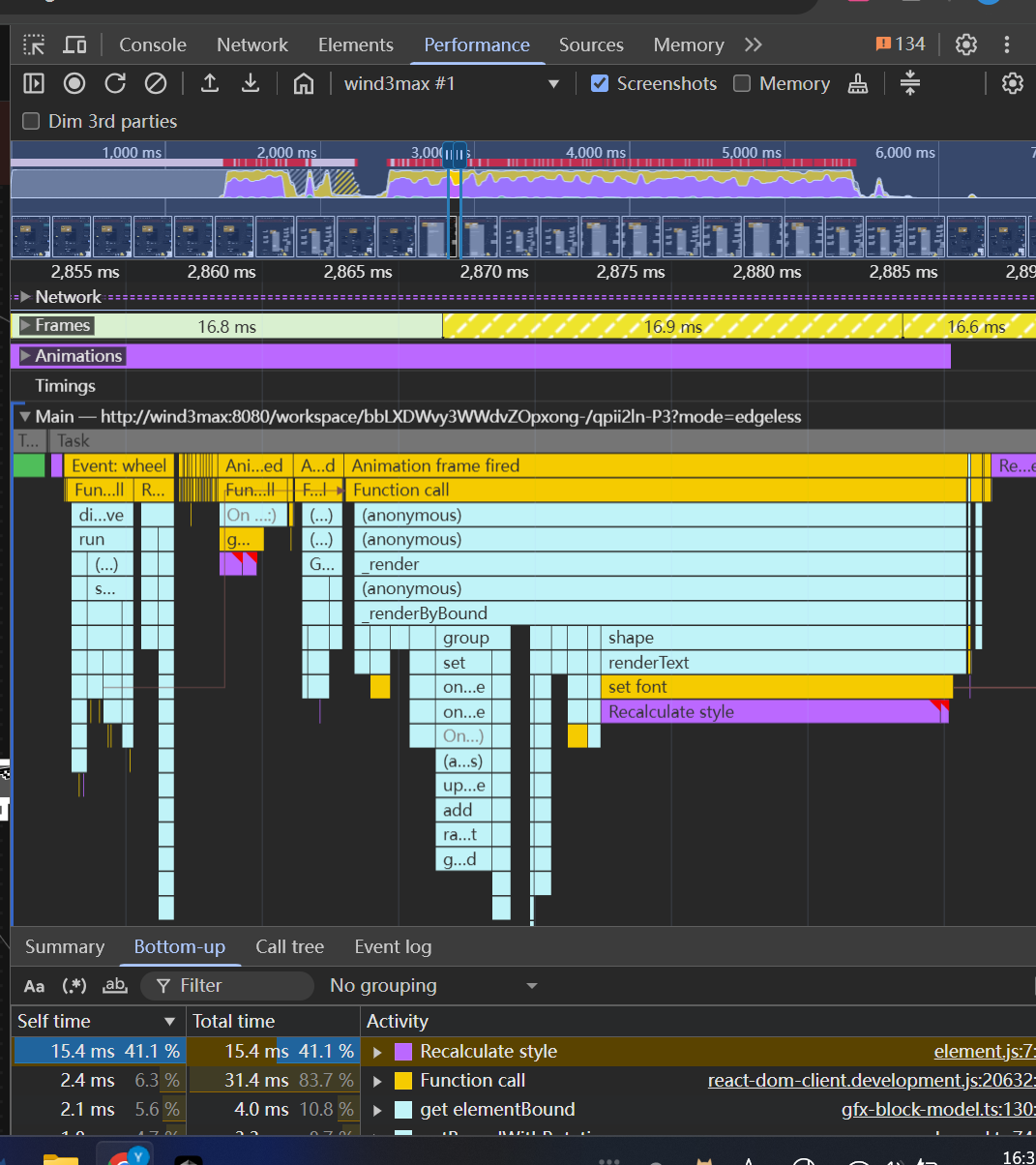
The turbo renderer improves performance by displaying simple placeholders for elements during zooming, while still rendering critical elements like connectors fully. This creates a smoother user experience while maintaining essential visual information.
<!-- This is an auto-generated comment: release notes by coderabbit.ai -->
## Summary by CodeRabbit
- **New Features**
- Introduced a feature-flag-controlled "turbo" rendering mode that displays placeholder graphics during zooming for improved performance.
- Added the ability to override placeholder rendering for specific elements, ensuring full rendering when required.
- **Bug Fixes**
- Enhanced rendering logic to ensure connectors always render fully, even during zoom operations.
- **Documentation**
- Updated API documentation to reflect new properties related to rendering behavior.
- **Tests**
- Improved tests to verify correct rendering behavior for connectors.
<!-- end of auto-generated comment: release notes by coderabbit.ai -->
### Changed
- Rewrite box selection in `default-tool`, the view can decide whether to be selected in box selection by return a boolean value in `onBoxSelected` method
- Cleanup unnecessary states in `default-tool` and some naming problem
### Changed
Moved connector label moving logic from `default-tool` to connector view.
#### Other infrastructure changes:
- Gfx element view now can handles drag events
- Added `context.preventDefault()` support to bypass built-in interactions in extension
- Handle the pointer events in element view will bypass the built-in interactions automatically
> The built-in interactions include element dragging, click selection, drag-to-scale operations, etc.
### Change
- Rename `ElementTransformManager` -> `InteractivityManager`
- Now you can `event.on` and `action.onXXX` method to extend interactivity behaviour. The old approach of overriding methods directly is deprecated.
### TL;DR
Refactor space-triggered AI Widget activation logic from `keydown` to `keypress` event listeners

### Background

The `keydown` event triggered by a space may originate from:
1. Normal space insertion
2. Space triggered by input method confirming candidate words

In scenarios like (2), some browsers (see [ISSUE](https://github.com/toeverything/AFFiNE/issues/11541)) and input method callbacks produce events identical to scenario (1),making it impossible to distinguish between the two.

To fix this, the space-activated AI listener uses the `keypress` event:
In scenario 2, `event.which !== 32` (may be `30430` or other values) can be used to differentiate from scenario 1.

> CLOSE BS-3081
Close [BS-2866](https://linear.app/affine-design/issue/BS-2866/presentation-mode中的note消失)

## Problem
When using RequestAnimationFrame (RAF) for GFX block updates, there was a timing issue where the transform update would lag behind the RAF callback, causing the block to display with the previous frame's transform state.

## Solution
1. Refactored the block state management to use signals for better reactivity
2. Moved block visibility state management from `viewport-element.ts` to `gfx-block-component.ts`
3. Added `transformState$` signal to track block state
4. Synchronized transform updates with RAF using `effect` to ensure updates happen in the correct frame
5. Added test case to verify note visibility in presentation mode
In this way, all downstream callers can be guaranteed by correct viewport fit result, instead of requiring them to set `forceUpdate: true` param explicitly to them. The resizing optimization is an internal exception.
 doouding

