Related to: [BS-3143](https://linear.app/affine-design/issue/BS-3143/更新-loading-和错误样式)

<!-- This is an auto-generated comment: release notes by coderabbit.ai -->
## Summary by CodeRabbit

- **New Features**
  - Introduced a unified resource controller for managing image and attachment resources, providing improved loading, error, and state handling.
  - Added a visual loading indicator overlay to image blocks for better feedback during image loading.

- **Improvements**
  - Simplified and centralized image and attachment state management, reducing redundant properties and manual state tracking.
  - Updated fallback UI for image blocks with clearer titles, descriptions, and improved layout.
  - Enhanced batch image block creation and download handling for improved efficiency.
  - Refined image block accessibility with improved alt text and streamlined rendering logic.
  - Centralized target model selection for image insertion in AI actions.
  - Reordered CSS declarations without affecting styling.
  - Improved reactive state tracking for blob upload/download operations in mock server.

- **Bug Fixes**
  - Improved cleanup of object URLs to prevent resource leaks.
  - Adjusted toolbar logic to more accurately reflect available actions based on image state.

- **Tests**
  - Updated end-to-end tests to match new UI text and behaviors for image loading and error states.

- **Chores**
  - Refactored internal logic and updated comments for clarity and maintainability.
<!-- end of auto-generated comment: release notes by coderabbit.ai -->
Close [BS-3268](https://linear.app/affine-design/issue/BS-3268/edgeless-下,-dark-mode-embed的配色应该更加清晰)
Close [BS-3067](https://linear.app/affine-design/issue/BS-3067/在embed上,添加split-view等相关的操作入口,基本接近page-block(见设计稿))

<!-- This is an auto-generated comment: release notes by coderabbit.ai -->
## Summary by CodeRabbit

- **New Features**
  - Introduced an interactive header for embedded synced documents with fold/unfold toggle, document opening, and multiple view options.
  - Added info and copy link buttons for embedded synced documents and notes to improve document management and sharing.
- **Enhancements**
  - Updated styles for embedded synced document blocks and headers for better visual consistency.
  - Added new localization entries for header actions: "Fold", "Unfold", and "Open".
  - Disabled redundant open document actions in toolbars, centralizing controls in the header.
- **Refactor**
  - Unified header button components for notes and embedded synced documents into reusable components.
  - Simplified header components by delegating button behaviors to shared components.
- **Bug Fixes**
  - Fixed conditional rendering of editor content in embedded synced documents when folded.
- **Chores**
  - Upgraded theme dependency version from "^1.1.12" to "^1.1.14" across multiple packages.
<!-- end of auto-generated comment: release notes by coderabbit.ai -->
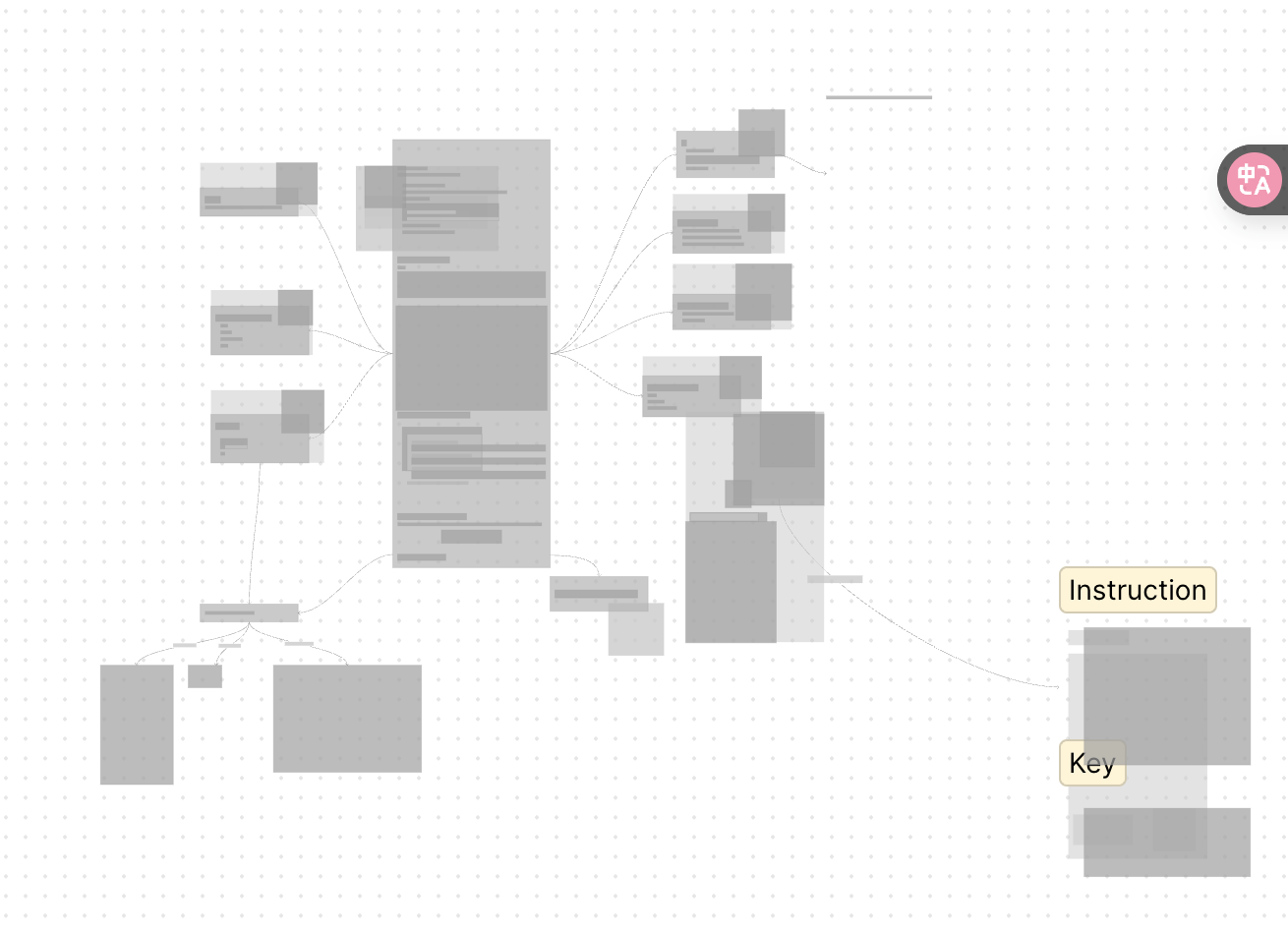
Based on this PR, all block types support zooming placeholder now.
<!-- This is an auto-generated comment: release notes by coderabbit.ai -->
## Summary by CodeRabbit
- **Improvements**
- Enhanced layout rendering accuracy for non-root nodes, leading to more precise placement and sizing.
- Simplified placeholder painting logic for improved consistency, with all nodes now displayed using a color based on their depth.
<!-- end of auto-generated comment: release notes by coderabbit.ai -->
Closes: BS-3368

<!-- This is an auto-generated comment: release notes by coderabbit.ai -->

## Summary by CodeRabbit

- **New Features**
  - Introduced a new link tool extension, enabling enhanced link-related functionality within the edgeless workspace.
  - Added a new view extension for link tools, improving integration and usability in edgeless mode.

- **Chores**
  - Added a new package for link tool functionality with appropriate dependencies and exports.
  - Registered new custom elements for edgeless toolbars and link tools to support modular UI components.
  - Updated project configurations and workspace dependencies to include the new link tool module.

- **Refactor**
  - Removed unused quick tool exports and toolbar component registrations to streamline the edgeless extension codebase.

<!-- end of auto-generated comment: release notes by coderabbit.ai -->
### TL;DR
For canvas elements, this PR adds placeholders during zooming operations to improve performance.
### What changed?
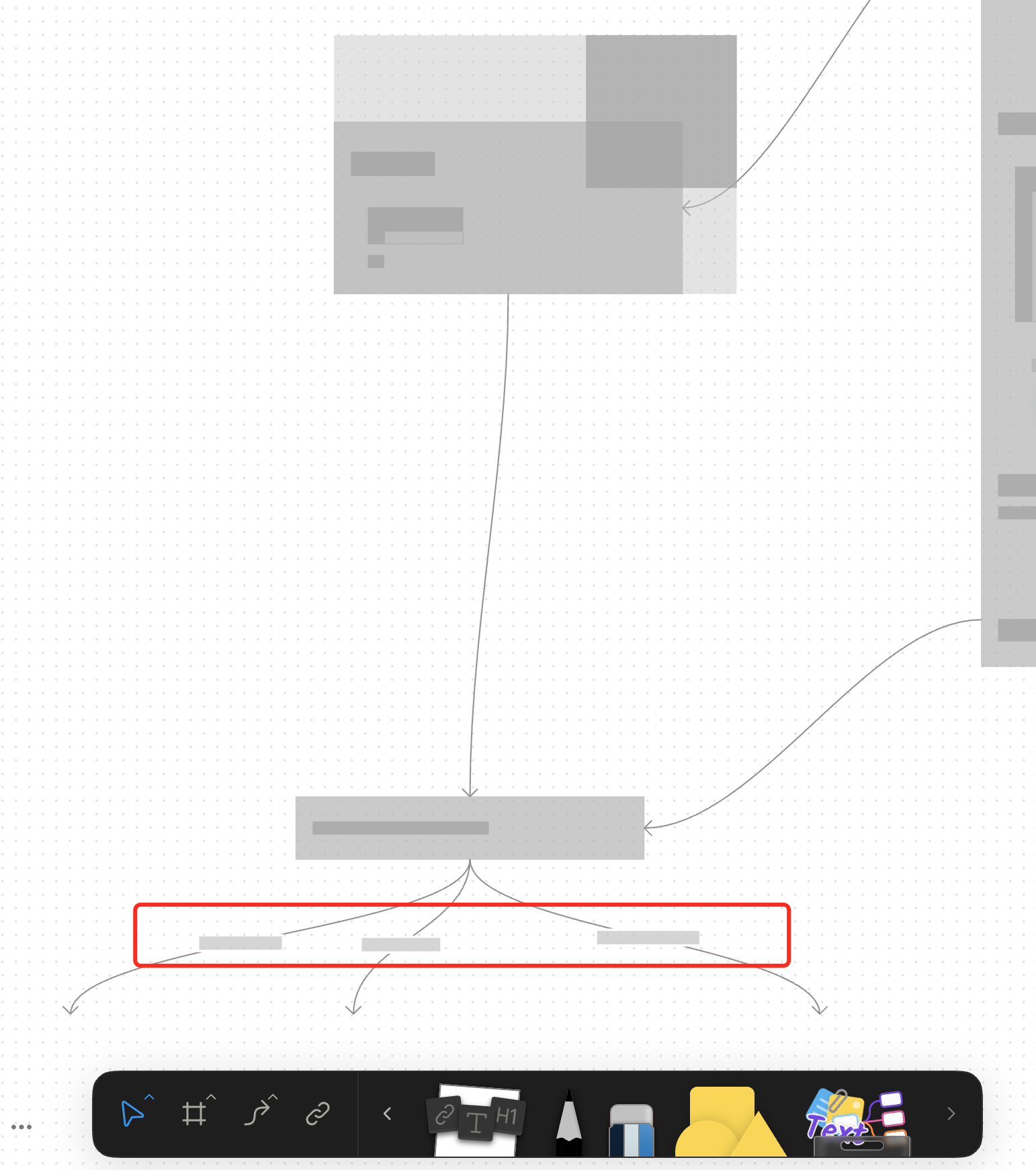
- Implemented placeholder rendering during zooming operations in the canvas renderer, but not only DOM.
- Added a `forceFullRender` property to the `GfxCompatibleInterface` to allow elements to opt out of placeholder rendering
- Set `forceFullRender = true` for connectors to ensure they always render properly, even during zooming
- Connected the turbo renderer to the viewport's zooming state to automatically switch between full and placeholder rendering
### Why make this change?
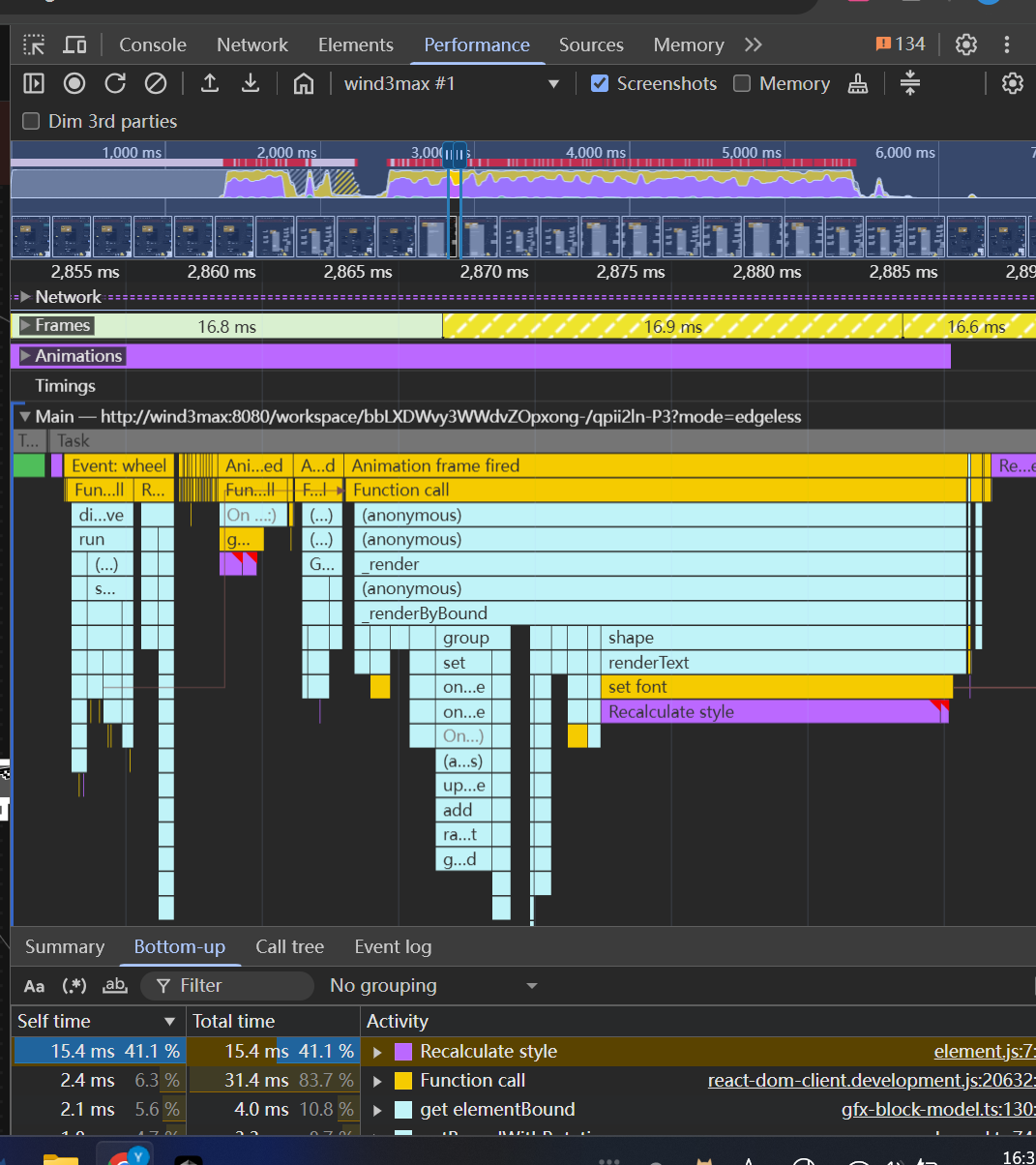
Rendering complex elements during zooming operations can cause performance issues and make the UI feel sluggish. Rendering connector label also leads to high cost DOM `set font` delays.
The turbo renderer improves performance by displaying simple placeholders for elements during zooming, while still rendering critical elements like connectors fully. This creates a smoother user experience while maintaining essential visual information.
<!-- This is an auto-generated comment: release notes by coderabbit.ai -->
## Summary by CodeRabbit
- **New Features**
- Introduced a feature-flag-controlled "turbo" rendering mode that displays placeholder graphics during zooming for improved performance.
- Added the ability to override placeholder rendering for specific elements, ensuring full rendering when required.
- **Bug Fixes**
- Enhanced rendering logic to ensure connectors always render fully, even during zoom operations.
- **Documentation**
- Updated API documentation to reflect new properties related to rendering behavior.
- **Tests**
- Improved tests to verify correct rendering behavior for connectors.
<!-- end of auto-generated comment: release notes by coderabbit.ai -->
Closes: [BS-3303](https://linear.app/affine-design/issue/BS-3303/改進-pack-attachment-props-流程)

<!-- This is an auto-generated comment: release notes by coderabbit.ai -->
## Summary by CodeRabbit

- **New Features**
  - Enhanced attachment and image uploads with improved file size validation and clearer notifications.
  - Upload telemetry tracking added for attachments to monitor upload success or failure.

- **Refactor**
  - Streamlined and unified the process of adding attachments and images, making uploads more reliable and efficient.
  - Parameter names updated for clarity across attachment and image insertion features.

- **Documentation**
  - Updated API documentation to reflect parameter name changes for consistency.
<!-- end of auto-generated comment: release notes by coderabbit.ai -->
<!-- This is an auto-generated comment: release notes by coderabbit.ai -->
## Summary by CodeRabbit

- **New Features**
  - Introduced a new pointer graphics module with tools and quick tool integration for edgeless surfaces.
  - Added a quick tool button for pointer interactions in edgeless mode.
  - Exposed new extension points for pointer graphics and effects.

- **Improvements**
  - Integrated pointer graphics as a dependency into related packages.
  - Enhanced toolbar context to support additional surface alignment modes.
  - Added conditional clipboard configuration registrations for edgeless contexts across multiple block types.

- **Removals**
  - Removed legacy tool and effect definitions and related quick tool exports from edgeless components.
  - Streamlined extension arrays and removed unused exports for a cleaner codebase.
  - Deleted obsolete utility functions and component registrations.

- **Chores**
  - Updated workspace and TypeScript project references to include the new pointer graphics module.
<!-- end of auto-generated comment: release notes by coderabbit.ai -->
<!-- This is an auto-generated comment: release notes by coderabbit.ai -->
## Summary by CodeRabbit

- **Chores**
  - Updated package dependencies to reduce the number of direct dependencies for improved maintainability. No changes to user-facing features or functionality.
<!-- end of auto-generated comment: release notes by coderabbit.ai -->
Closes: BS-3208

<!-- This is an auto-generated comment: release notes by coderabbit.ai -->

## Summary by CodeRabbit

- **New Features**
  - Introduced a new group view extension, enhancing how group elements are handled and displayed.
  - Added new store and view modules for group-related features, improving modularity and integration.

- **Refactor**
  - Updated the group element architecture to use extension-based registration for views, toolbars, and effects.
  - Simplified and reorganized exports for group and text modules.

- **Chores**
  - Updated dependencies and project references to improve build consistency and compatibility.

<!-- end of auto-generated comment: release notes by coderabbit.ai -->
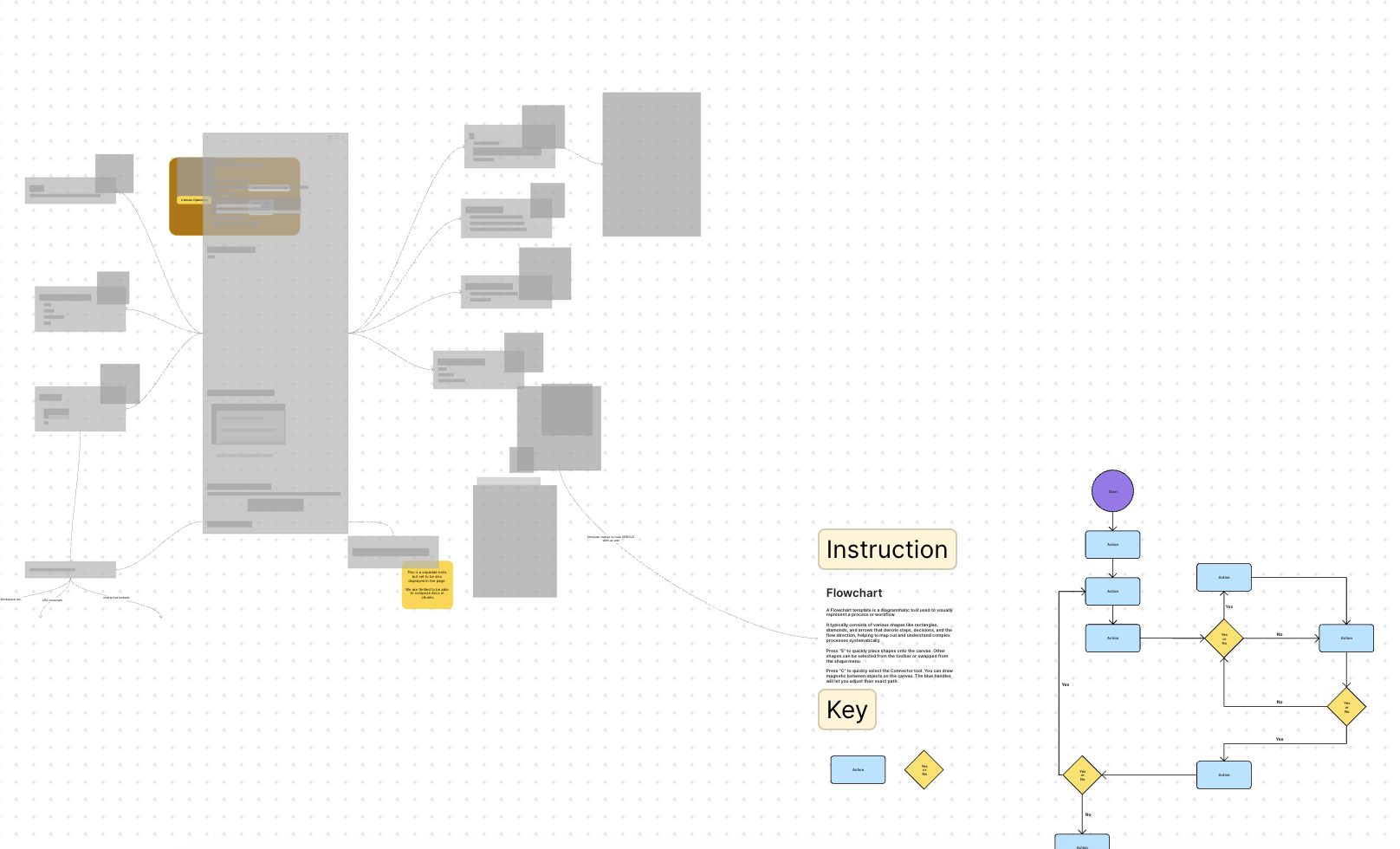
Fixed compat error for new built-in template with test updated.
<!-- This is an auto-generated comment: release notes by coderabbit.ai -->
## Summary by CodeRabbit
- **New Features**
- Added an option to enable or disable bitmap rendering in the renderer settings.
- Introduced a cooldown period after zooming before block optimization resumes, improving rendering performance and stability.
- **Bug Fixes**
- Improved handling of cases where block components may be missing, preventing potential runtime errors.
- **Tests**
- Expanded and refined tests to verify zooming behavior, bitmap caching, and internal state transitions for enhanced reliability.
<!-- end of auto-generated comment: release notes by coderabbit.ai -->
Closes: BS-3209

<!-- This is an auto-generated comment: release notes by coderabbit.ai -->

## Summary by CodeRabbit

- **New Features**
  - Introduced mind map view and store extensions, enhancing mind map integration and conversion to plain text and markdown formats.
  - Added priority property to quick tools, allowing for custom ordering in the toolbar.
- **Improvements**
  - Toolbar quick tools are now sorted by priority for a more intuitive user experience.
  - Updated toolbar and extension configurations to streamline available tools and extensions.
- **Bug Fixes**
  - Conditional registration of certain components ensures correct behavior in edgeless mode.
- **Chores**
  - Updated dependencies and project references to improve module integration and maintainability.

<!-- end of auto-generated comment: release notes by coderabbit.ai -->
Closes: BS-3206
Closes: BS-3210

<!-- This is an auto-generated comment: release notes by coderabbit.ai -->
## Summary by CodeRabbit

- **New Features**
  - Introduced new brush and note view extensions, enhancing integration and extensibility for brush and note tools.
  - Added store extension for brush tools, allowing for improved adapter integration.

- **Improvements**
  - Expanded module exports for brush and note graphics, making store and view functionalities more accessible.
  - Added new dependencies to support extension loading and improved project structure.

- **Refactor**
  - Updated extension arrays and toolbars to use the new view and store extensions for brush and note tools.
  - Removed legacy brush and note tools, effects, and toolbar extensions in favor of the new extension-based approach.
<!-- end of auto-generated comment: release notes by coderabbit.ai -->
### What Changes
- Refactors the `notify` function call with undo button. It is called `notifyWithUndo`, which can  associate the visibility of the `NotificationCard` with the top undo item in history stack, such as undo by shortcut `Cmd+Z`.
- change icon of the "Insert into page" button. Close [BS-3267](https://linear.app/affine-design/issue/BS-3267/frame和group的insert-into-page图标也更换一下)
### Changed
- Rewrite box selection in `default-tool`, the view can decide whether to be selected in box selection by return a boolean value in `onBoxSelected` method
- Cleanup unnecessary states in `default-tool` and some naming problem
### Changed
Moved connector label moving logic from `default-tool` to connector view.
#### Other infrastructure changes:
- Gfx element view now can handles drag events
- Added `context.preventDefault()` support to bypass built-in interactions in extension
- Handle the pointer events in element view will bypass the built-in interactions automatically
> The built-in interactions include element dragging, click selection, drag-to-scale operations, etc.
### Change
- Rename `ElementTransformManager` -> `InteractivityManager`
- Now you can `event.on` and `action.onXXX` method to extend interactivity behaviour. The old approach of overriding methods directly is deprecated.
Close [BS-3029](https://linear.app/affine-design/issue/BS-3029/frame-里面的-shape-没办法进入文本编辑模式)
Close [BS-3082](https://linear.app/affine-design/issue/BS-3082/按s切换至shape工具,在白板上点击会创建两个shape)
Close [BS-3091](https://linear.app/affine-design/issue/BS-3082/按s切换至shape工具,在白板上点击会创建两个shape)

## Fix Shape Tool Issues

This PR addresses several issues with the shape and mindmap tools functionality in the editor:

1. **Fix text editing after mode switching**: Resolves an issue where users couldn't edit text in shapes after switching editor modes. The fix ensures the edgeless block is properly retrieved when double-clicking on a shape.

2. **Improve tool switching behavior**: Fixes issues with tool overlays not showing or being repeated when switching between tools. This includes:
   - Properly handling tool overlay visibility
   - Ensuring only one tool is active at a time when using keyboard shortcuts
   - Adding proper cleanup when switching tools

3. **Add comprehensive tests**: Adds new test cases to verify:
   - Shape creation with keyboard shortcuts
   - Shape text editing after mode switching
   - Tool switching behavior with keyboard shortcuts
### TL;DR

Refactored the BlockSuite turbo renderer to use a hierarchical tree structure for layouts instead of a flat list, improving rendering accuracy and performance.

### What changed?

- Redesigned the layout system to use a tree structure (`ViewportLayoutTree`) that better represents the document hierarchy
- Added `blockId` to all layout objects for better tracking and debugging
- Updated the layout query mechanism to work with models directly instead of components
- Enhanced error handling with more descriptive warnings and error messages
- Improved the painting process to traverse the layout tree recursively
- Fixed viewport coordinate calculations for more accurate rendering
- Updated the worker communication to support the new tree-based layout structure

### Why make this change?

The previous flat layout structure didn't properly represent the hierarchical nature of documents, leading to rendering issues with nested blocks. This tree-based approach:

1. Better represents the actual document structure
2. Improves rendering accuracy for nested elements
3. Makes debugging easier with more consistent block identification
4. Provides a more robust foundation for future rendering optimizations
5. Reduces the likelihood of rendering artifacts when scrolling or zooming
 fundon