d2c62602a4
feat(editor): support embed iframe block ( #10740 )
...
To close:
[BS-2660](https://linear.app/affine-design/issue/BS-2660/slash-menu-支持-iframe-embed )
[BS-2661](https://linear.app/affine-design/issue/BS-2661/iframe-embed-block-model-and-block-component )
[BS-2662](https://linear.app/affine-design/issue/BS-2662/iframe-embed-block-toolbar )
[BS-2768](https://linear.app/affine-design/issue/BS-2768/iframe-embed-block-loading-和-error-态 )
[BS-2670](https://linear.app/affine-design/issue/BS-2670/iframe-embed-block-导出 )
# PR Description
# Add Embed Iframe Block Support
## Overview
This PR introduces a new `EmbedIframeBlock` to enhance content embedding capabilities within our editor. This block allows users to seamlessly embed external content from various providers (Google Drive, Spotify, etc.) directly into their docs.
## New Blocks
### EmbedIframeBlock
The core block that renders embedded iframe content. This block:
* Displays external content within a secure iframe
* Handles loading states with visual feedback
* Provides error handling with edit and retry options
* Supports customization of width, height, and other iframe attributes
### Supporting Components
* **EmbedIframeCreateModal**: Modal interface for creating new iframe embeds
* **EmbedIframeLinkEditPopup**: UI for editing existing embed links
* **EmbedIframeLoadingCard**: Visual feedback during content loading
* **EmbedIframeErrorCard**: Error handling with retry functionality
## New Store Extensions
### EmbedIframeConfigExtension
This extension provides configuration for different embed providers:
```typescript
/**
* The options for the iframe
* @example
* {
* defaultWidth: '100%',
* defaultHeight: '152px',
* style: 'border-radius: 8px;',
* allow: 'autoplay; clipboard-write; encrypted-media; fullscreen; picture-in-picture',
* }
* =>
* <iframe
* width="100%"
* height="152px"
* style="border-radius: 8px;"
* allow="autoplay; clipboard-write; encrypted-media; fullscreen; picture-in-picture"
* ></iframe>
*/
export type IframeOptions = {
defaultWidth?: string;
defaultHeight?: string;
style?: string;
referrerpolicy?: string;
scrolling?: boolean;
allow?: string;
allowFullscreen?: boolean;
};
/**
* Define the config of an embed iframe block provider
*/
export type EmbedIframeConfig = {
/**
* The name of the embed iframe block provider
*/
name: string;
/**
* The function to match the url
*/
match: (url: string) => boolean;
/**
* The function to build the oEmbed URL for fetching embed data
*/
buildOEmbedUrl: (url: string) => string | undefined;
/**
* Use oEmbed URL directly as iframe src without fetching oEmbed data
*/
useOEmbedUrlDirectly: boolean;
/**
* The options for the iframe
*/
options?: IframeOptions;
};
export const EmbedIframeConfigIdentifier =
createIdentifier<EmbedIframeConfig>('EmbedIframeConfig');
export function EmbedIframeConfigExtension(
config: EmbedIframeConfig
): ExtensionType & {
identifier: ServiceIdentifier<EmbedIframeConfig>;
} {
const identifier = EmbedIframeConfigIdentifier(config.name);
return {
setup: di => {
di.addImpl(identifier, () => config);
},
identifier,
};
}
```
**example:**
```typescript
// blocksuite/affine/blocks/block-embed/src/embed-iframe-block/configs/providers/spotify.ts
const SPOTIFY_DEFAULT_WIDTH = '100%';
const SPOTIFY_DEFAULT_HEIGHT = '152px';
// https://developer.spotify.com/documentation/embeds/reference/oembed
const spotifyEndpoint = 'https://open.spotify.com/oembed ';
const spotifyUrlValidationOptions: EmbedIframeUrlValidationOptions = {
protocols: ['https:'],
hostnames: ['open.spotify.com', 'spotify.link'],
};
const spotifyConfig = {
name: 'spotify',
match: (url: string) =>
validateEmbedIframeUrl(url, spotifyUrlValidationOptions),
buildOEmbedUrl: (url: string) => {
const match = validateEmbedIframeUrl(url, spotifyUrlValidationOptions);
if (!match) {
return undefined;
}
const encodedUrl = encodeURIComponent(url);
const oEmbedUrl = `${spotifyEndpoint}?url=${encodedUrl}`;
return oEmbedUrl;
},
useOEmbedUrlDirectly: false,
options: {
defaultWidth: SPOTIFY_DEFAULT_WIDTH,
defaultHeight: SPOTIFY_DEFAULT_HEIGHT,
allow:
'autoplay; clipboard-write; encrypted-media; fullscreen; picture-in-picture',
style: 'border-radius: 12px;',
allowFullscreen: true,
},
};
// add the config extension to store
export const SpotifyEmbedConfig = EmbedIframeConfigExtension(spotifyConfig);
```
**Key features:**
* Provider registration and discovery
* URL pattern matching
* Provider-specific embed options (width, height, features)
### EmbedIframeService
This service provides abilities to handle URL validation, data fetching, and block creation
**Type:**
```typescript
/**
* Service for handling embeddable URLs
*/
export interface EmbedIframeProvider {
/**
* Check if a URL can be embedded
* @param url URL to check
* @returns true if the URL can be embedded, false otherwise
*/
canEmbed: (url: string) => boolean;
/**
* Build a API URL for fetching embed data
* @param url URL to build API URL
* @returns API URL if the URL can be embedded, undefined otherwise
*/
buildOEmbedUrl: (url: string) => string | undefined;
/**
* Get the embed iframe config
* @param url URL to get embed iframe config
* @returns Embed iframe config if the URL can be embedded, undefined otherwise
*/
getConfig: (url: string) => EmbedIframeConfig | undefined;
/**
* Get embed iframe data
* @param url URL to get embed iframe data
* @returns Embed iframe data if the URL can be embedded, undefined otherwise
*/
getEmbedIframeData: (url: string) => Promise<EmbedIframeData | null>;
/**
* Parse an embeddable URL and add an EmbedIframeBlock to doc
* @param url Original url to embed
* @param parentId Parent block ID
* @param index Optional index to insert at
* @returns Created block id if successful, undefined if the URL cannot be embedded
*/
addEmbedIframeBlock: (
props: Partial<EmbedIframeBlockProps>,
parentId: string,
index?: number
) => string | undefined;
}
```
**Implemetation:**
```typescript
export class EmbedIframeService
extends StoreExtension
implements EmbedIframeProvider
{
static override key = 'embed-iframe-service';
private readonly _configs: EmbedIframeConfig[];
constructor(store: Store) {
super(store);
this._configs = Array.from(
store.provider.getAll(EmbedIframeConfigIdentifier).values()
);
}
canEmbed = (url: string): boolean => {
return this._configs.some(config => config.match(url));
};
buildOEmbedUrl = (url: string): string | undefined => {
return this._configs.find(config => config.match(url))?.buildOEmbedUrl(url);
};
getConfig = (url: string): EmbedIframeConfig | undefined => {
return this._configs.find(config => config.match(url));
};
getEmbedIframeData = async (
url: string,
signal?: AbortSignal
): Promise<EmbedIframeData | null> => {
try {
const config = this._configs.find(config => config.match(url));
if (!config) {
return null;
}
const oEmbedUrl = config.buildOEmbedUrl(url);
if (!oEmbedUrl) {
return null;
}
// if the config useOEmbedUrlDirectly is true, return the url directly as iframe_url
if (config.useOEmbedUrlDirectly) {
return {
iframe_url: oEmbedUrl,
};
}
// otherwise, fetch the oEmbed data
const response = await fetch(oEmbedUrl, { signal });
if (!response.ok) {
console.warn(
`Failed to fetch oEmbed data: ${response.status} ${response.statusText}`
);
return null;
}
const data = await response.json();
return data as EmbedIframeData;
} catch (error) {
if (error instanceof Error && error.name !== 'AbortError') {
console.error('Error fetching embed iframe data:', error);
}
return null;
}
};
addEmbedIframeBlock = (
props: Partial<EmbedIframeBlockProps>,
parentId: string,
index?: number
): string | undefined => {
const blockId = this.store.addBlock(
'affine:embed-iframe',
props,
parentId,
index
);
return blockId;
};
}
```
**Usage:**
```typescript
// Usage example
const embedIframeService = this.std.get(EmbedIframeService);
// Check if a URL can be embedded
const canEmbed = embedIframeService.canEmbed(url);
// Get embed data for a URL
const embedData = await embedIframeService.getEmbedIframeData(url);
// Add an embed iframe block to the document
const block = embedIframeService.addEmbedIframeBlock({
url,
iframeUrl: embedData.iframe_url,
title: embedData.title,
description: embedData.description
}, parentId, index);
```
**Key features:**
* URL validation and transformation
* Provider-specific data fetching
* Block creation and management
## Adaptations
### Toolbar Integration
Added toolbar actions for embedded content:
* Copy link
* Edit embed title and description
* Toggle between inline/card views
* Add caption
* And more
### Slash Menu Integration
Added a new slash menu option for embedding content:
* Embed item for inserting embed iframe block
* Conditional rendering based on feature flags
### Adapters
Implemented adapters for various formats:
* **HTML Adapter**: Exports embed original urls as html links
* **Markdown Adapter**: Exports embed original urls as markdown links
* **Plain Text Adapter**: Exports embed original urls as link text
## To Be Continued:
- [ ] **UI Optimization**
- [ ] **Edgeless Mode Support**
- [ ] **Mobile Support**
2025-03-13 04:11:46 +00:00
334912e85b
perf(editor): lazy DOM update with idle state in gfx viewport ( #10624 )
...
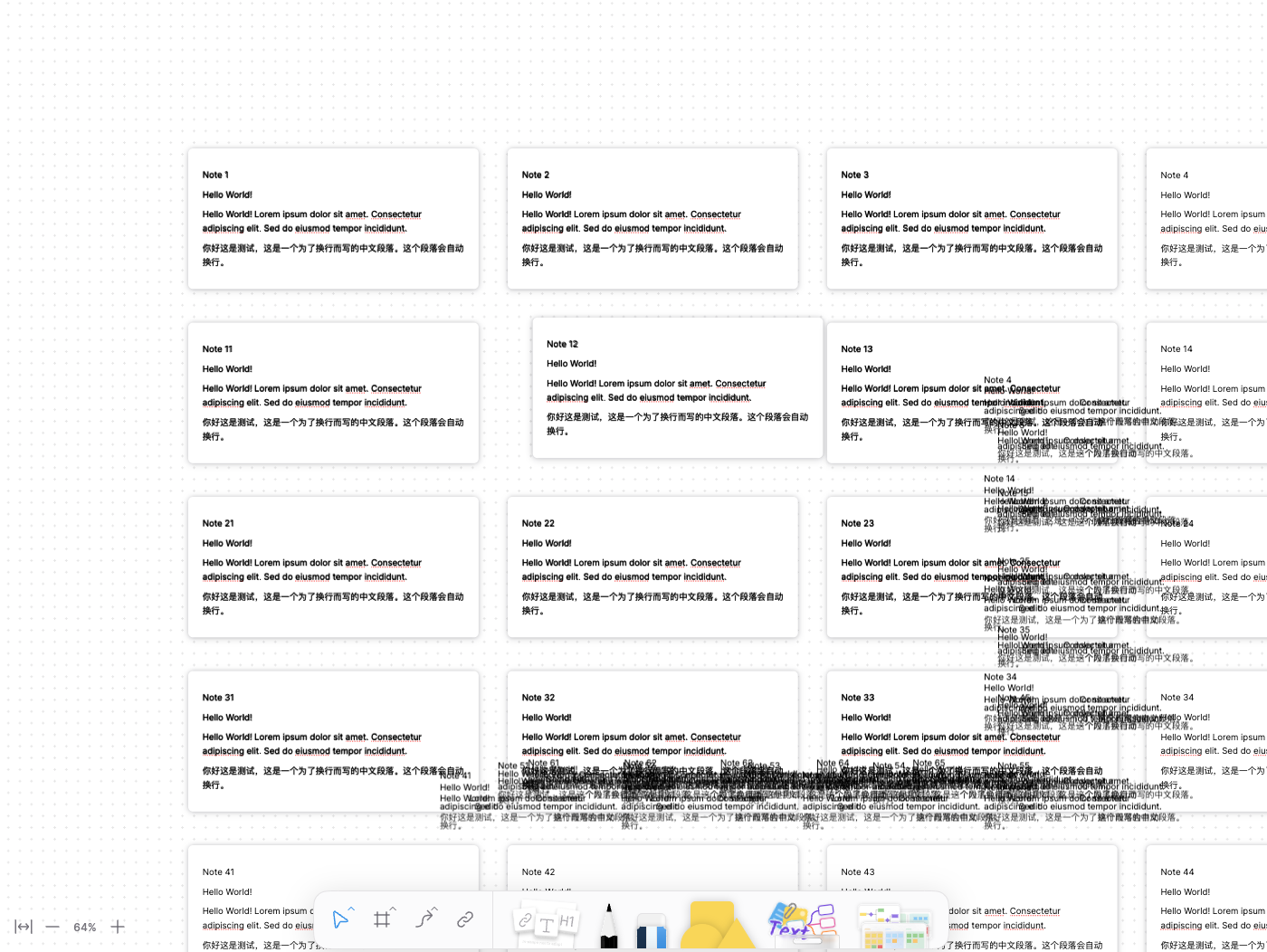
Currently, `GfxViewportElement` hides DOM blocks outside the viewport using `display: none` to optimize performance. However, this approach presents two issues:
1. Even when hidden, all top-level blocks still undergo frequent CSS transform updates during viewport panning and zooming.
2. Hidden blocks cannot access DOM layout information, preventing `TurboRenderer` from updating the complete canvas bitmap.
To address this, this PR introduces a refactoring that divides all top-level edgeless blocks into two states: `idle` and `active`. The improvements are as follows:
1. Blocks outside the viewport are set to the `idle` state, meaning they no longer update their DOM during viewport panning or zooming. Only `active` blocks within the viewport are updated frame by frame.
2. For `idle` blocks, the hiding method switches from `display: none` to `visibility: hidden`, ensuring their layout information remains accessible to `TurboRenderer`.
[Screen Recording 2025-03-07 at 3.23.56 PM.mov <span class="graphite__hidden">(uploaded via Graphite)</span> <img class="graphite__hidden" src="https://app.graphite.dev/api/v1/graphite/video/thumbnail/lEGcysB4lFTEbCwZ8jMv/4bac640b-f5b6-4b0b-904d-5899f96cf375.mov " />](https://app.graphite.dev/media/video/lEGcysB4lFTEbCwZ8jMv/4bac640b-f5b6-4b0b-904d-5899f96cf375.mov )
While this minimizes DOM updates, it introduces a trade-off: `idle` blocks retain an outdated layout state. Since their positions are updated using a lazy update strategy, their layout state remains frozen at the moment they were last moved out of the viewport:
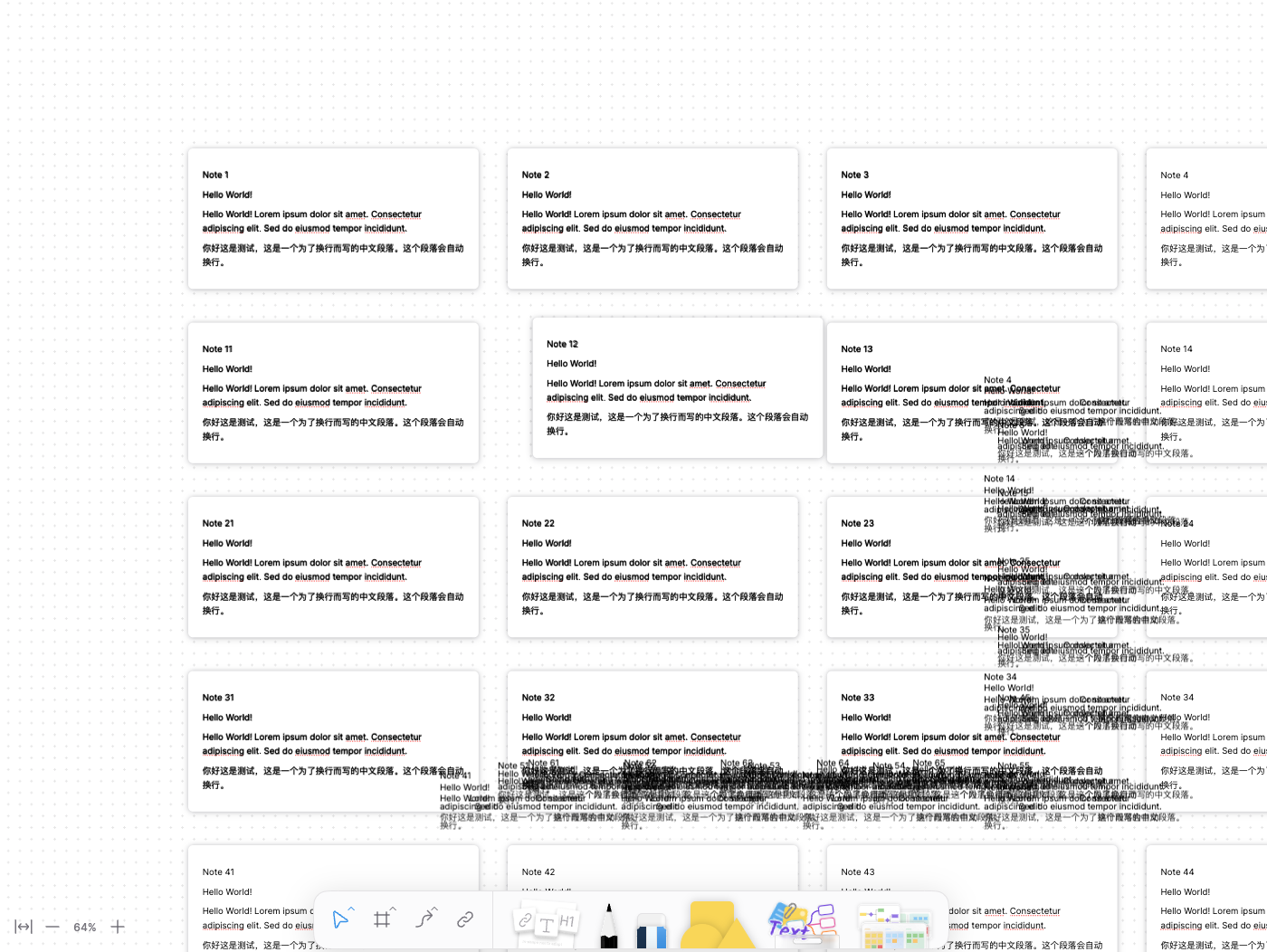
To resolve this, the PR serializes and stores the viewport field of the block at that moment on the `idle` block itself. This allows the correct layout, positioned in the model coordinate system, to be restored from the stored data.
2025-03-08 01:38:02 +00:00
ec9bd1f383
feat(editor): add toolbar registry extension ( #9572 )
...
### What's Changed!
#### Added
Manage various types of toolbars uniformly in one place.
* `affine-toolbar-widget`
* `ToolbarRegistryExtension`
The toolbar currently supports and handles several scenarios:
1. Select blocks: `BlockSelection`
2. Select text: `TextSelection` or `NativeSelection`
3. Hover a link: `affine-link` and `affine-reference`
#### Removed
Remove redundant toolbar implementations.
* `attachment` toolbar
* `bookmark` toolbar
* `embed` toolbar
* `formatting` toolbar
* `affine-link` toolbar
* `affine-reference` toolbar
### How to migrate?
Here is an example that can help us migrate some unrefactored toolbars:
Check out the more detailed types of [`ToolbarModuleConfig`](https://github.com/toeverything/AFFiNE/blob/c178debf2d49c40b753e1bcaa6f07270bdde7401/blocksuite/affine/shared/src/services/toolbar-service/config.ts ).
1. Add toolbar configuration file to a block type, such as bookmark block: [`config.ts`](https://github.com/toeverything/AFFiNE/blob/c178debf2d49c40b753e1bcaa6f07270bdde7401/blocksuite/affine/block-bookmark/src/configs/toolbar.ts )
```ts
export const builtinToolbarConfig = {
actions: [
{
id: 'a.preview',
content(ctx) {
const model = ctx.getCurrentModelBy(BlockSelection, BookmarkBlockModel);
if (!model) return null;
const { url } = model;
return html`<affine-link-preview .url=${url}></affine-link-preview>`;
},
},
{
id: 'b.conversions',
actions: [
{
id: 'inline',
label: 'Inline view',
run(ctx) {
},
},
{
id: 'card',
label: 'Card view',
disabled: true,
},
{
id: 'embed',
label: 'Embed view',
disabled(ctx) {
},
run(ctx) {
},
},
],
content(ctx) {
},
} satisfies ToolbarActionGroup<ToolbarAction>,
{
id: 'c.style',
actions: [
{
id: 'horizontal',
label: 'Large horizontal style',
},
{
id: 'list',
label: 'Small horizontal style',
},
],
content(ctx) {
},
} satisfies ToolbarActionGroup<ToolbarAction>,
{
id: 'd.caption',
tooltip: 'Caption',
icon: CaptionIcon(),
run(ctx) {
},
},
{
placement: ActionPlacement.More,
id: 'a.clipboard',
actions: [
{
id: 'copy',
label: 'Copy',
icon: CopyIcon(),
run(ctx) {
},
},
{
id: 'duplicate',
label: 'Duplicate',
icon: DuplicateIcon(),
run(ctx) {
},
},
],
},
{
placement: ActionPlacement.More,
id: 'b.refresh',
label: 'Reload',
icon: ResetIcon(),
run(ctx) {
},
},
{
placement: ActionPlacement.More,
id: 'c.delete',
label: 'Delete',
icon: DeleteIcon(),
variant: 'destructive',
run(ctx) {
},
},
],
} as const satisfies ToolbarModuleConfig;
```
2. Add configuration extension to a block spec: [bookmark's spec](https://github.com/toeverything/AFFiNE/blob/c178debf2d49c40b753e1bcaa6f07270bdde7401/blocksuite/affine/block-bookmark/src/bookmark-spec.ts )
```ts
const flavour = BookmarkBlockSchema.model.flavour;
export const BookmarkBlockSpec: ExtensionType[] = [
...,
ToolbarModuleExtension({
id: BlockFlavourIdentifier(flavour),
config: builtinToolbarConfig,
}),
].flat();
```
3. If the bock type already has a toolbar configuration built in, we can customize it in the following ways:
Check out the [editor's config](https://github.com/toeverything/AFFiNE/blob/c178debf2d49c40b753e1bcaa6f07270bdde7401/packages/frontend/core/src/blocksuite/extensions/editor-config/index.ts#L51C4-L54C8 ) file.
```ts
// Defines a toolbar configuration for the bookmark block type
const customBookmarkToolbarConfig = {
actions: [
...
]
} as const satisfies ToolbarModuleConfig;
// Adds it into the editor's config
ToolbarModuleExtension({
id: BlockFlavourIdentifier('custom:affine:bookmark'),
config: customBookmarkToolbarConfig,
}),
```
4. If we want to extend the global:
```ts
// Defines a toolbar configuration
const customWildcardToolbarConfig = {
actions: [
...
]
} as const satisfies ToolbarModuleConfig;
// Adds it into the editor's config
ToolbarModuleExtension({
id: BlockFlavourIdentifier('custom:affine:*'),
config: customWildcardToolbarConfig,
}),
```
Currently, only most toolbars in page mode have been refactored. Next is edgeless mode.
2025-03-06 06:46:03 +00:00
 Flrande