close: BS-3378

<!-- This is an auto-generated comment: release notes by coderabbit.ai -->
## Summary by CodeRabbit

- **New Features**
  - Introduced a modular virtualized table view with grouping, selection, drag-and-drop, clipboard support, and batch task management for optimized rendering.
  - Added comprehensive keyboard shortcuts, drag-to-fill functionality, and clipboard operations for efficient table editing.
  - Enabled dynamic column statistics, number formatting controls, and flexible switching between virtual and standard table views via a feature flag.
  - Provided detailed row and group header/footer components with context menus, row management actions, and column reordering/resizing.
  - Added a table view selector component to toggle between virtual and standard table views based on feature flags.
- **Style**
  - Added extensive styling modules for virtual table elements including headers, footers, rows, cells, and interactive controls.
- **Chores**
  - Registered numerous custom elements via modular effect functions to streamline component initialization.
  - Updated feature flag system to include virtual table scrolling toggle.
  - Added new dependencies to support styling and component functionality.
<!-- end of auto-generated comment: release notes by coderabbit.ai -->
Closes: [BS-3359](https://linear.app/affine-design/issue/BS-3359/重构-filesizelimitservice-支持-handle-文件超出限制)

<!-- This is an auto-generated comment: release notes by coderabbit.ai -->
## Summary by CodeRabbit

- **New Features**
  - Added an "Upgrade" button to attachment blocks that appears when file size limits are exceeded, enabling users to view storage plans and upgrade.

- **Refactor**
  - Unified file size limit handling across attachments and images for consistency.
  - Redesigned file size limit service with improved integration and dependency injection.

- **Chores**
  - Updated service registrations and dependency management for file size limit enforcement.
  - Integrated a new file size limit extension that triggers storage plan dialogs and tracking events on limit exceedance.
<!-- end of auto-generated comment: release notes by coderabbit.ai -->
Closes: [BS-3122](https://linear.app/affine-design/issue/BS-3122/footnote-definition-adapter-适配)
Closes: [BS-3123](https://linear.app/affine-design/issue/BS-3123/几个-block-card-view-适配-footnote-态)

<!-- This is an auto-generated comment: release notes by coderabbit.ai -->
## Summary by CodeRabbit

- **New Features**
  - Introduced a new citation card component and web element for displaying citations.
  - Added support for citation-style rendering in attachment, bookmark, and linked document blocks.
  - Enabled citation parsing from footnote definitions in markdown for attachments, bookmarks, and linked docs.
  - Added a feature flag to enable or disable citation features.
  - Provided new toolbar logic to disable downloads for citation-style attachments.

- **Improvements**
  - Updated block models and properties to support citation identifiers.
  - Added localization and settings for the citation experimental feature.
  - Enhanced markdown adapters to recognize and process citation footnotes.
  - Included new constants and styles for citation card display.

- **Bug Fixes**
  - Ensured readonly state is respected in block interactions and rendering for citation blocks.

- **Documentation**
  - Added exports and effects for new citation components and features.

- **Tests**
  - Updated snapshots to include citation-related properties in block data.
<!-- end of auto-generated comment: release notes by coderabbit.ai -->
### TL;DR
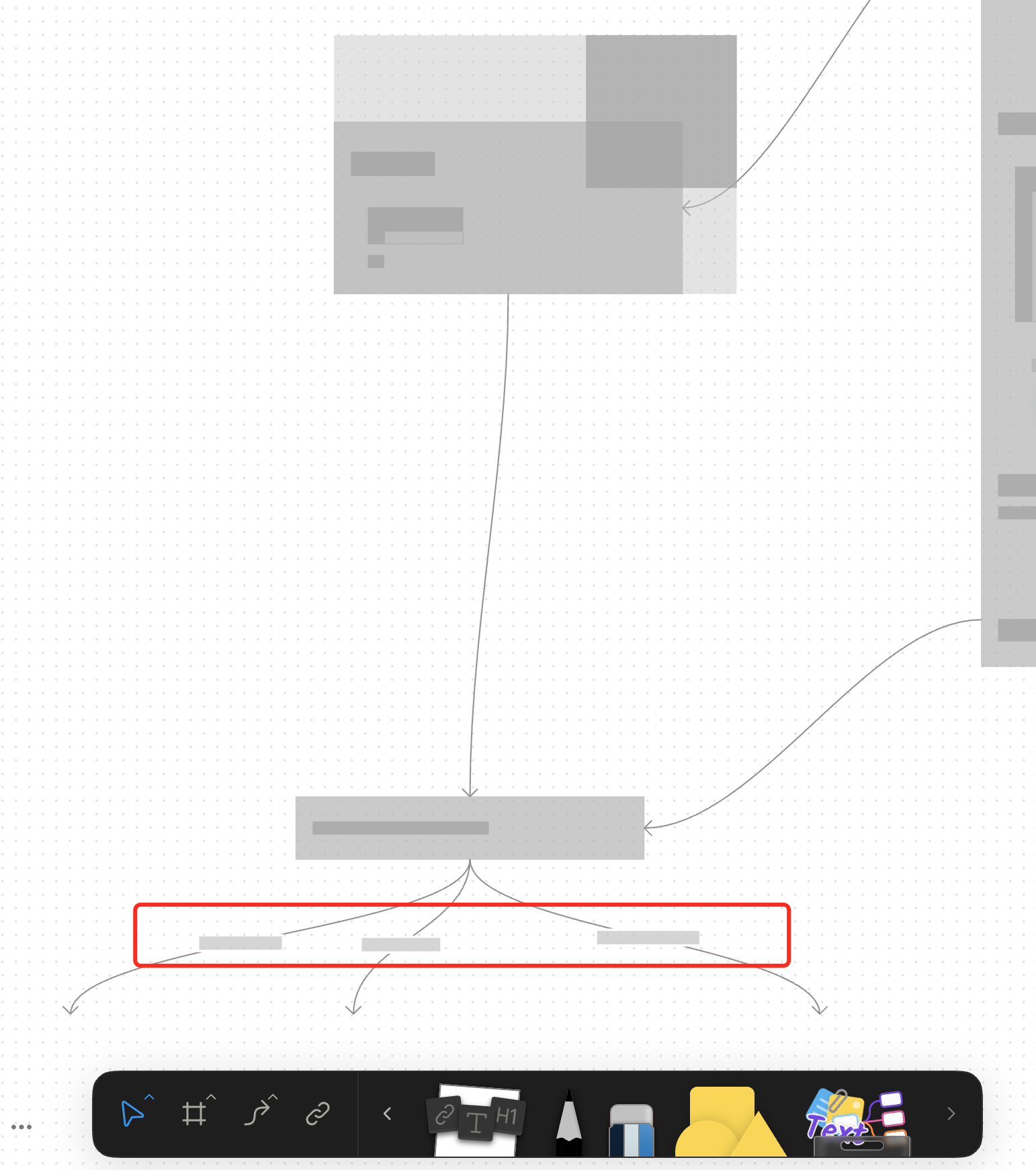
For canvas elements, this PR adds placeholders during zooming operations to improve performance.
### What changed?
- Implemented placeholder rendering during zooming operations in the canvas renderer, but not only DOM.
- Added a `forceFullRender` property to the `GfxCompatibleInterface` to allow elements to opt out of placeholder rendering
- Set `forceFullRender = true` for connectors to ensure they always render properly, even during zooming
- Connected the turbo renderer to the viewport's zooming state to automatically switch between full and placeholder rendering
### Why make this change?
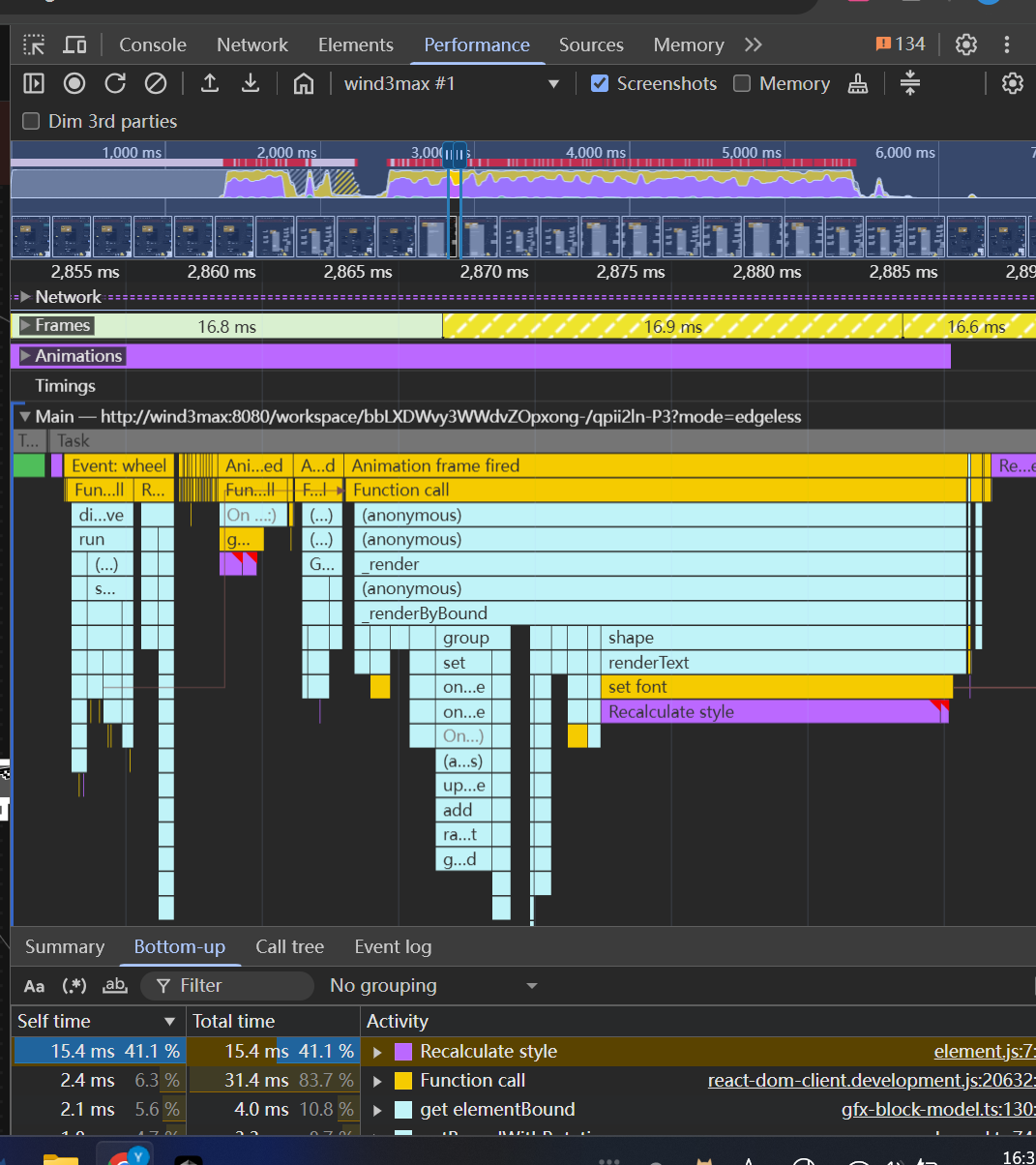
Rendering complex elements during zooming operations can cause performance issues and make the UI feel sluggish. Rendering connector label also leads to high cost DOM `set font` delays.
The turbo renderer improves performance by displaying simple placeholders for elements during zooming, while still rendering critical elements like connectors fully. This creates a smoother user experience while maintaining essential visual information.
<!-- This is an auto-generated comment: release notes by coderabbit.ai -->
## Summary by CodeRabbit
- **New Features**
- Introduced a feature-flag-controlled "turbo" rendering mode that displays placeholder graphics during zooming for improved performance.
- Added the ability to override placeholder rendering for specific elements, ensuring full rendering when required.
- **Bug Fixes**
- Enhanced rendering logic to ensure connectors always render fully, even during zoom operations.
- **Documentation**
- Updated API documentation to reflect new properties related to rendering behavior.
- **Tests**
- Improved tests to verify correct rendering behavior for connectors.
<!-- end of auto-generated comment: release notes by coderabbit.ai -->
<!-- This is an auto-generated comment: release notes by coderabbit.ai -->
## Summary by CodeRabbit

- **New Features**
  - Introduced a new pointer graphics module with tools and quick tool integration for edgeless surfaces.
  - Added a quick tool button for pointer interactions in edgeless mode.
  - Exposed new extension points for pointer graphics and effects.

- **Improvements**
  - Integrated pointer graphics as a dependency into related packages.
  - Enhanced toolbar context to support additional surface alignment modes.
  - Added conditional clipboard configuration registrations for edgeless contexts across multiple block types.

- **Removals**
  - Removed legacy tool and effect definitions and related quick tool exports from edgeless components.
  - Streamlined extension arrays and removed unused exports for a cleaner codebase.
  - Deleted obsolete utility functions and component registrations.

- **Chores**
  - Updated workspace and TypeScript project references to include the new pointer graphics module.
<!-- end of auto-generated comment: release notes by coderabbit.ai -->
<!-- This is an auto-generated comment: release notes by coderabbit.ai -->
## Summary by CodeRabbit

- **New Features**
	- Images and icons in bookmark cards are now loaded through an image proxy for improved reliability and consistency.
	- Embed blocks for GitHub, Loom, and YouTube now display banner and creator images via an image proxy service for enhanced image loading.

- **Refactor**
	- Simplified backend URL handling and proxy logic for images, resulting in more efficient processing and reduced complexity.
	- Consolidated image proxy middleware and services into a shared adapter module for streamlined imports and improved maintainability.
<!-- end of auto-generated comment: release notes by coderabbit.ai -->
### What Changes
- Refactors the `notify` function call with undo button. It is called `notifyWithUndo`, which can  associate the visibility of the `NotificationCard` with the top undo item in history stack, such as undo by shortcut `Cmd+Z`.
- change icon of the "Insert into page" button. Close [BS-3267](https://linear.app/affine-design/issue/BS-3267/frame和group的insert-into-page图标也更换一下)
### What Changes
- fixed keyboard service can not be initialized since a anonymous `BSKeyboardWithActionService` class was provider to di
- fixed tool panel was not closed when focus on other pragraph by clicking
- optimized code structure of fallback `show` and `hide` of keyboard
To close [BS-2870](https://linear.app/affine-design/issue/BS-2870/支持识别-和-[-包裹内容为公式)

## Add Markdown Preprocessor Extension and Enhanced LaTeX Support

### Markdown Preprocessor Extension
This PR introduces a new preprocessor extension for Markdown adapters that allows preprocessing of content before conversion:

Adds a new PreprocessorManager for handling text transformations
Introduces extensible preprocessor interface that supports different processing levels (block/slice/doc)

Integrates preprocessor extension into the existing Markdown adapter workflow

### LaTeX Support Enhancement
Extends LaTeX support to handle both traditional and alternative syntax:
Adds support for backslash LaTeX syntax:

Block math: ```\[...\] ``` alongside existing ```$$...$$```
Inline math: ```\(...\) ``` alongside existing ```$...$```

Implements LaTeX preprocessor to standardize syntax before conversion

Updates tests to cover both syntax variants
Close [BS-2917](https://linear.app/affine-design/issue/BS-2917/【移动端】ios-唤起键盘的edge-case)

This PR fixes an issue where the keyboard cannot be re-triggered on iOS devices after the keyboard toolbar is hidden or executing some actions in keyboard toolbar.

Key changes:
- Preserve and restore the initial input mode when keyboard toolbar shows/hides
- Improve virtual keyboard service interface to better handle keyboard state
- Add proper cleanup of input mode state in component lifecycle
Closes: [BS-2909](https://linear.app/affine-design/issue/BS-2909/新增highlighter)

### What's Changed!

Currently the highlighter tool is very similar to brush, but for the future, it's a standalone module.

* Added `Highlighter` element model
* Added `Highlighter` tool
* Added `Highlighter` entry to the global toolbar
 zzj3720